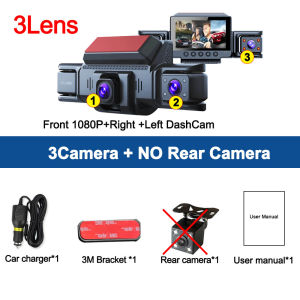
3/4 Lens Car DVR 1080P HD Video Recorder 360° DashCam for Car Night Vision Front left right Rear View camera Car Assecories
This product is available in three optional configurations:1: 3Camera (NO Rear Camera)2: 3Camera+ Rear Camera3: 3Camera+ Rear Camera+24H Step-down cableplease select the configuration you want when ordering, thank you!● Display size: 3.0 '' IPS screen● Resolution:FHD 1920*1080P @30fps● 170 degree Ultra High-definition wide angle lens● Image sensor: GC2093 1/2.9 "2 million pixel CMOS● Loop recording: Supports seamless loop recording● Front camera 1080P,rear camera 1080P,right/left cam 1080P4 Channels Dash Cam for Cars4 Channels Dash Cam for Cars Video Recorder 1080P Car Dvr Rear View Camera Parking Monitor Black Box Car Assecories4Channels 1080P Dash camONLY Front Camera: 1080P;Front &left and right Camera:1080P+720P+720PFront &left and right & Rear Camera: 1080P+720P+720P+720PSuper Night VisionF2.0 aperture lens,330"wide angle,4 lR lightsand WDR technology, Dual channel dash camera peocides supernight version even in dark stiuation.360 ° LENS ROTATION3Inch Camera 360° interior rotatable lens, with no dead angles inside and outside the car, providing panoramic view.Reverse image (Optional)When hanging in the "R" gear, the screen will automatically switch Reverse image, and the accurate inverted auxiliary line provides you with better parking prediction.24-Hour Parking MonitoringFriendly reminder: parking monitoring needs to be configured with a special buck cable for use, otherwise 24-hour monitoring is not possibleBuilt-in G-sensorWhen your car is subjected to an impact or other emergency,the G sensor is triggered, so that the recorder immediately records and locks the video.Loop- Cycle RecordingWhen the TF card is full,it will automatically delete former video and keep recording all the timeInstallation Diagram1.Secure the recorder to the windshield of the vehicle , recommended near the rearview mirror area2.Hide the power cord in the window gap along the red line in the figure above3.Insert the car charge wire into the cigarette lighter, connect the power supply, and complete the installationHow to install 24 hours guard Hardware kit cable (optional):To protect your privacy, the TF card needs to be formatted for the first time. There are two solutions:1. Insert the TF card correctly into the dash cam, open the camera settings, find the storage card format, confirm that the formatting is complete, and then restart the camera to use.2.Connect to the mobile application, search for settings in the mobile application, format the memory card, confirm formatting is complete, and then restart the camera to use it. Sincere wishes to you and your family.

Prime Supply_Play Life
Review

You May Also Like
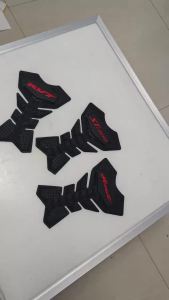
For Honda ST1300 Hornet RVT VTR CBR250R RR CB400 Motorcycle Stickers Fishbone Tank Pad 3D Tank Protector Anti-Scratch Fuel Tank
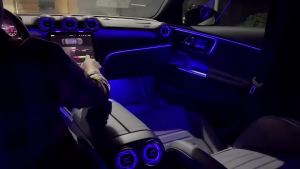
For Mercedes Benz C-Class W206 GLC X254 64 Colours LED Air Vent Led Turbine Nozzle Ambient Light Outlet Turbo Interior Air Vent
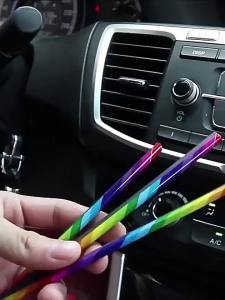
20cm 10pcs Car Interior Trim Strip Car Air Conditioning Vent Decoration Car Vent Decoration Universal Style Five Color Optional

NPC | Waterless Cleaning and Shining Wash Liquid
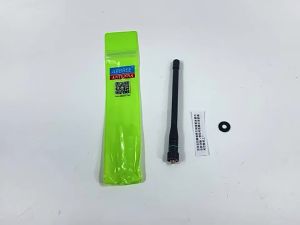
ABBREE | ABBREE AR-775 Telescopic Antenna SMA-Female/Male/BNC Dual Band Antenna For Quansheng UV K5 K6 Baofeng UV-5R BF-888S 21 Ham Radio
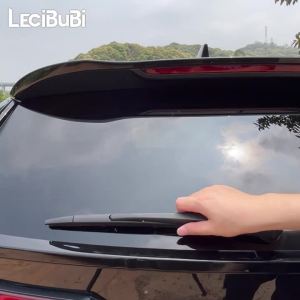
Rear Windshield Wiper Blade Windscreen Wipers Accessories For Chevrolet Spark M300 2009-2015 2010 2011 2012 2013 2014

EKLEVA Car Windshield Repair Kits DIY Quick Fix Car Cracked Glass Windscreen Repair Tool Auto Windscreen Scratch Glass Fix
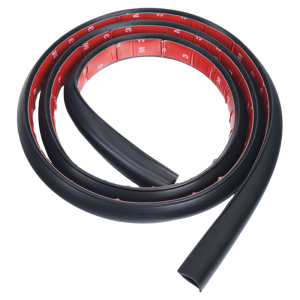
FIT CLUB | Windshield Roof Light Wiring Conceal Strip

KEYECU for Volkswagen Jetta Eos Golf Passat Beetle 2011-16 315MHz ID46 Chip NBG010180T 5K0 837 202 AE 5K0837202A Remote Key Fob
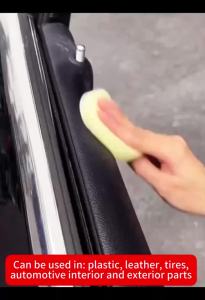
Car Plastic Restorer Back To Black Gloss Auto Interior Leather & Panel Renewal Wax Coating Agent Auto Polish And Repair Coating
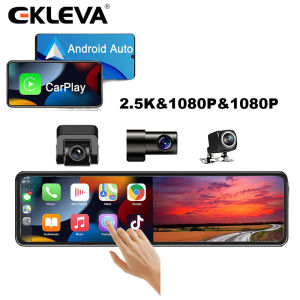
EKLEVA 3 Cameras Dash Cam 1080P Car Mirror Video Recording Carplay & Android Auto Wireless Connection WiFi Miracast Navigation DVRs