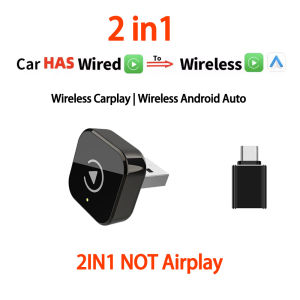
2026 New 2/3 in 1 AI BOX Wireless Carplay Android Auto Mirror Link Adapter Wireless mini Box Plug And Play BT WiFi Fast Connect
Note: This link offers two options:1. 2-in-1: Supports wireless CarPlay/Android Auto only. Does not support Apple device screen mirroring.2. 3-in-1: Supports wireless CarPlay/Android Auto + AirPlay. Supports Apple device screen mirroring (does not support Android device screen mirroring).Q: How do I switch between wireless CarPlay/AirPlay functions?(3IN1)A: Principle: Wireless CarPlay/Android Auto connects via Bluetooth, while AirPlay screen mirroring connects via Wi-Fi. Switch between functions by tapping the corresponding icons on your car's display.1. To connect CarPlay, tap the CarPlay icon to pair with the product via Bluetooth. To switch to AirPlay, tap the car brand logo icon displayed on the screen to exit CarPlay and return to the device selection page.2. On the main function page, tap the AirPlay icon to connect to the corresponding Wi-Fi network. Once connected (indicated by no signal icon), pull down to locate the screen mirroring icon. Tap the name/signal and wait for mirroring to succeed.Operation Note: If screen mirroring fails, verify your phone is connected to the device's Wi-Fi network. Mirroring cannot occur without a Wi-Fi connection.3 in 1 Wireless carplay adapter✅ ⚠️ CRITICAL CHECK: Wired CarPlay Required & No Netflix/DRM Support 1. Car: Must have Factory Wired CarPlay (2015-2022). 2. Phone: iPhone 6+ (iOS 10+) & Android 11+. 3. Mirroring (iPhone Only): Perfect for YouTube/TK/Local Videos. IMPORTANT: Paid streaming apps like Netflix, Hulu, Disney+, & Prime Video are blocked by DRM copyright encryption and CANNOT be mirrored. Checking this prevents ordering mistakes!✅ Go Wireless in Seconds (2026 Upgrade): Ditch the tangled cords and clean up your dash. This 2026 upgrade features a 5.0GHz "set it and forget it" system. The wireless carplay adapter with screen mirroring connects automatically the moment you start your engine, delivering a rock-solid signal that rivals a wired connection. Just hop in and drive.✅ Boredom-Free Waiting (For iPhone Only): Turn your car into a private cinema while parked. This screen mirroring adapter for car displays lets you cast YouTube or TikToks directly to your dash. It's the ultimate mirror phone to car screen adapter to kill time while camping or taking a lunch break. (Note: Supports AirPlay for iPhone only; No Netflix/Hulu).✅ 3-in-1 Powerhouse & Smart Cooling: Why settle for a basic dongle? We designed a complete 3-in-1 wireless carplay adapter with video streaming and usb support. Whether used as a 3 in 1 screen mirror adapter or for seamless navigation, our smart heat-dissipating shell keeps it cool for lag-free performance on long road trips.✅ Dual Modes & We've Got Your Back: Fits anywhere! Choose direct plug-in for a factory look or use the flexible extension cable for tight spots. Unlike rigid sticks, it adapts to your car. Enjoy peace of mind with a 365-day warranty and a support team that's always here to help. Contact us anytime about your wireless carplay adapter.✅ Works For Ford, Chevy & US Models: Engineered to work perfectly as a wireless CarPlay adapter for Ford (Mustang, Explorer) and for Chevrolet (Camaro, Malibu, Equinox). Fully compatible with Dodge (Charger, Durango), with Chrysler, Buick, and Cadillac (CT5/6, XT4/5/6). Also supports luxury lines like Audi, Mercedes-Benz, Jaguar, Mini, Acura, and more.✅ Works For Toyota, Honda & Asian Models: The ideal wireless CarPlay adapter for Toyota (Corolla, Camry, RAV4) and for Honda (Civic, Accord, CR-V). Serves as a reliable connection for Nissan (Altima, Rogue), for Mazda, Subaru, and Lexus. Suitable for Hyundai/Kia (Sonata, Tucson), for VW (Jetta, Tiguan), and many others.📬Note before buying:✅Upgrade from wired CarPlay to wireless CarPlay✅Upgrade your vehicle's wired Android Auto to wireless Android Auto✅Supports wireless Apple mirroring and Android mirroring connections✅Original factory buttons/touchscreen control, plug-and-play, smooth operation✅After the initial connection, the device automatically connects when you get in the car✅Bluetooth 5.0, 5GHz Wi-Fi✅USB plugHow to use wireless Carplay/Android Auto?1. Connect the USB box to the car USB2. Check the Bluetooth name "K6 pro-XXXX" that appears on the car3. Turn on the phone's WIFI and Bluetooth, and use the Bluetooth pairing device name.Airplay projection screen(For IOS)Sync mobile APPIPhone image projection screen, mobile phone system iOS. 18 and laterAirplay Enabled: Allows wireless streaming of music, videos, and more from phone devices directly to your car’s display.(Attention: We are unable to screen copyrighted apps, and some copyrighted videos cannot be played. We apologize for any inconvenience caused)How to connect Mirror link?1:Turn on WiFl on your phone2: Click on wireless screen mirroring3: Find the wireless screen projection entrance onyour phone(usually available in the drop-down menufunction list)or search for itin the settings4: Find the device name of the box in the wirelessscreen casting list.5: Click on the device nome to connect and casthe screen for use.1. How to confirm whether my car is compatible?The following requirements must be met to use this product:✅ Your car radio is original.✅ Your car has wired Carplay or wired Android auto.❌ BMW, Tesla and other models are not compatible.❌not for HUAWEI2. Why can't my Android phone connect to Carplay?Android phones support Android auto, and only iPhone can use Carplay. Note that if you have a Huawei phone, you cannot use Android auto either. (Huawei has its own operating system).Android phones can connect to Android Auto but cannot connect to AirPlay.3. Why is there a slight delay in the sound during use of the product?Any product connected via Bluetooth will have lags. This is a normal phenomenon. You can also improve it in the following aspects:✅Turn off redundant Bluetooth devices, because unnecessary Bluetooth signals will interfere with the product connection.✅Disconnect and reconnect Bluetooth.

Prime Supply_Play Life
Review

You May Also Like
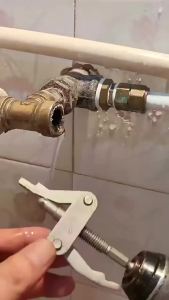
NiuXiang | Broken Pipe Extractor Tool Universal Faucet Cartridge Remover Hex Shank Power Drill Nipple Extractor for Plumbing Repair
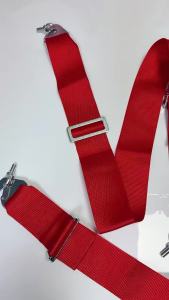
3 Inch 4/5/6Point Racing Seatbelt High Quality Seat Belt Adjustable Quick Release Snap-On Harness Shoulder Strap Car Acessories
![[SG Stock] Car Vacuum Cleaners 120W 35000pa High-power Wireless Handheld Vacuum Cleaner Car Home Dual Portable Car](https://img.lazcdn.com/g/ff/kf/Sfa61df5f307e49c5a5677a77c3f11bbbQ.jpg_300x300q80.jpg)
[SG Stock] Car Vacuum Cleaners 120W 35000pa High-power Wireless Handheld Vacuum Cleaner Car Home Dual Portable Car
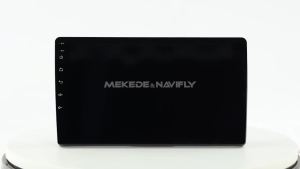
9inch Car Radio Stereo for Toyota Yaris 2012-2017 CarPlay Autoradio Multimedia Player Navigation WiFi 2Din GPS Recorder Headunit
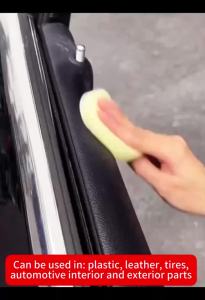
Car Plastic Restorer Back To Black Gloss Auto Interior Leather & Panel Renewal Wax Coating Agent Auto Polish And Repair Coating

Motowolf | Windproof Waterproof Hand Guards with LED 1 Pair
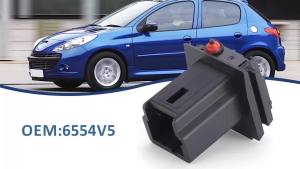
For Citroen Xsara Picaso C3 C4 Picasso For Peugeot 206 307 308 407SW Trunk Release 6554V5 Micro Switch Black 8726V7 Interface
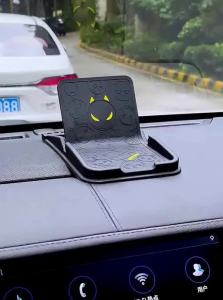
AIWALOT | Anti-Slip Car Dashboard Phone Holder with Navigation Support

For Yamaha YZF-R7 YZF R7 YZFR7 2021-2025 ( Not For 2026) Motorcycle CNC Adjustable Folding Extendable Brake Clutch Levers
15W Wireless Car Charger Phone Holder Automatic Clamping Mount Fast Charging Stand 90° Rotation Hands Free Car Mount for iPhone Samsung
4CH WiFi Dash Cam for Car 360 DVR Camera APP Control 24H Parking Mode Video Recorder IR Night Vision