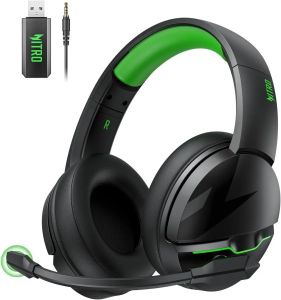
Acer | Acer K2 Headsets Gamer 100H Battery Dynamic Clear Voice Mic Bluetooth Gaming Headphones for PC PS4 Wireless Gaming Headset
Acer Gadget, a subsidiary of the globally leading ICT enterprise Acer Inc., is dedicated to providing a diverse range of products, services, and solutions across various industries.Featured Brands: Acer, Nitro, eMachines, e10, Pawbo, and Xplova.Acer Gadget's gaming headsets embody innovation and excellence, offering gamers unparalleled sound clarity and comfort to ensure full immersion in the virtual world. Various Colors for Gifting How did we start?Our journey began with a passion for gaming and technology. We aimed to create high-performance, innovative gaming headsets that exceed design expectations. Every step reflects our excellence pursuit.What's unique about our product?Our gaming headsets stand out for their sound quality, comfort, and customization. Advanced audio tech ensures precise sound for gamers.Why do we love our work?We love transforming our gaming passion into products that enhance gaming experiences. Witnessing player satisfaction fuels our drive for innovation. Product Description 1Pristine Sound 2Ultra Comfortable 3ENC Mic 4100-Hour Duration 53 Connection Options Boost Work EfficiencyA single charge can last up to 100 hours, ensuring you can maintain your best working condition from morning to night and not miss any important communications and instructionsGaming ExcellenceUltra-light design and soft ear pads ensure no discomfort even after long-term use, allowing you to concentrate on the game without worrying about ear fatiguePure Music BlissAdvanced acoustic technology and noise reduction function provide a pure music experience, helping you enjoy music in noisy environments The video showcases the product in use. The video guides you through product setup. The video compares multiple products. The video shows the product being unpacked. How to pair the headset wirelessly for the first time?1. Insert the USB dongle into your device (PC, PS5, etc.).2. Press and hold the power button on your headset for 5 seconds until you hear "pairing mode".3. Once the headset are successfully paired, the USB blue indicator light will stay steady on.Does it support wireless connectivity with Xbox series consoles?No, it cannot. The K2 headset doesn't support 2.4GHz or Bluetooth mode with Xbox. Xbox series ONLY compatible with 3.5mm wired mode.Supported devices and connections?It supports two connection options: wireless for PC and PS4/5 consoles, and wired for PC, PS4/5 controller, Xbox Series X controller, Switch, cell phone (3.5mm), and tablet (3.5mm).Can I use headphones while charging?It can only be used in wired mode ! It can only be used in wired mode ! It can only be used in wired mode ! The Bluetooth and 2.4G wireless functionalities will not be available during the charging process !Unable to connect to devices?Check if you used a USB Extension Cable or USB Hub. Plug directly into the USB jack of the device's host.Try replacing a USB jack.For PC, it is recommended to plug into the USB jack at the back of the host..aplus-v2 .apm-brand-story-carousel-container {position: relative;}.aplus-v2 .apm-brand-story-carousel-hero-container,.aplus-v2 .apm-brand-story-carousel-hero-container > div {position: absolute;width: 100%;}/Ensuring the carousel takes only the space it needs.The sizes need to be set again on the absolutely positioned elements so they can take up space./.aplus-v2 .apm-brand-story-carousel-container,.aplus-v2 .apm-brand-story-carousel-hero-container {height: 625px;width: 100%;max-width: 1464px;margin-left: auto;margin-right: auto;overflow: hidden;}.aplus-v2 .apm-brand-story-carousel-hero-container,.aplus-v2 .apm-brand-story-carousel-hero-container > div {height: 625px;}.aplus-v2 .apm-brand-story-carousel.a-carousel-container {padding: 0px;}/This centers the carousel vertically on top of the hero image container and after the logo area (125px).Margin-top = (heroHeight - cardHeight - logoAreaHeight) / 2 + logoAreaHeight/.aplus-v2 .apm-brand-story-carousel .a-carousel-row-inner {margin-top: 149px;}/Cards need to have a width set, otherwise they default to 50px or so.All cards must have the same width. The carousel will resize itself so all cards take the width of the largest card.The left margin is for leaving a space between each card./.aplus-v2 .apm-brand-story-carousel .a-carousel-card {width: 362px;margin-left: 30px !important;}/* styling the navigation buttons so they are taller, flush with the sides, and have a clean white background */.aplus-v2 .apm-brand-story-carousel .a-carousel-col.a-carousel-left,.aplus-v2 .apm-brand-story-carousel .a-carousel-col.a-carousel-right {padding: 0px;}.aplus-v2 .apm-brand-story-carousel .a-carousel-col.a-carousel-left .a-button-image,.aplus-v2 .apm-brand-story-carousel .a-carousel-col.a-carousel-right .a-button-image {border: none;margin: 0px;}.aplus-v2 .apm-brand-story-carousel .a-carousel-col.a-carousel-left .a-button-image .a-button-inner,.aplus-v2 .apm-brand-story-carousel .a-carousel-col.a-carousel-right .a-button-image .a-button-inner {background: #fff;padding: 20px 6px;}.aplus-v2 .apm-brand-story-carousel .a-carousel-col.a-carousel-left .a-button-image .a-button-inner {border-radius: 0px 4px 4px 0px;}.aplus-v2 .apm-brand-story-carousel .a-carousel-col.a-carousel-right .a-button-image .a-button-inner {border-radius: 4px 0px 0px 4px;}

Prime Supply_Play Life
Review

You May Also Like
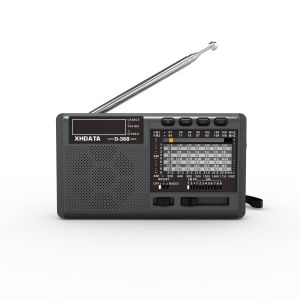
XHDATA | XHDATA D-368/ D-328 Portable Radio FM1-2/AM/SW 12 Band MP3 Player Bluetooth/TF Card With Headphone Jack For elder Easy Use
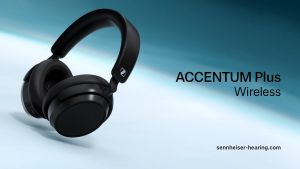
Sennheiser ACCENTUM Plus Wireless
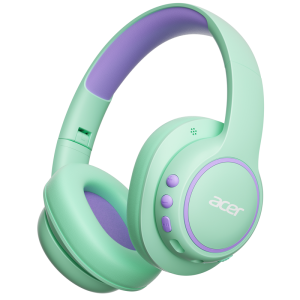
Acer | Acer Kids Bluetooth 6.0 Headphones Over Ear Headphone for Kids with Mic 85dBA Safe Volume Toddler Headphones for Travel/School
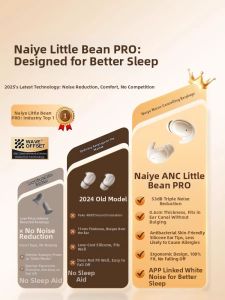
Niye | Sleep Dedicated Noise Cancelling Bluetooth Headphones
![SG [In Stock] Samsung AKG Earpice with Microphone/ 3.5mm & Type-C In-Ear](https://img.lazcdn.com/g/ff/kf/S88405d4dd2be4ef8a4c17ada070eddc2b.png_300x300q80.png)
SG [In Stock] Samsung AKG Earpice with Microphone/ 3.5mm & Type-C In-Ear
【SG READY STOCK】Monster XKT08 Gaming Wireless Bluetooth 5.3 Headphones Low Latency Noise Reduction Earbuds Headset With
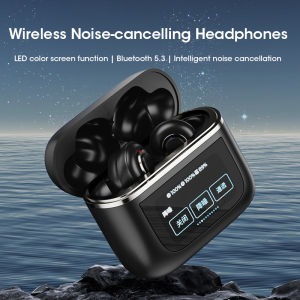
Niye Tour Pro 2 ANC Wireless Bluetooth Earbuds LCD Touch Screen Visible Earphones Stereo Waterproof Headset Built-in Mic 2024 New
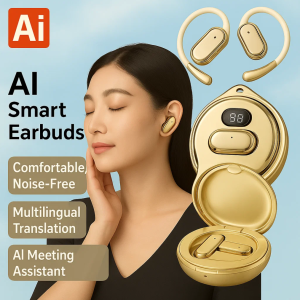
【Translation Into 144 Languages】High-Speed Bluetooth Smart Translation Headset Ai Translator Earbuds Wireless Headphones 13 Hours Long Life
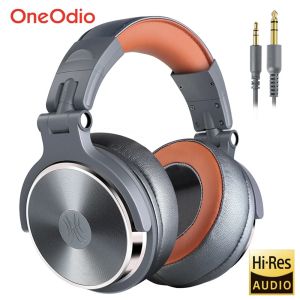
Oneodio Foldable Over-Ear Wired Headphone For Phone Computer PC Professional Studio Pro 30 50 Monitor DJ Headset Gaming Earphone
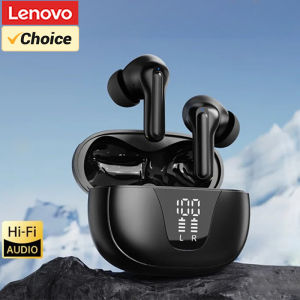
Lenovo | Original Lenovo XT58 Wireless Earphones Bluetooth V5.4 Noise Reduction Gaming Headset HiFi Stereo Sound LED Display Earbuds Mic
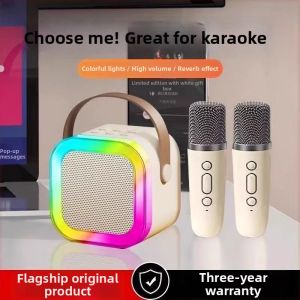
yuanyiqiaoli | Mic Karaoke Bluetooth Home KTV Set Speaker with Intelligent Sound Card