Razer Gold PIN Singapore SGD50
How to reload your Razer Gold account with Razer Gold PIN?Visit gold.razer.com and login to/create your Razer Gold account.Click on 'Shop' at the navigation bar and select 'Redeem Razer Gold PIN'.Enter the 14-digits PIN Number which you have received via email. Click the "Next" button.You have successfully reloaded your Razer Gold account with Razer Gold PIN. The receipt will be sent to your email which can be viewed at Account Summary.Terms & Conditions:Purchased PINs to be sent over to indicated email. Please ensure registered email is correct.Please check your Spam/ Junk E-mail folder in case the confirmation email was delivered there instead of your inbox. Razer will not re-issue any PIN to user due to wrong email keyed in.Product once sold is non-refundable or exchangeableContact us for assistance at gold.razer.com/help This Razer Gold PIN Code (“Razer Gold PIN”) is denominated in SGD and valid only for Razer Gold services in Singapore. Usage requires a Razer Gold account in Singapore and internet access. This Razer Gold PIN must be purchased using approved non-cash payment methods and only PINs purchased from authorized Razer Gold resellers are valid. Razer Gold PINs are valid until their specified expiry dates and no service fee is required for use. This Razer Gold PIN is non-refundable and non-exchangeable upon purchase. Razer is not responsible for lost, stolen, destroyed, or unauthorized use of this Razer Gold PIN, or any loss arising from its incorrect use. This Razer Gold PIN is issued and distributed by Razer Gold (SG) Pte. Ltd., an entity holding a Major Payment Institution licence under the Payment Services Act 2019 issued by the Monetary Authority of Singapore. Use of this Razer Gold PIN is subject to Razer Gold’s Terms of Service and Privacy Policy at gold.razer.com. For help, visit us at gold.razer.com/help.Copyright © 2025 Razer Inc. All rights reserved.

Elpha Digital



You May Also Like

Chongqing airport transfer car rental 7-seater Buick c/w driver

Malaysia Maxis eSIM Ultimate 1-3Days Daily 500MB-3GB Unlimited Data | Instant 24h Email Delivery | Truly Local Malaysia eSIM
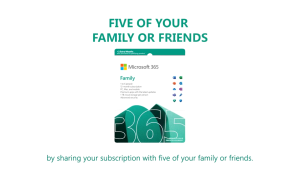
Microsoft 365 Family | 1 Year SG Retail Subscription | 6 Users | 6 TB OneDrive | Windows/Mac/iOS/Android | Digital Code

Taiwan eSIM Ultra 5G 3-30Days 3-50GB Data Instant Email Delivery High Speed Travel Data Taiwan SIM Card

Macau eSIM Ultra 5G 3-30Days 3-20GB Data Instant Email Delivery High Speed Travel Data Macau SIM Card

Snow City Singapore | Bumper Car Experience Ticket

Thailand eSIM Pro 1-15Days 1-20GB 5G/4G Data | Instant 24h Email Delivery | High Speed I Thailand Travel Data SIM Card
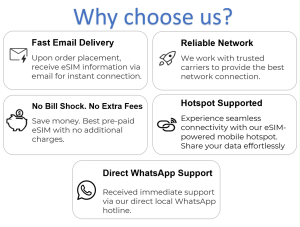
Brunei eSIM 5G High Speed Data | Supports Hotspot | 30Days | 3-20GB | Email Delivery

Zhuhai airport transfer car rental 19-seater Toyota Coaster c/w driver
Vietnam eSIM Ultra 5G 1-15Days Daily 500MB-3GB Unlimited Data Instant Email Delivery High Speed Travel Data Vietnam SIM Card
![Denmark Finland Iceland Norway Sweden eSIM [5 Countries] | 5-30 Days | 5G High Speed Travel Data | Instant Email Delivery | Hotspot Supported | No Roaming Fee](https://img.lazcdn.com/g/ff/kf/S6c64d6dd2f694743b0f905e3d60ae726K.jpg_300x300q80.jpg)
Denmark Finland Iceland Norway Sweden eSIM [5 Countries] | 5-30 Days | 5G High Speed Travel Data | Instant Email Delivery | Hotspot Supported | No Roaming Fee