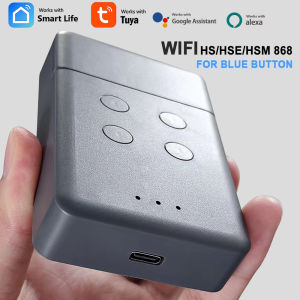
WIFI Tuya Smart HS HSE HSM 2/4 WIFI RF Bridge Intelligent Garage Door Opener for Blue Button 868MHz Radio-frequency Converter
Compatible withhsm2 868 ,hsm4 868,hs1 868,hs2 868,hs4 868,hse2 868,hse4 868hsz1 868,hsz2 868,hsp4 868,hsp4-c 868,hsd2-A 868,hsd2-c 868Marantec Digital D382 868Marantec Digital D384 868Marantec Digital D302 868Marantec Digital D304 868Marantec Digital D313 868Marantec Digital D321 868Marantec Digital D323 868Marantec Command 131 868NO OTHERSIt combines Rf and TUYA mobile app control, After the device paired with the network, you can realize the remote control of your gate through the tuya mobile app. You can connect the voice audio to realize voice control of your gate. you also can share the control of the device to other people and you can remove the control of other people. This smart device eliminates the complicated receiver wiring and allows you to conveniently, quickly, and securely realize the remote control of your gate by mobile app/smart speaker/RF controlHighlight【APP Remote Control】After the equipment has been distributed to the network,You can check the working state of the device in Tuya APP anywhere and anytime.【RF Control】It can be used as an RF remote to control your garage gate door【Voice Control】You could voice control the device by Alexa/Google Assistant.【Recommended installation】After powering up the device, there is no need for complicated wiring to enable your mobile phone to control your front door【Share function】You can share garage door control with your family, or friends, and you can remove other people's garage door control.How to UseA : Face to face copy your original remote controlPower on (USB Android Type-c 5V) Step 1: Clear Replicator History Code1: Press the 3 and 4 buttons consecutively until the LED flashes 3 times2. Release the 4 button (continue to press the 3 button), then slowly press the 4 button 3 times while the LED blinks3. Release the 3 button to complete code erasure.Step 2, Copying Code from Original Transmitter1. Place the duplicator on the side of the original transmitter as close as possible. 2. Press and hold the 1/2/3/4 button on the original transmitter, then press and hold the 1 button on the duplicator until you see the duplicator's LED blink.3. Release both buttons to complete the code duplication and duplicate the other buttons in the same manner.B: If you don't have the original remote, you can program it directly on the receiver1. Open the casing of your receiver. It is located next to your motor.2. On the receiver circuit board, press the programming button and let it go (ENR, MEMO, PROG, REC according to the model) The LED light on the receiver illuminates or blinks.3. Press a button on your new remote control for 1 second.4. Let the button go. The LED light on the receiver turns off immediately or in the following 10 seconds according to the model.Your new remote control is programmed.After doing one of the above steps, you can start connecting your mobile phoneChecklist before using the deviceYour smart phone or tablet has connected to a2.4g WiFi with internet.You need to enable Bluetooth of the phone.You have the correct WiFi PWD.You have the correct WiFi PWD.You smart phone or tablet must have access to APP store,Google play.Your router is MAC-openUser Guide1.You can download the App by searching “Tuya Smart”in mobile app stores or scanning the following QR code.2.Register an Tuya Smart account.3.If you have Tuya Smart account. just log in.4.Start pairingReset the device first:if the network indicator(red light) blinking fast(0.5S/time) , skip the reset step.①Power on②hold down the Reset button for 10 seconds.until network indicator(red light) blinking fast(0.5s/time).③Clicking in the top right corner on tuya smart app.then click“Auto scan" ,wait a few seconds, After the devices are found,click "Next"④Select a 2.4GHz Wi-Fi network and enter your password.⑤Name your device.⑥Start controlling your device with your mobile phone.

GlobalTechMart
Review

You May Also Like

SIVASS | Portable Waterproof Toilet Seat Cover

Simplified Stainless Steel Door Handle for Shower and Large Doors
KIPRUN Electric Handheld Soldering Iron 220V 60W Automatic Tin Feeding Machine Electronic Welding Tool Adjustable Solder Tool Kit Fast Heating
deli | Fingerprint Password Safe 20cm

Travel Shower Head Mini Detachable Water-Saving Shower Head Portable Skin Care Shower Head 3 Modes Filter Element Design Universal
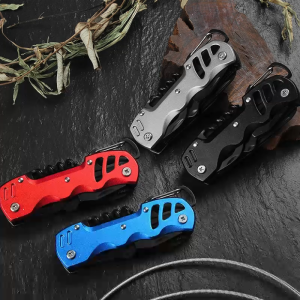
12-IN-1 Multi-tool Pocket Knife Buckle Hanger Tool Set Foldable Multifunctional Tool with Opener Knife Screwdriver File
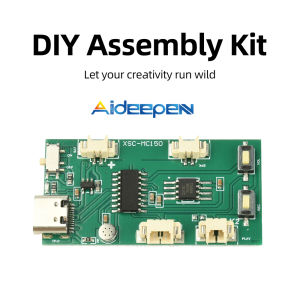
Aideepen DIY Recordable Sound Module Chip for Pop-up Books Greeting Cards & Fridge Magnets Voice Recording Playback
Stanley 20V 2X4.0Ah Brushless Sds+ Rotary Hammer Sbh900M2K-B1
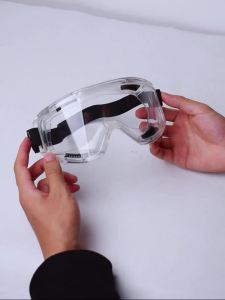
Safety Goggle Anti Splash Dust Proof Work Lab Eyewear Eye Protection Industrial Research Safety Glasses Clear Lens
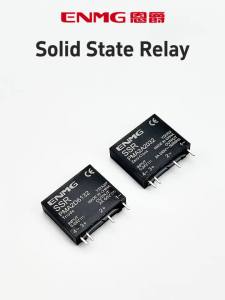
ENMG | ENMG 1Pcs Pin Small Solid State Relay PMA 5-24VDC6A DC Control AC DC24 2A Optically Isolated Thin Film Potted Relay EMC 2500VAC
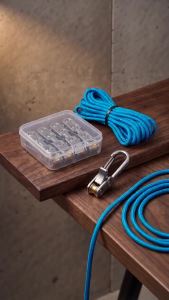
6Pcs Heavy Duty Paracord Tie Down Rope with Roller Tensioner & 6 Hooks Quick Adjust Cam Lock Buckle Non-Slip Outdoor Camping