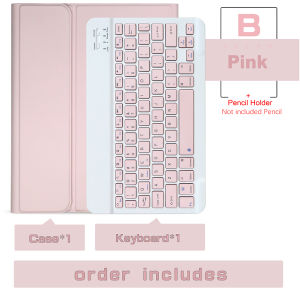
Wireless Magic Keyboard Cover For Ipad Air 11 Inch (M4) 2026 Bluetooth Keyboard Case For Ipad Air 11 Inch (M4) 2026 Funda
Recommended matching products by the store managerThe pencil in the following picture can be used For Ipad Air 11 Inch (M4) 2026 ;If you like it, please click on the image to enter the link to purchaseNote: This product does not include a pencil !!!You can click on the picture above to buy a pencil .English keyboard by default,multi-language keyboard are available.if you need other keyboard please leave us message when making ordersFor following countries users will be sent corresponding keyboardRussian Keyboard : RussiaSpanish Keyboard : Spain,Chile,Mexico,Colombia, Peru UsersArabic Keyboard : Saudi Arabia UsersPortuguese Keyboard : Brazil,Portugal UsersHewbrew Keyboard : Israel UsersFrench (QWERTY) : France UsersItalian Keyboard : Italy UsersKorean Keyboard : Korea UsersGerman Keyboard : Germany UsersKeyboard Connection Steps:4 steps to open a new era of office. The power light is on. The bluetooth light is on. Turn on iPad Bluetooth. Connect BluetoothDUAL MODE BLUETOOTH MOUSE(BT 4.0 + 2.4GHz): dual mode wireless mouse realizes free switches between two devices with one mouse only by only one click. 【Please turn on the "Assistive Touch" on iPad: Setting-Accessibility- Assistive Touch for an iPad usage.】How to connect BluetoothStep 1: Turn on bluetoothStep 2: Hold down the three keys "Ctrl + FN + C" at the same time, the connection is successful.Keyboard introductionConnection method: BluetoothConnection distance: 8m-10mCompatible system: IOS/Android/MicrosoftSuitable for: smart phone/tablet/laptop (need to have Bluetooth function)Smart sleep: no use, sleep after 30 minutesContinuous use time: 100 hoursStandby time: 100 daysCharging time: 3-4 hoursMouse introductionConnection method: Bluetooth/2.4GHz Wireless USBConnection distance: 8m-10mMouse DPI: 800/1200/1600Compatible system: IOS/Android/MicrosoftSuitable for: smartphone/tablet/laptop/computerSmart sleep: no use, sleep after 3 minutesContinuous use time: 100 hoursStandby time: 100 daysCharging time: 2-3 hoursMulti-function Shortcut Keys Let you operate iPad more convenientlyBasic key combinationSwitch apple system: FN+EChinese and English input method switching: FN+SpaceShow physical keyboard: FN+ControlSwitch software: Conmmand+TabCase switching: Capslock (If the iPad cannot be set first: Set one +general + keyboard + physical keyboard + turn off the caps lock keyto switch the Latin keyboard)Note: If you need to use various countries (Korean, Japanese,etc.), please set the system toadd a keyboard (IPAD Settings-General-Keyboard-Add Keyboard)

GlobalTechMart
Review

You May Also Like
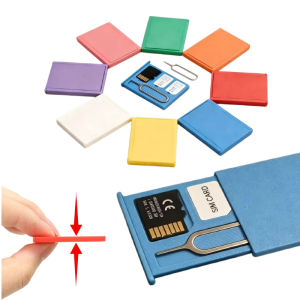
5Pcs Ultra-Slim Mini Portable SIM Card Storage Case Shockproof Holder For SIM Cards Micro SD Card & Eject Pin Card Storage Box

45M Waterproof Housing Protective Cover Dive Case for Insta360 Ace Pro 2/Pro Horizontal and Vertical Diving Shell Sports Camera Accessories
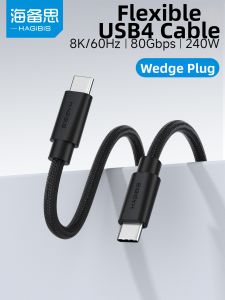
Hagibis | Thunderbolt 5 Ultra-Thin Soft USB-C to USB-C Fast Charging Cable 80Gbps 240W
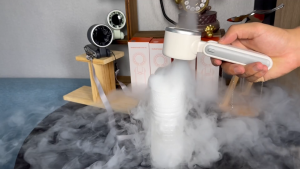
【SG STOCK】Super Mini Handheld Turbo Fan - Portable Ice Air Cooling Long-Lasting Portable Fan
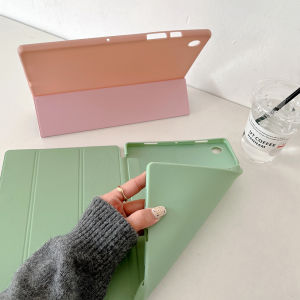
For Huawei MatePad SE 11 10.4 2024 2022 Mate Pad 10.4" 11.0" 2020 AGS5-L09 AGS5-W09 BAH4-W09 BAH4-AL10 BAH3-W09 BAH3-AL00 BAH3-L09 BAH3-W59 Flip Case Stand Cover Soft Silicone Casing
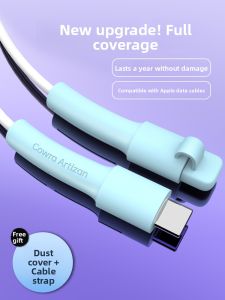
Piple | Universal Full-Coverage Data Cable Protector for Apple & Android PD20W
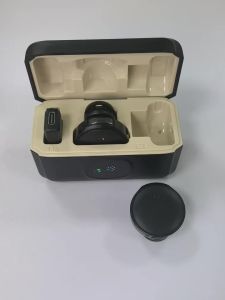
Professional Wireless Lavalier Microphone Plug and Play with LED Power Display Portable Charging Case Content Creators Recording

RUIDEDAN | Headphone Stand Desk Organizer Multi-Function Gaming Decor Cartoon Switch Controller Stand PS5 Xbox Display Rack
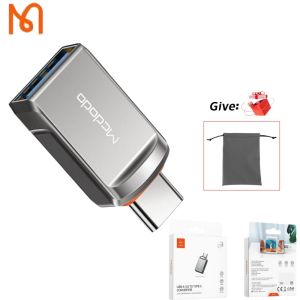
Mcdodo OT-873 USB OTG Adapter USB A to USB C Female Converter USB OTG Connector
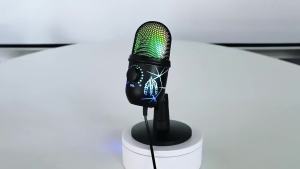
USB Microphone Play Gaming Mic for PC Mac PS4/5 Podcast Microphone with RGB Mute Monitor Noise Reduction for Recording Streaming

Portable Cooling Waist Fan High Capacity USB Rechargeable Neck Hanging Summer Heat Relief Tool Outdoor Cycling Construction Site Kitchen