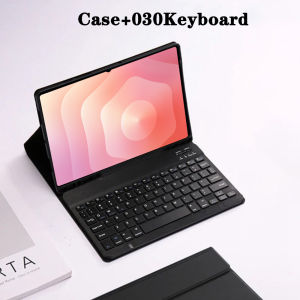
Tablet Case for 2025 Samsung Galaxy Tab S11 Ultra 14.6 lnchDetachable Bluetooth Keyboard with Pencil Holder SM-X930/X936B
The tablet case in this link is only compatible with models:Samsung Galaxy Tab S11 Ultra 14.6-inch(SM-X930/X936B)How to verify tablet model1. Go to the back and find your specific model.2. Find "Settings" - Click "About" - Find "Model"3. Please purchase the correct compatible model case according to the tablet after viewing.Note:The digital tablet and stylus are not included in the package. The detailed description is for reference only. Please refer to the actual product for the color of the product.1. Connect the mouse first, then the keyboard.2. Mouse: Push the switch to the "Bluetooth" icon and find the Bluetooth connection with the "mouse" in the device Bluetooth list.3. Keyboard: Push the switch in the upper right corner to "ON", press "Connect", and find the Bluetooth connection with "Keyboard" in the device Bluetooth list.4. Touchpad keyboard: Open the keyboard, press Fn+C, and then find the Bluetooth connection with "Keyboard" in the device Bluetooth list.FAQQ:What should I pay attention to when connecting the mouse for the first time?A:When the mouse is connected for the first time, you need to press the left button, the right button and the scroll wheel at the same time for about 3-5 seconds.Q: Is the scroll direction of the mouse USB connector and Bluetooth connection the same?A: No, they are different. When using the USB connector, the scroll wheel slides in the same direction as the computer mouse. Bluetooth connection is the opposite.Q: How to switch between different systems?A: Fn+Q=Android, Fn+W=Windows, Fn+E=IOS.Please note that please switch the system before connecting the tablet.Q:The bluetooth keyboard letters are messy?A: Please check the settings according to the prompts,a. Check whether the keyboard language set on the device is English.b. Disconnect the keyboard Bluetooth, click Ignore the connected device, reopen the Bluetooth keyboard, select system, Fn+E (IOS system).Note: Fn+Q=Android, Fn+W=Windows, Fn+E=IOSc. Press the L S Z buttons at the same time to reset the keyboardQ:How to configure the input method for different languages keyboard?A:Take the samsung tablet as example,open "Settings--"ystem"--"Language & input"--"Add New Keyboard". (For other systems, please set them in the system settings according to the tips of the iPad example.)Q:How does the mouse change teh scroll wheel sliding direction on the device?A: The mouse is connected, open "General" - "Trackpad & Mouse" - close "Natural Scrolling".

GlobalTechMart
Review

You May Also Like

Wireless Gaming Mouse 2.4G Ergonomic Cordless Mouse with USB Receiver Computer Mouse with 6 Buttons for Laptop PC Computer

Autumn Bear For iPhone 17 16 15 14 13 12 Pro Max Slim Shockproof Cover for iPhone Air Case Blank
ULANZI Spark Lite 03 Camera Flash

KontrolFreek FPS Inferno Kit (PS5)
Ambrosi | Genuine Leather Full Cover Protection Phone Case
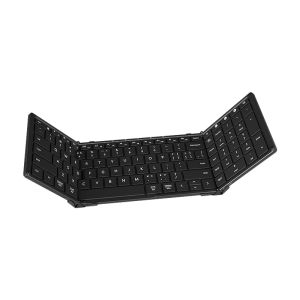
B.O.W | Large Foldable Wireless Bluetooth Keyboard and Mouse
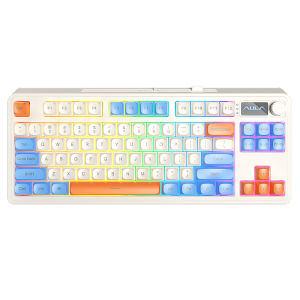
AULA | S3187 Quiet Office Mechanical Feel Keyboard 3 Mode Wireless Bluetooth Wired
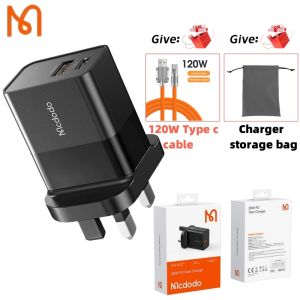
Mcdodo 20W fast charger PD+QC wall charger suitable for iPhone 15/14/13 Pro Max fast charger (UK plug)
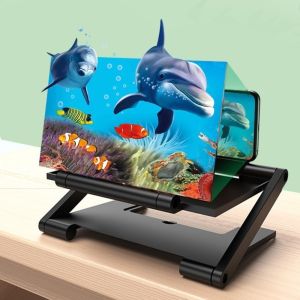
MYTHIS HD Cell Phone Screen Amplifier Enlarged Screen Folding Screen Enlarge Magnifier Portable Multi functional HD Projector

JJC | JJC Travel Camera Case Pouch Bag with Strap for Sony A6700 A6000 A6100 A6400 A7CII Canon EOS M M5 M10 M50 Nikon Z30 Fuji X-E5
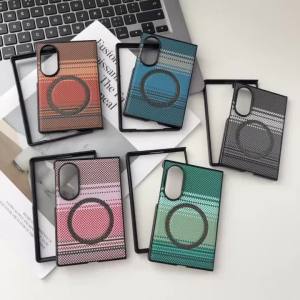
Luxury Fiber Texture Slim Magnetic Case for Samsung Galaxy Z Fold 8 Ultra 7 6 5 4 ZFold 8 Wide Gradient Fabric for Magsafe Cover