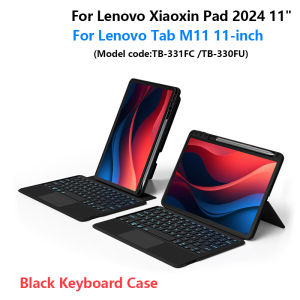
AJIUYU | Keyboard For Lenovo Tab M11 11 Inch TB-330FU Xiaoxin Pad 2024 11 TB-331FC Case Magic Smart Keyboard Cover TouchPad Backlight
This is an detachable keyboard case, TPU soft shell protective case, which can effectively protect your tablet. The keyboard and protective case can be separated .Keyboard with Backlight and TouchPad.Keyboard Case Suitable for following models,For Lenovo Xiaoxin Pad 2024 11-inch . (Model code:TB-331FC)For Lenovo Tab M11 2024 11-inch . (Mode code:TB-330FU)The above two models are universalPlease confirm your tablet model before purchase.If you don't understand your machine model, you can contact usHow To Verify Your Tablet Model1.Turn tablet to the back find your specific model,Par exemple: TB ****2.Find the "Settings"--Click the "About"--Find the "Model"3.Please select the correct model number for your tablet purchase after viewing it.Please confirm your machine model before purchasing!!!Please confirm your machine model before purchasing~Bluetooth connection, with touch pad, with backlightNote: Tablet and pencil computer in the figure is a prop, not included .Note 1:Bluetooth connection: Press and hold Fn+C multaneously to start BluetoothAttention PleaseEnglish versionkeyboard : There are English letters on the keyboard only.Multi-language versionkeyboard : English letters and carved language letters together .【For example, if you choose Korean, the keyboard will display English and Korean letters. Please note that the same letters will not be engraved repeatedly】(Due to the difference in the number of keyboard keys compared to a normal office keyboard, some special character engraving positions are the same, which is a normal phenomenon)The keyboard Core defaults to English, and the characters engraved on the keyboard are only a Surface display.so in some countries, even if the input method is switched, the special symbols do not necessarily match the keyboard function layout(You can hold down the Shift or AIt combination).If you mind, please do not purchase!!.【1】Bluetooth connection method: Turn on the keyboard switch, then press and hold Fn+C for about 2-3 seconds to start Bluetooth. The indicator light flashes blue. Then turn on your machine's Bluetooth and click"Wireless KeyboardConnection" to connect【2】Switch language: Open Settings - Language and Input Method - Physical Keyboard - Add Language Layout..【3】Input method switching: control+spacebar.(Select the language input method you want to switch to)【4】Type-C charging interface,Wireless Bluetooth connection、Adjustable bracket Stand.【5】For detailed instructions, please read the user manual. If you have any questions, you can contact "Online Services" for consultation .The resolution of the machine is different, and there may be color differences in the images, which is a normal phenomenon. The actual product received shall prevailThe back bracket needs to be manually opened~~

Prime Supply_Play Life
Review

You May Also Like

Ulanzi C10RGB 10W RGB Pocket LED Video Selfie Light for Smartphone Camera

POE Power Supply Gigabit 1Gbps 10Gbps Web Managed Layer 3 Switch
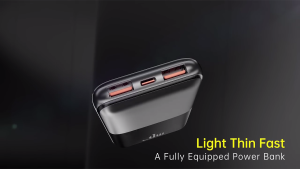
[SG] Baseus Bipow Pro Digital Display Fast Charge Power Bank 10000mAh 22.5W | Portable Power Bank
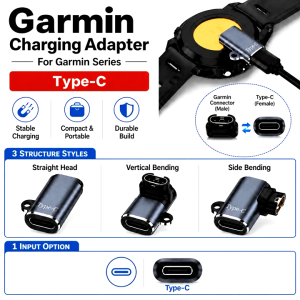
For Garmin Watch Charging Adapter Type-C Fenix 9 8 7 Pro Forerunner Venu Series/ Smartwatch Charger / Converter Port

[Mobile Suit Gundam - Limited Edition] Momax UA18 1-World+ 70W 3-Port Travel GaN Charger With Built-in USB-C Cable
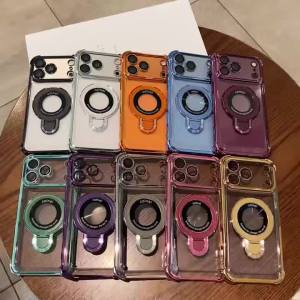
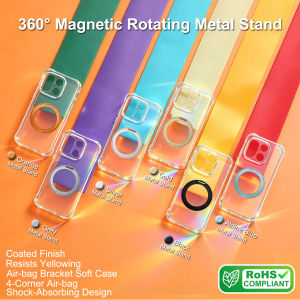
Luxury Plating Four-coner Airbag Transparent Soft Case for iPhone 18 Pro Max 13 14 15 16 17 Pro Magnetic Holder Four-coner Cover

[SG Stock] Bambu Lab Textured PEI Build Plate

SmartDevil Tempered Glass Film for Xiaomi 14 Xiaomi 13 Xiaomi 15 Poco F6 Pro Xiaomi 14T Pro Redmi K70 Ultra K70 Pro K80 Pro Poco F6 Redmi Turbo3 Screen Protector Dust Proof Protect with Easy Installation Tool

Straight Wire Musicable 2 Subwoofer Cable 4m
6PCS Magnetic Cable Clips Cable Smooth Adjustable Cord Holder Cable Organizer Holder Under Desk Cable Management
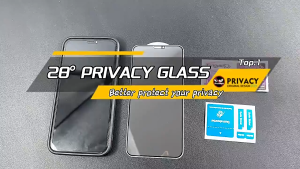
【🔥SG🔥】RICHMENTMALL For Xiaomi 18 Pro Max Privacy Screen Protector HD Clear Tempered Glass Protection Film For Xiaomi 18 Pro