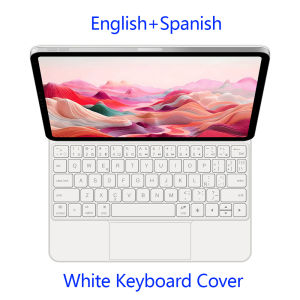
AJIUYU Magic Keyboard Folio for iPad (A16) 2025 iPad 11th Gen 11 inch Smart Case for iPad 10th Gen 2022 Magnetic Keyboard Cover
For iPad 10th 2022 / 11th Gen 2025 Magic KeyboardMagnetic separation, backlight, touch panel, multi angle support、Wireless Bluetooth connectionNote 1:You need to upgrade the system to version 14.5 or higher to use the touchpad.Note 2:Please check in the size and detail model of your Tablet. it is very importtant ! ! !Note 3:After Open the Power, Please Click "Fn" and "C" 【Fn+C】Button Together to Open the Keyboard's Bluetooth. It is Very Important.Product Details:1. Number of buttons: 642. Battery: Lithium battery 500mAh3. Stand-by time: 150 days4. Working Time: 5 hours (with backlit on),120 hours (with backlit off)5. Working Voltage: 3.0 - 4.2V6. Charging current:<250 mA7. Effective distance: 10 meters8. Backlit Light: 7 colors backlit9. Charge Port: Type-c10. Material: Anti fouling and durable PU material11. Key life:3 million12. Charging times: 4 hours13. Color: Black WhiteDue to multiple model options available on this link, please make sure to confirm your machine model or code before making a purchase in order to select the correct option. If you make a wrong purchase, you will be responsible for it yourself How To Verify Your Tablet Model1.Turn iPad tablet to the back find your specific model,Par exemple: A ****2.Find the "Settings"--Click the "About"--Find the "Model"3.Please select the correct model number for your tablet purchase after viewing it.Compatible models and codes: For iPad (A16) 11th Generation 11 inch 2025 (Model code : A3354 A3355 A3356) For iPad 10th eneration 10.9 inch 2022 (Model code: A2696、A2757、A2777 )Note:These two models of keyboard covers (universal) !!!Note: Tablet and stylus are not included in the packaging!!Attention PleaseEnglish versionkeyboard : There are English letters on the keyboard only.Multi-language versionkeyboard : English letters and carved language letters together ..(Due to the difference in the number of keyboard keys compared to a normal office keyboard, some special character engraving positions are the same, which is a normal phenomenon)The keyboard Core defaults to English, and the characters engraved on the keyboard are only a Surface display.so in some countries, even if the input method is switched, the special symbols do not necessarily match the keyboard function layout(You can hold down the Shift combination).If you mind, please do not purchase!!.【1】1. After connecting Bluetooth, open your iPad - Settings - Keyboard - Add New Keyboard【1-1】Input method switching: control+spacebar.(Choose the language you need)【3】For detailed instructions, please read the user manual. If you have any questions, you can contact "Online Services" for consultation .The resolution of the machine is different, and there may be color differences in the images, which is a normal phenomenon. The actual product received shall prevail .The carved language template is for reference onlyEnglish+ArabicEnglish+PortugueseEnglish+SpanishEnglish+FrenchEnglish+RussianEnglish+KoreanEnglish+HebrewEnglish+GermanWhite / English+Spanish

GlobalTechMart
Review

You May Also Like
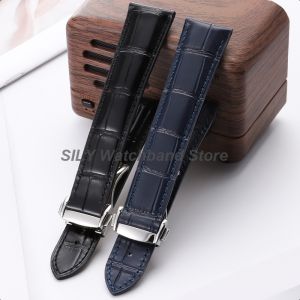
19mm 20mm 21mm 22mm Men Women Universal Genuine Leather Strap Calfskin Watch Band Butterfly Buckle Bracelet Smartwatch Wristbelt
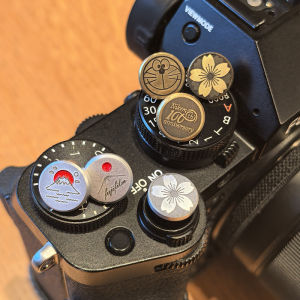
Pure Copper Shutter Button for Fujifilm XT5 XT4 Camera Accessories Compatible with Leica Sony Canon Other Digital Parts
Henyou | Full Coverage Shockproof Soft Case Silicon Mate
MODERN SWEETHOME | Anti-direct Airflow Guide Plate
RK | Customizable Three-Mode Mechanical Gaming Keyboard 8000Hz Report Rate RGB
Keyboard Support Stand
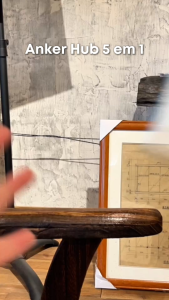
Anker 5-in-1 USB C Hub 90W PD 4K/30Hz HDMI with USB 3.0 Data Ports Compact USB Hub Adapter for MacBook Dell XPS and more A8357
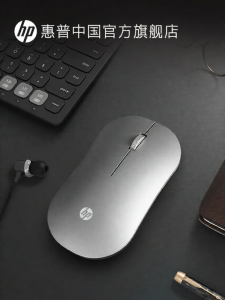
HP | Silent Bluetooth Dual-Mode Wireless Mouse

BLUEO | High Definition Anti-Shatter Full Screen Anti-Fingerprint Phone Screen Protector 10 Pieces
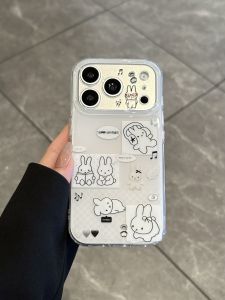
SENBO | Cute & Durable Protective Case for iPhone
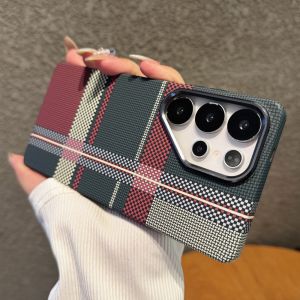
New Aolly Lens Carbon Fiber Texture For MagSafe Case For Samsung Galaxy S25 S24 S23 Ultra Plus Shockproof Magnetic Plastic Cover