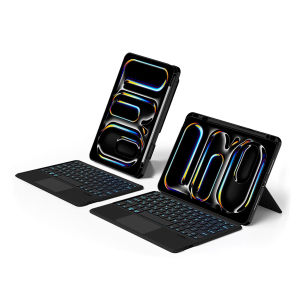
AJIUYU | AJIUYU Keyboard For New iPad Pro 11 Inch (M5) 2025 A3357 iPad Pro 11 M4 2024 Case Magic Smart Keyboard Cover TouchPad Backlight
This is an detachable keyboard case, TPU soft shell protective case, which can effectively protect your tablet. The keyboard and protective case can be separated .Keyboard with Backlight and TouchPad.Bluetooth connection, with touch pad, with backlight,Horizontal and vertical support.How To Verify Your Tablet Model1.Turn iPad tablet to the back find your specific model,Par exemple: A****2.Find the "Settings"--Click the "About"--Find the "Model"3.Please select the correct model number for your tablet purchase after viewing itCompatible Model and Codes:For iPad Pro 11 (M4) 2024 11 inch (Model Code: A2836、A2837、A3006)For iPad Pro 11 (M5) 2025 11 inch (Model Code:A3357/ A3358/ A3359)These two models of keyboard covers are universal ~~Please confirm your machine model before purchasing~Note: iPad and pencil computer in the figure is a prop, not included .Package: keyboard+protective shellNote 1:You need to upgrade iPad OS to version 15.0 or higher to use the touchpad.Note 2:Please check in the size and detail model of your iPad. it is very importtant ! ! !Note 3:After Open the Power, Please Click【Fn+C】Button Together to Open the Keyboard's Bluetooth. It is Very Important.If you encounter a situation where the touchpad cannot be used, please update your iPad system version. If you encounter Bluetooth disconnection, please delete all old devices you have connected and reconnect them .Attention PleaseEnglish versionkeyboard : There are English letters on the keyboard only.Multi-language versionkeyboard : English letters and carved language letters together .【For example, if you choose French, the keyboard will display English and French letters. Please note that the same letters will not be engraved repeatedly】(Due to the difference in the number of keyboard keys compared to a normal office keyboard, some special character engraving positions are the same, which is a normal phenomenon)The keyboard Core defaults to English, and the characters engraved on the keyboard are only a Surface display.so in some countries, even if the input method is switched, the special symbols do not necessarily match the keyboard function layout(You can hold down the Shift or option combination).If you mind, please do not purchase!!.【1】Bluetooth connection method: Turn on the keyboard switch, then press and hold Fn+C for about 2-3 seconds to start Bluetooth. The indicator light flashes blue. Then turn on your machine's Bluetooth and click"Wireless Keyboard Connection" to connect【2】Switch language: Open Settings - Language and Input Method - Physical Keyboard - Add Language Layout..【3】Input method switching: control+spacebar.(Select the language input method you want to switch to)【4】Type-C charging interface,Wireless Bluetooth connection、Adjustable bracket Stand.【5】For detailed instructions, please read the user manual. If you have any questions, you can contact "Online Services" for consultation .The resolution of the machine is different, and there may be color differences in the images, which is a normal phenomenon. The actual product received shall prevailThe back bracket needs to be manually opened~~

Prime Supply_Play Life
Review

You May Also Like
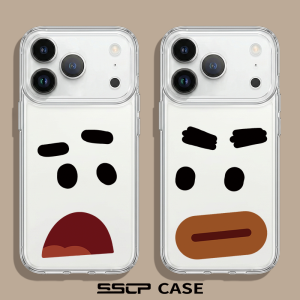
SHUXIE | Shockproof Ultra Thin Simple Clear Silicone iPhone Case
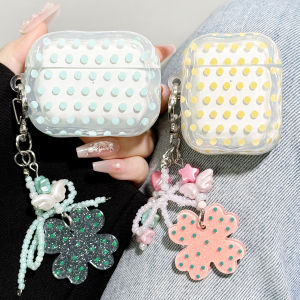
Earise | Transparent Dots Protective Case for AirPods
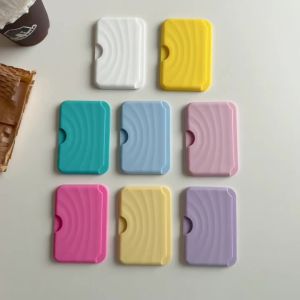
Strong Magnetic Wavy Silicone Card Wallet Case for iPhone 18 17 16 15 Pro Max 14 Plus Air 13 12 11 For Magsafe Card Holder Cover
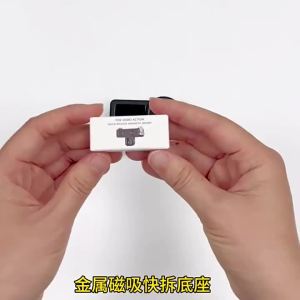
Quick Release Magnetic Adapter Mount For DJI OSMO Action 3 4 5 Pro OSMO 360 1/4 Screw Sports Camera Bracket Holder Accessory
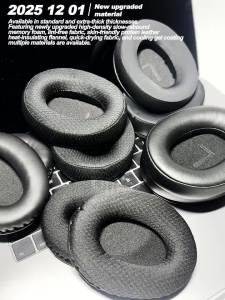
EKSA E900 Pro E900 BT E900 X E910 Replacement Foam Ear Pads Headphones Memory Foam Earpads Protein
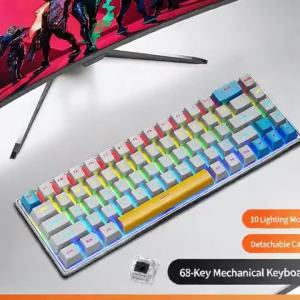
NexusClick K68 Red Switch Compact 68-Key Mechanical Gaming KeyboardWired Type-C 50 Million Keystrokes Multi-Media Keys for Game

Ulanzi SL03 Spark Lite Camera Flash LED Light
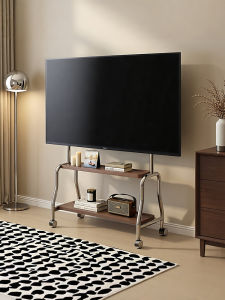
BESSGROUP | Movable TV Cart Stand 55/65/75 Inch

6.79 for Redmi 13 Display For Xiaomi Redmi 13 Lcd 2404ARN45A 24040RN64Y Display Touch Screen Digitizer with Frame Assembly

ATTACK SHARK | ATTACK SHARK X98Pro Tri-Mode Mechanical Keyboard 80% Layout TFT Screen CNC Knob Hot Swappable Gasket RGB Backlit for PC Gamer
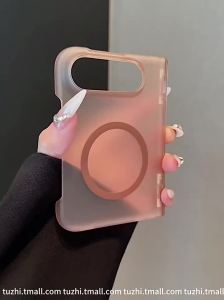
Luxury Candy Color Translucent for Magsafe Case for iPhone Duo 18 Fold Hinge Protect Magnetic Charge Cover for iPhone DUO 2026