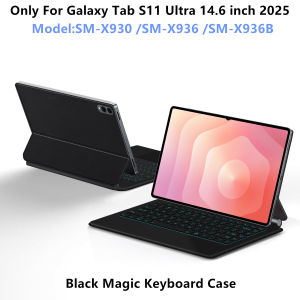
AJIUYU Backlight Magic Keyboard Case For Samsung Galaxy Tab S11 Ultra 14.6" 2025 SM-X930 SM-X936B Tablet Smart Cover Multi-touch
For Samsung Galaxy Tab S11 Ultra 14.6-inch Magic KeyboardMagnetic separation, backlight, touch panel, multi angle support、Wireless Bluetooth connectionNote 1: You need to upgrade your tablet operating system to version 15.0 or higher to use the touchpad..Note 2:Please check in the size and detail model of your Tablet . it is very importtant ! ! !Note 3:After Open the Power, Please Click "Fn" and "C" 【Fn+C】Button Together to Open the Keyboard's Bluetooth. It is Very Important.Product Details: 1. Number of buttons: 842. Battery: Lithium battery 500mAh3. Stand-by time: 150 days4. Working Time: 5 hours (with backlit on),120 hours (with backlit off)5. Working Voltage: 3.0 - 4.2V6. Charging current:<250 mA7. Effective distance: 10 meters8. Backlit Light: 7 colors backlit9. Charge Port: Type-c10. Material: Anti fouling and durable PU material11. Key life:3 million12. Charging times: 4 hours13. Color: Black/WhiteHow To Verify Your Tablet Model1.Turn iPad tablet to the back find your specific model,Par exemple: SM-****2.Find the "Settings"--Click the "About"--Find the "Model"3.Please select the correct model number for your tablet purchase after viewing it.Applicable Models:Only For Galaxy Tab S11 ultra 14.6 inch (SM-X930、SM-936B)2025.Note: Tablet and stylus are not included in the packaging!!![Note: Only the corresponding machine model can be magnetically attracted. If your machine is not of the above model, please do not purchase!!! ]Attention PleaseEnglish versionkeyboard : There are English letters on the keyboard only.Multi-language versionkeyboard : English letters and carved language letters together ..【[For example, if you choose French, the keyboard will display English and French letters. Please note that the same letters will not be engraved repeatedly]】(Due to the difference in the number of keyboard keys compared to a normal office keyboard, some special character engraving positions are the same, which is a normal phenomenon)The keyboard Core defaults to English, and the characters engraved on the keyboard are only a Surface display.so in some countries, even if the input method is switched, the special symbols do not necessarily match the keyboard function layout(You can hold down the Shift combination).If you mind, please do not purchase!!.Note: Due to the material of the white keyboard, the engraved letters are dark gray .【1】Method to connect Bluetooth: Turn on the keyboard switch, press the Fn+C button for about 2-3 seconds, the blue light on the keyboard indicator will flash, and then search for your tablet's Bluetooth connection keyboard.Note:If you haven't used it for a long time, Bluetooth will automatically disconnect, which is a normal phenomenon. You just need to reconnect !!【2】After connecting Bluetooth,Take the samsung tablet as example,open Settings--ystem--Language & input--Add New Keyboard. (For other systems, please set them in the system settings according to the tips of the iPad example.)【3】For detailed instructions, please read the user manual. If you have any questions, you can contact "Online Services" for consultation .The resolution of the machine is different, and there may be color differences in the images, which is a normal phenomenon. The actual product received shall prevailNote:Due to the large size of the tablet, if the keyboard angle is adjusted too much during use, the keyboard may tilt. This is a normal situation, please do not panic, just adjust the keyboard amplitude, and it will not affect use. After receiving the keyboard, fully charge it before use (approximately 4 hours) ! KoreanSpanishGermanPortugueseFrenchHebrewRussianArabicItalianJapanese

GlobalTechMart
Review

You May Also Like
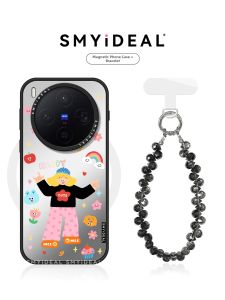
Smyideal | Magnetic Phone Case for Multiple Models Unique Design
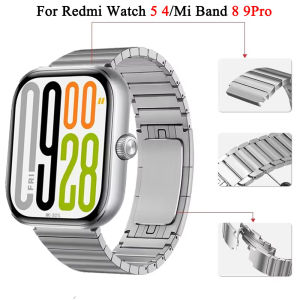
Stianless Steel Strap For Redmi Watch 5 4 Wristband Metal Bracelet Correa For Xiaomi Band 9 Pro Mi band 8 Pro Men Watchband
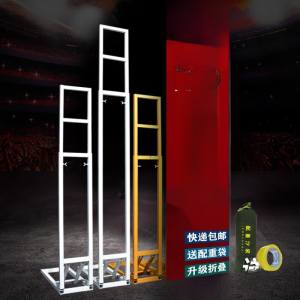
Wedding KT Board Background Support Retractable Billboard Stand Wedding Outdoor Stage Layout Poster Fixed Support
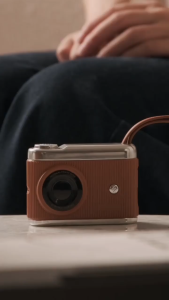
SG StockSHUJI 3C certified mini camera power bank 10000 mAh built-in fast charging 22.5W thin travel mobile power bank
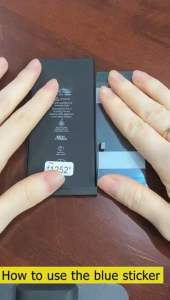
Samsung Galaxy A53 5G Battery EB-BA336ABY 5000mAh GH82-28027A A53 Battery
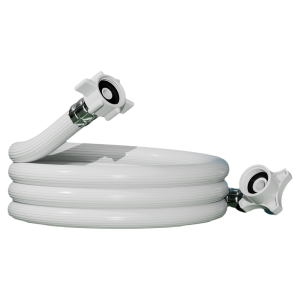
BOXIDE | For Toshiba Washing Machine Upper Water Inlet Hose
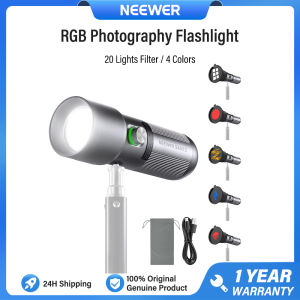
NEEWER Portable Focusable LED Video Light 4 Colors Flashlight with 20 Light Filters Studio Lighting FL10
【🔥SG SELLER🔥】RICHMENTGADGET High clear / Matte / Privacy Flexible Soft Anti-Spy Anti-Fingerprint Hydrogel Screen Protector Hydrogel Film For OPPO Reno 14 Reno14 14pro 13 13pro Reno13 Reno 13 pro
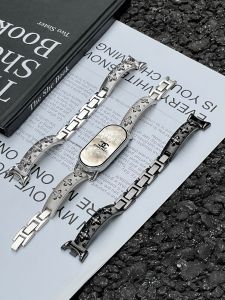
LIANGDAI | Replacement Bracelet for Xiaomi Devices Metal Chic Look Summer New
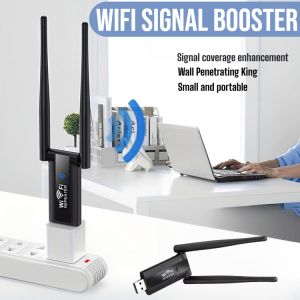
Wifi Signal Booster Wireless Signal Booster Easily Connect Wall Penetrating King Small And Portable

PGYTECH | Adjustable Handmade Phone Strap with Quick Release