QGeeM USB C Hub for Macbook Pro Air HDMI VGA Micro SD Card Readers RJ45 Aux PD OTG Multi USB Hub Type C 3.0 Adapter for Notebook
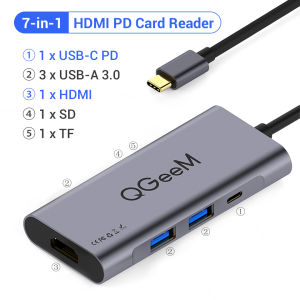
Atension 1: Please make sure your phone or laptop has the MHL function or full-function type-c port otherwise our USB-C HUB can't support the video transfer function.Atension 2: Please kindly note that the 9 Ports VGA Alu HUB and 9 Ports RJ45 Alu HUB only support 1080p60hz when 2 HDMI or 2 HDMI and 1 VGA ports are used to Extend/Mirror mode at the same time in the Windows system.They can support 4K60Hz when 2 HDMI ports are used to Extend/Mirror mode at the same time in the Mac OS system but only support 1080p60Hz when 2 HDMI and 1 VGA ports are used to Extend/Mirror mode at the same time.Feature:1. Multi-FunctionalityThis hub combines HDMI-compatible, card reader, and RJ45 features, making it a versatile tool for work and play.2. Convenient PackagingThe hub comes in a package suitable for easy storage and transport, making it convenient for on-the-go use.3. Durable ConstructionOriginating from Mainland China, QGeeM ensures durability and quality with its robust construction.4. Versatile Port OptionsWith 9 ports including HDMI, VGA, Micro SD card readers, RJ45, and more, this hub offers versatile connectivity for various devices.5. Compatibility with MacBook Pro/AirDesigned specifically for MacBook Pro and Air users, this hub provides seamless integration and enhanced functionality.QGeeM USB - C Hub User Manual1. IntroductionThe QGeeM USB - C Hub is a powerful adapter designed to expand the connectivity of your devices such as MacBooks, laptops, and smartphones. It enriches your digital experience by enabling connections to displays, networks, storage devices, and more, which is perfect for both work and entertainment scenarios.2. Quick Start GuideStep 1: Check Your Device’s Type - C PortBefore connection, make sure your phone or laptop has the MHL function or a full - feature Type - C port. Without these, the video transfer function of this USB - C Hub won’t work.Step 2: Connect the Hub to Your DevicePlug the provided USB - C cable into the compatible Type - C port of your device. Ensure the connection is firm.Step 3: Attach Peripheral DevicesHDMI Output: Use an HDMI cable to connect to a monitor, TV, or projector.VGA Output (if available): Connect via a VGA cable to external displays.RJ45 Port: Insert an Ethernet cable for a stable wired internet connection.USB Ports: Connect USB devices like keyboards, mice, or flash drives.Card Slots: Insert SD or Micro SD cards for data transfer.AUX Port: Connect headphones or microphones.PD Charging (using USB - C PD port): Connect a 100W PD charger for power supply.Step 4: Power On and TestTurn on your connected devices. Check if all peripherals are recognized and if functions like video output and network access work as expected.3. Key FeaturesMulti - Functionality IntegrationThis hub combines HDMI compatibility, card reading, and RJ45 networking. It’s a one - stop solution for professional tasks and multimedia consumption.Portable & Travel - FriendlyIt comes in compact packaging, making it easy to store and carry. Whether you’re on a business trip or traveling, it’s always ready to use.Durable ConstructionMade of high - quality materials, especially the space - grey aluminum alloy shell, it guarantees long - term durability and can withstand daily wear and tear.Versatile Port SelectionEquipped with 9+ ports, including HDMI, VGA, Micro SD/SD card readers, RJ45, AUX, multiple USB - A 3.0 ports, and a USB - C 3.0 port, it meets various connectivity needs.MacBook Pro/Air OptimizedSpecially designed for MacBook Pro and Air users, it integrates seamlessly and enhances the functionality of your laptop without adding bulk.4. Technical SpecificationsItemDetailsUSB - A 3.0 Ports5Gbps data transfer speedUSB - C 3.0 Port100W PD fast charging (5A)HDMI Port4K (3840×2160) video output at 60Hz (resolution varies by system/device)VGA PortSupports up to 1080p resolution (system - dependent)RJ45 PortGigabit LAN (1000Mbps) for stable wired internetCard SlotsMicro SD/SDXC with up to 2TB storage capacityAUX PortStereo audio input/output for headphones/microphonesInput PortUSB 3.1 Gen2 (10Gbps data transfer)Shell MaterialSpace - grey aluminum alloyCompatibilityMatches Apple MacBook’s design for a unified look5. CompatibilityDevicesMacBooks: MacBook Pro (with Thunderbolt 3/4 or USB - C ports), MacBook Air (USB - C models)Windows Laptops: Surface Pro 6, Dell XPS, Asus ZenBook, Huawei MateBook, etc.Smartphones: Devices with standard USB - C ports (e.g., Samsung Galaxy S series, Huawei P/Mate series)Operating SystemsmacOS (natively supported by MacBook Pro/Air)Windows 7/8/10/XP, Linux, VistaGoogle Chrome OSNote: For Windows systems, the resolution when using multiple HDMI/VGA ports is different from that in macOS (refer to “Resolution Notes” in the Precautions section).6. PrecautionsAttention 1: Port RequirementsEnsure your phone or laptop has the MHL function or a full - feature Type - C port. Otherwise, the video transfer function of this hub will be disabled.Attention 2: Resolution in Different ScenariosWhen using 2 HDMI ports (or 2 HDMI + 1 VGA) in Extend/Mirror mode on Windows systems, the maximum supported resolution is 1080p60Hz.When using 2 HDMI ports in Extend/Mirror mode on macOS systems, the hub supports 4K60Hz. However, when using 2 HDMI + 1 VGA in Extend/Mirror mode, the resolution drops to 1080p60Hz on macOS.Additional TipsAlways use the provided USB - C cable or a certified compatible cable for stable connections.Avoid connecting too many high - power devices to the hub simultaneously to prevent overload.Safely disconnect the hub before unplugging devices or powering them off to avoid data loss.7. TroubleshootingProblem: No Video Output on HDMI/VGASolution:Check if your device’s Type - C port supports MHL or is a full - feature port.Inspect HDMI/VGA cables for damage and reconnect them firmly.Update your device’s graphics drivers (for Windows).Problem: Devices Not Recognized on USB PortsSolution:Try using different USB ports on the hub.Ensure the connected device is powered on and working properly.Problem: Slow Network on RJ45 PortSolution:Confirm that the Ethernet cable is properly inserted and functional.Check your router or network settings for bandwidth limitations.Problem: No Audio via AUX PortSolution:Ensure the AUX cable is securely connected to both the hub and the audio device.Set the audio output device in your system settings to “USB Audio Device”.By following this manual, you can fully utilize the capabilities of the QGeeM USB - C Hub and enjoy a seamless multi - device connectivity experience. QGeeM USB C Hub for Macbook Pro Air HDMI VGA Micro SD Card Readers RJ45 Aux PD OTG Multi USB Hub Type C 3.0 Adapter for NotebookFEATURE1.USB-A 3.0 Ports: 5Gbps Data Transfer2.USB-C 3.0 Ports: 100W PD Charger3.HDMI Ports: 4K Video Output4.RJ45 Port: 1000Mbps Gigabit Lan Network5.SD/TF Port: Support SD/TF Reading to Max 2TB6.AUX Port: Support Headphone & Microphone7.Cool LED Indicator; Compact & Portable8.Input Port: USB 3.1 Gen2 10Gbps9.Space Grey Alu-Alloy Shell as MacBook10.Widely Compatible for Macbook Pro, Surface Pro 6, Huawei MatebookCompatible DevicesMac Book Pro, Xiaomi, Samsung, Dell, Asus, Huawei, Lenovo, Google,Samsung S8/S8+/S9/S9+/S10/S10+, Huawei Mate 10/20/P20/P30Such as computers and mobile phones with standard TYPE-C ports.Support SystemsGoogle Chrome OS; Windows 7/8/10; XP; Linus; Vista; Plug and Play, notebooks that support the standard Type-C interface and PD charging protocol.1. Product Introduce:This product is a high-performance TYPE-C to USB3.0 hub and a multifunctional product with a video output interface. Through this product, it can provide USB-A 3.0 2.0and USB-C 3.0 external interfaces for computers with TYPE-C interface, and connect the HDMI cable to high-definition monitor. It can support 3840x2160 @ 30Hz high-definition video output. It is a stylish appearance hub for those TYPE-C computers, mobiles and tablets.2.Operation Introduce1)Connect the computer to the USB3.1 TYPE-C connector of this hub2)Use the HDMI male connector to connect the HDMI female socket of this hub, and then to the projector, TV, monitor, etc3)Connect a USB device to the USB port of this hub3.Attention1)Because USB3.0 standard current is 1A, if the current output of new Macbook is about 1A, when the computer load exceeds 1A, the computer will start the self-protection function and prompt: USB power consumption is large, disable.At this time, you need to unplug the hub, close the disable icon or restart the machine, and then check for new connection devices.2)If a device with a large power consumption such as a hard disk is connected, when it cannot be connected and used normally, please unplug the other U disk device so that the USB device with large power can normally supply power.3)The load current varies greatly between different devices. The following reference currents are provided for related devices.USB mobile hard drive: 550mAh / 1.5AU disk: 200mAh / 350mAhMouse: 100mAh, gaming mouse up to 350mAh;SD card: 150mAh-300mAhHDMI: 350mAh4)Computer load protection current is 1.5A. Computer load protection will cause interruption or abnormal operation of external equipment.In order to ensure that the current load exceeding 1.5A can work normally, the product can only load one USB mobile hard disk, and it is not suitable to insert two high-current USB devices at the same time.5)This product is designed according to the real-time USB3.1 standard specification. It may not be compatible with products or devices that exceed the standard specification after the product is manufactured, which is normal.This product is a high-performance TYPE-C to USB3.0 hub and a multifunctional product

Prime Supply_Play Life
Review

You May Also Like
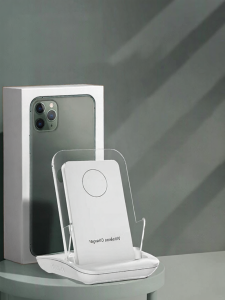
HANG | Super Fast Charging Wireless Charger Stand

imobile | Ultra-thin Protective Case for Xiaomi 17T Pro

Upgraded 67MM ND CPL Metal Filter Adapter Phone Lens for iPhone 15 14 13 Pro Max Smartphone Stabilizer Photography Accessorie

Forest Human Face Phone Case for iPhone 18 17 16 15 14 13 12 11 Air Pro Max Plus Double-layer Cover

Creality | Creality CR-Scanner Otter/Raptor 3D Scanner Kit with Turntable And Handle - Easy Scanning for Featureless Small Medium Objects
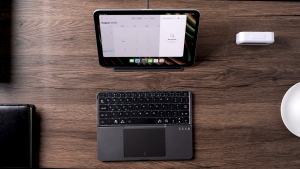
Fold Wireless Keyboard with Stand
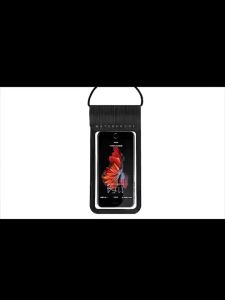
❤Local Stock❤ Underwater Phone Case Phone Cover Waterproof Phone Case Universal PVC Underwater Phone Bag Case 手机防水袋

Creality | For FDM 3D Printer Creality WiFi Box 2.0 Intelligent Assistant BT Real Time Monitor/Remote Control Time-lapse Shooting 8G TFCard
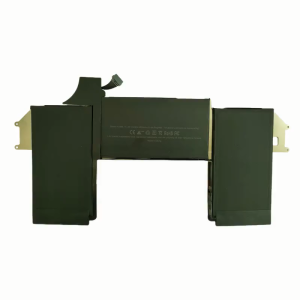
A1965 laptop battery for Air 13" A1932 2018 2019 Year A2179 Early 2020 EMC 3184 EMC3302 020-02455
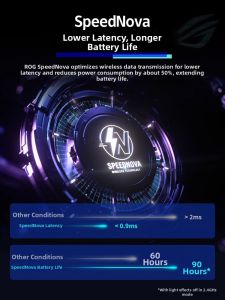
ASUS | Lightweight Gaming Mouse 3-Mode Connection

NexusClick K710 Hot Swappable Wired Mechanical Keyboard RGB Side Light Bar Type-C Detachable Cable Blue Switch Gaming Keyboard