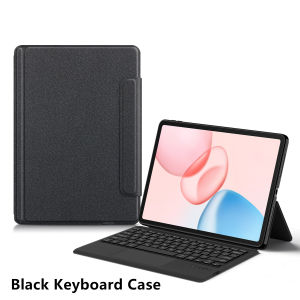
AJIUYU | TouchPad Keyboard Case For Honor Pad 10 12.1 inch 2025 HEY3-W00 W10 Tablet Smart TrackPad Keyboard for Honor Pad 20 12.1" 2026
This is an "all-in-one" keyboard case, TPU soft shell protective case, which can effectively protect your tablet. The keyboard and protective case cannot be separated .Keyboard with TouchPad.Bluetooth connection, with touch pad, No backlight.Note 1:You need to upgrade Tablet to version 15.0 or higher to use the touchpad.Note 2:Please check in the size and detail model of your Tablet. it is very importtant ! ! !Note 3:After Open the Power, Please Click "Fn" and "C" 【Fn+C】Button Together to Open the Keyboard's Bluetooth. It is Very Important.How To Verify Your Tablet Model1.Turn tablet to the back find your specific model,Par exemple: HEY3-****2.Find the "Settings"--Click the "About"--Find the "Model"3.Please select the correct model number for your tablet purchase after viewing it.For Honor Pad 10 12.1 inch 2025 HEY3-W00/HEY3-W10For Honor Pad 20 12.1 inch 2026 HEY4-W09/HEY4-W19note: These two models of keyboard covers are universal.Please confirm your machine model before purchasing~Attention PleaseEnglish versionkeyboard : There are English letters on the keyboard only.Multi-language version keyboard : English letters and carved language letters together .(Due to the keyboard material, the carved characters are dark gray).(Due to the difference in the number of keyboard keys compared to a normal office keyboard, some special character engraving positions are the same, which is a normal phenomenon)(The keyboard Core defaults to English, and the characters engraved on the keyboard are only a Surface display.so in some countries, even if the input method is switched, the special symbols do not necessarily match the keyboard function layout.If you mind, please do not purchase)【1】 Method of connecting Bluetooth: Turn on the keyboard switch, press the Fn+C button, and then search for your iPad Bluetooth connection keyboard.【2】Switch language: Open Settings - Language and Input Method - Physical Keyboard - Add Language Layout..【3】Input method switching: control+spacebar.(Choose the language you need )【4】Type-C charging interface, with switch button,【5】For detailed instructions, please read the user manual. If you have any questions, you can contact "Online Services" for consultation .The resolution of the machine is different, and there may be color differences in the images, which is a normal phenomenon. The actual product received shall prevail ..Note: Tablet and Pencil are not included in the packaging.The video on the main image page is for reference onlyThe back bracket needs to be manually opened !!Note: Please purchase according to your machine model, don't worry about the hole position in the picture. We will send the correct model according to your order, and the hole position of the protective cover will correspond to your machine hole position.

Prime Supply_Play Life
Review

You May Also Like

Asina | Purple Bear & Sheep Soft Lens Full Coverage Protective Case for iPhone
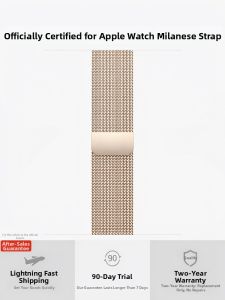
DOONPI | Magnetic Metal breathable Apple Watch Band

ATK ZERO Fog-Translucent 39g Ultra Lightweight Dual 8K Wireless Gaming Mouse PAW3950 Ultra Ergonomic Dual-Mode 42000DPI for PC
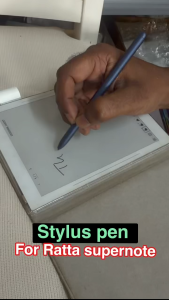
【🔥SG🔥】RICHMENTMALL EMR Stylus Pen with Digital Eraser Support 4096 Pressure Level Tablet Pen Writing S Pen for Ratta supernote
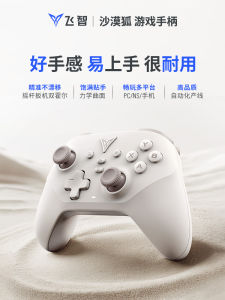
Flydigi | Multi-platform Support Bluetooth Game Controller
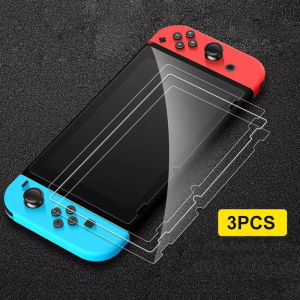
1-3PCS Tempered Glass Protective Films Screen Accessories Screen Protector Films For Nintendo Switch NS /Swith Lite /Swith OLED
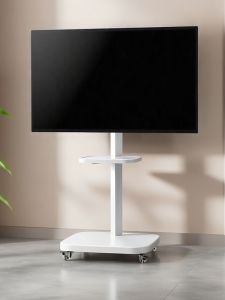
BESS 360° Rotatable TV Stand with Wheels
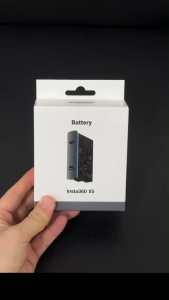
【🇸🇬 STOCK】Original Insta360 X5 Battery (2400mAh) keep shoots running longer,even in -20°C (-4°F) conditions
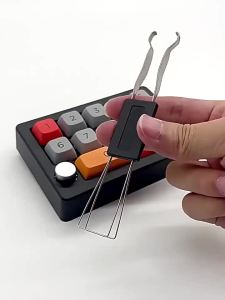
4pcs Keycap Removal Tool Set with Cleaning Brush for Mechanical Keyboards Durable Puller Kit for Easy Maintenance Repair Gaming
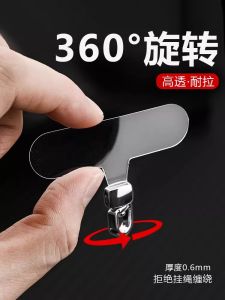
Ultra-Thin Durable Silicone Phone Strap Clip 360-Degree Rotating Transparent Lanyard for Outdoor Use Anti-Loss And Card Connector

Replacement Earpads Sony WH-1000XM3/XM4/XM5/XM6/ XM2 Headphone Ear Pads Cushion Cover Headband Earmuffs