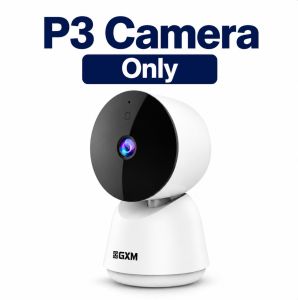
GXM P3 360° 2K Smart AI Camera CCTV 3MP Pan Tilt Motion Detection Indoor Pet Baby Monitor Security iP Surveillance Home Wifi Camera
Free New Launch Gift!Be among the first 200 customers and receive a free gift with your purchase, while stocks last.✅ 2k 3MP Clear Vision (2304 × 1296)Sharper and clearer than standard 1080P cameras✅ 360° Full Room CoverageWide-angle monitoring with flexible viewing✅ AI Motion TrackingAutomatically detects and follows movement✅ Clear Night VisionSee clearly even in low-light environments✅ Two-Way AudioTalk and listen in real time through the app✅ Real-Time Motion AlertsInstant notification sent to your smartphone✅ Dual Storage SupportSupports Micro SD Card up to 512GB + Cloud Storage✅ Multi-Device AccessView on Mobile, Tablet & PC, up to 16 cameras on the same screen✅ Multi-User SharingShare camera access with family members✅ Works With Alexa & Google Assistant✅ Easy InstallationDesktop / Wall Mount / Ceiling Mount✅ Comes with 2m Long USB-C Cable + UK USB Power Adapter(With Safety Mark)✅ 18 Months Singapore Local WarrantyProduct SpecificationsModel: GXM P3Resolution: 3MPVideo Resolution: 2304 × 1296Connectivity: 2.4GHz Wi-FiRotation: 360° PanNight Vision: YesMotion Detection: AI Motion TrackingAudio: Two-Way AudioStorage: Micro SD Card up to 512GBCloud Storage: SupportedApp Support: GXM AppDevice Support: iOS & AndroidVoice Assistant: Alexa & Google AssistantPower Input: DC 5V ⎓ 1ACharging Port: USB-CInstallation: Desktop / Wall / CeilingProduct Size: 120 × 68 × 66 mmWeight: 185gOptional Memory Card Add-on:GXM 64GB - Up to 2 Weeks of RecordingGXM 128GB - Up to 4 Weeks of RecordingWhat’s In The Box* GXM P3 Camera ×1* 2m USB-C Cable ×1* UK USB Power Adapter(With Safety Mark) ×1* Mounting Base ×1* Screw Pack ×1* User Manual ×1COMMON Q&AMemory card shows “Error” or “Damaged”Please open the GXM app and go to: Camera Settings → Storage Management → Format microSD CardAfter the formatting is complete, please check if the camera can read the memory card normally.How can I make motion detection more sensitive?For maximum sensitivity, use the following settings:• Detection Distance: Far• Staying Alert: OFF• AI Human Detection: OFFThese settings allow the camera to detect all motion rather than only human movement.Why is my camera live stream view black and white?camera uses infrared night vision in dark environments, so the image will automatically switch to black and white at night. This helps the camera capture clearer details in low light or complete darkness. When there is enough light again, it will switch back to full color automatically.Why is night vision not clear?Adjust the camera angle slightly to avoid nearby white objects.Objects that are too close to the camera can reflect infrared light and reduce image quality.How to share camera with others?For other users, they need to register their own GXM account first. Then you can share the device with them via Settings → Share Management. Please do not log in using the same account.⸻STORE PICK-UP & SERVICE CENTRE 1 Yishun Industrial Street 1, #05-24, A’POSH Bizhub, Singapore 768160 Mon–Fri: 10:00 AM – 6:00 PM Sat: 10:00 AM – 2:00 PM(Closed on Public Holidays)RETAIL EXPERIENCE SHOP NEX Serangoon, #03-29 Open Daily: 11:00 AM – 9:00 PM

GXM.SG
You May Also Like
RISEOUS | 360 Degree Wireless Home Monitoring Camera
eufyCam S330 (eufyCam 3) Solar Add-on Camera - T8160
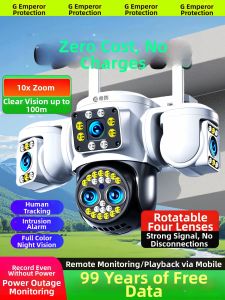
DIFANG | Wireless Network-free 360 Surveillance Camera
![Nikon NIKKOR Z 28-135mm F4 PZ Lens [Nikon Z] | Nikon Singapore Warranty](https://img.lazcdn.com/g/ff/kf/S74c824d958b44329a95a454e0361445eB.png_300x300q80.png)
Nikon NIKKOR Z 28-135mm F4 PZ Lens [Nikon Z] | Nikon Singapore Warranty
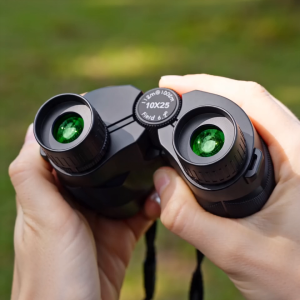
PULUZ APEXEL 10x25 Binoculars for Adults & Kids High Powered FMC Lens BAK4 Prism Adjustable Interpupillary Distance Telescope Binoculars for Bird Watching Hiking Traveling Sports Concert with Carrying Bag
Dreame NAVO Elite 1 OutCam 4K Outdoor Security Camera AI Tracking Dual Lens Night Vision Wireless Solar Powered IPX7 Waterproof 13000mAh Battery
HEITAILANG | 4K HD Audio Recording Body Camera
Fujifilm | Retro Digital Camera X-T50 16-50mm Kit
NIOYE | Student Portable Outdoor Microscope

DIFANG | 4G No-Flow Required Remote Outdoor 360 Degree Camera
Wifi 2K Ultra HD Pocket Action Camera 180° Rotatable Vlog Wifi Mini Sports