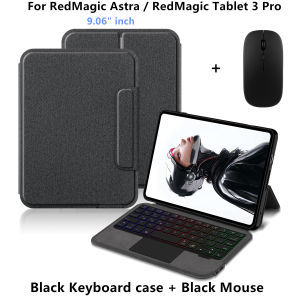
AJIUYU | Magic Keyboard For RedMagic Tablet 3 Pro Gaming Tablet Case Funda for ZTE Nubia RedMagic Astra / Gaming Tablet3 Pro 9.06 Cover
The video on the main image page is for reference onlyThis is an "all-in-one" keyboard case, TPU soft shell protective case, which can effectively protect your tablet. The keyboard and protective case cannot be separated .Keyboard with Backlight and TouchPad.Bluetooth connection, with touch pad, with backlight. Note 1:You need to upgrade Tablet to version 15.0 or higher to use the touchpad.Note 2:Please check in the size and detail model of your Tablet. it is very importtant ! ! !Note 3:After Open the Power, Please Click "Fn" and "C" 【Fn+C】Button Together to Open the Keyboard's Bluetooth. It is Very Important. How To Verify Your Tablet Model1.Find the "Settings"--Click the "About"--Find the "Model"2.Please select the correct model number for your tablet purchase after viewing it.Only For ZTE Nubia RedMagic Astra / RedMagic Tablet 3 Pro 9.06" inch Gaming Tablet Please confirm your machine model before purchasing~Attention PleaseEnglish versionkeyboard : There are English letters on the keyboard only.Multi-language versionkeyboard : English letters and carved language letters together .【For example, if you choose Spanish, the keyboard will display English and Spanish letters. Please note that the same letters will not be engraved repeatedly】(Due to the difference in the number of keyboard keys compared to a normal office keyboard, some special character engraving positions are the same, which is a normal phenomenon)(The keyboard Core defaults to English, and the characters engraved on the keyboard are only a Surface display.so in some countries, even if the input method is switched, the special symbols do not necessarily match the keyboard function layout.If you mind, please do not purchase)Due to the keyboard material, the carved characters are dark gray.【1】Bluetooth connection method: Turn on the keyboard switch, then press and hold Fn+C for about 2-3 seconds to start Bluetooth. The indicator light flashes blue. Then turn on your machine's Bluetooth and click"Wireless Keyboard Or BT Keyboard Connection" to connect【2】After connecting Bluetooth,Take the samsung tablet as example,open Settings--ystem--Language & input--Add New Keyboard. (For other systems, please set them in the system settings according to the tips of the iPad example.)【3】Input method switching: ctrl+spacebar.(Choose the language you need)【4】Type-C charging interface,Wireless Bluetooth connection、Adjustable bracket Stand.【5】For detailed instructions, please read the user manual. If you have any questions, you can contact "Online Services" for consultation .The resolution of the machine is different, and there may be color differences in the images, which is a normal phenomenon. The actual product received shall prevail..Note: Tablet and Pencil are not included in the packaging.Note: The back bracket needs to be manually opened !!

Prime Supply_Play Life
You May Also Like

Blossom Ditsy Luxury Fashion Full Lens Protective Case for Samsung Galaxy S26 S25 S24 A56 A36 Plus Ultra
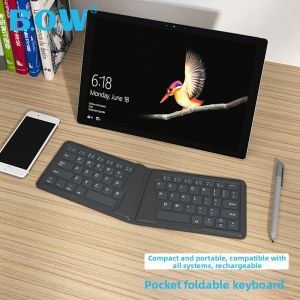
B.O.W | Bluetooth Ergonomic Folding Quiet Keyboard
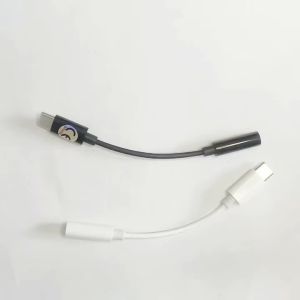
Type C To 3.5mm Aux Adapter 3 5 Jack Audio Cable for Huawei Xiaomi Redmi POCO Sumsang LG 3.5MM to 8Pin Aux Adputer for iPhone
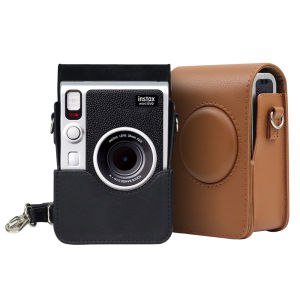
【NEW F】Camera Bag For Fujifilm Instax Mini EVO Instant Film Camera Case PU Leather Soft Silicone Cover Bag with Shoulder Strap
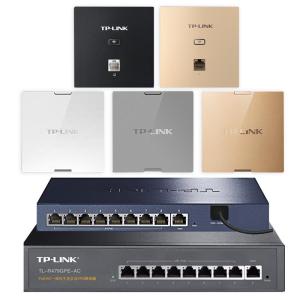
TP-Link | Whole House WiFi Coverage Kit Gigabit Dual Band 5G Wall Mounted POE Router AC Control

Potdemiel | Midnight Floral Moon For 2 in 1 Flower Case For iPhone 17 16 15 14 13 Pro Max Luxury Phone Cover CaseChic

【Y】100Pcs M3x5mm Computer PC Case Hard Drive Precision PSU 6/32" Hex Screws
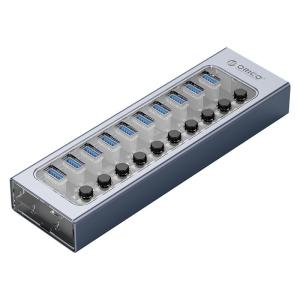
ORICO | Independent Power USB Hub Adapter

Bandai | Large E-sports Mouse Pad One Piece Carrot Smooth Flexible Rubber Gamer PC Computer Keyboard For CSGO Kawaii Mosuepad
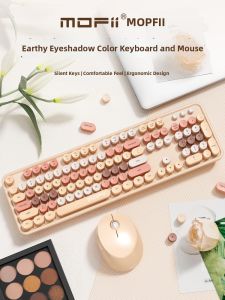
Mofii | Wireless Keyboard and Mouse Set Soft Tactile Silent Office
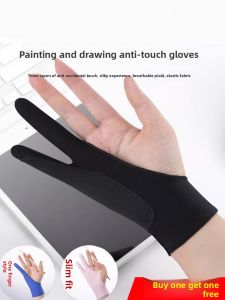
JIFANPAUL | Touchscreen Drawing Glove Anti-misoperation Sketching