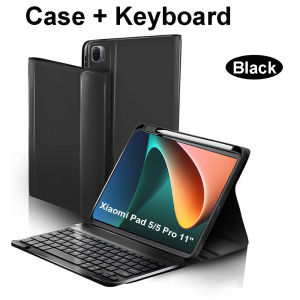
Case for Xiaomi Pad 5 11 Inch Bluetooth Keyboard Cover for Xiaomi Pad 5 Pro 11 Inch
Please confirm our machine model before purchasing~For Xiaomi Pad 5/ 5 Pro 11 Inch Tablet.Please noteEnglish Keyboard:There is only English letter layout on the keyboard.Other language keyboards:The keyboard has English letter layout and that language letter layout.Note:The digital tablet and stylus are not included in the package. The detailed description is for reference only. Please refer to the actual product for the color of the product.Office learning business fashionComfortable solution to your office, study and entertainment needs.MagnetdesignMagnetdesign -Verhindern Sie, dass die Tastatur herunterfalltAbnehmbare Bluetooth-Tastatur - kann die Tastatur leicht entfernenAutomatischer Schlaf-/Wake-Energy-ErhaltungTriangular stable designStable support, anti-slip protectionHoneycomb back design,great heat dissipation effectBacklit keyboardSwitch cool lights at willHow to connect keyboard & Mouse?1,Connect the mouse first, then connect the keyboard.2,Mouse:Push the switch to the "Bluetooth" icon, find the Bluetooth connection with "Mouse" in the device Bluetooth list.3,Normal Keyboard:Push the switch in the upper right corner to "ON", press "Connect", and find the Bluetooth connection with "Keyboard" in the device Bluetooth list.4,Touchpad Keyboard:turn on keyboard ,press Fn+C to,then find the Bluetooth connection with "Keyboard" in the device Bluetooth list.Non-touch keyboard Bluetooth connection stepsTouch keyboard Bluetooth connection stepsFAQQ:What should I pay attention to when connecting the mouse for the first time?A:When the mouse is connected for the first time, you need to press the left button, the right button and the scroll wheel at the same time for about 3-5 seconds.Q: Is the scroll direction of the mouse USB connector and Bluetooth connection the same?A: No, they are different. When using the USB connector, the scroll wheel slides in the same direction as the computer mouse. Bluetooth connection is the opposite.Q: How to switch between different systems?A: Fn+Q=Android, Fn+W=Windows, Fn+E=IOS.Please note that please switch the system before connecting the tablet.Q:The bluetooth keyboard letters are messy?A: Please check the settings according to the prompts,a. Check whether the keyboard language set on the device is English.b. Disconnect the keyboard Bluetooth, click Ignore the connected device, reopen the Bluetooth keyboard, select system, Fn+E (IOS system).Note: Fn+Q=Android, Fn+W=Windows, Fn+E=IOSc. Press the L S Z buttons at the same time to reset the keyboardQ:How to configure the input method for different languages keyboard?A:Take the samsung tablet as example,open "Settings--"ystem"--"Language & input"--"Add New Keyboard". (For other systems, please set them in the system settings according to the tips of the iPad example.)Q:How does the mouse change teh scroll wheel sliding direction on the device?A: The mouse is connected, open "General" - "Trackpad & Mouse" - close "Natural Scrolling".

GlobalLifestyle
Review

You May Also Like
Laptop Cooling Base Office Portable Heat Sink 14 Inch 15.6-inch Laptop 6-speed Adjustable Height Cooling Device2026
AULA | AULA HERO68 MINI Air Low-Profile Magnetic Switch Keyboard Wireless Three Mode Dual 8K RGB Gaming Keyboard 68 Keys Fast Response
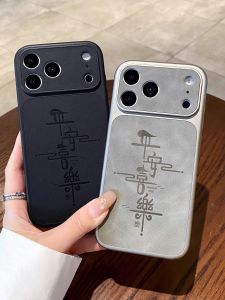
AI Buttons Scratch-resistant Window Phone Case for iPhone
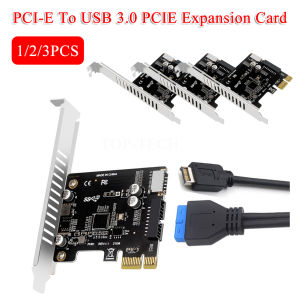
PCI-E To USB 3.0 Type C Front Panel Adapter 19PIN PCI-E To USB 3.0 Hub Splitter Expansion Card Pcie Riser for BTC Chia Mining

Photography Background Rack Backdrop Stand Studio Equipment Three-Dimensional Photo Wall Hanging Cloth Retractable Cross Bar Simple ID Photo Photography Background Rack
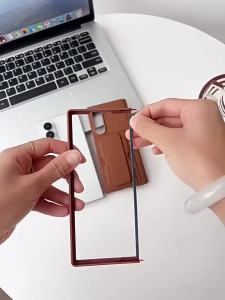
VYOPBC | Hinge Protection For Samsung Galaxy Z Fold 8 Ultra Fold 7 6 5 Multifunctional Card Slot Bracket Phone Case With Screen Protector
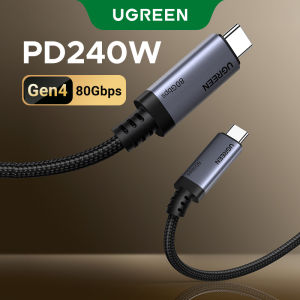
UGREEN 240W 80Gbps USB C to USB C GEN4 Charging Cable for iPhone 17 16 Series Samsung S26 S25 Ultra iPad Macbook Switch Mode:65383

Metal Strap For Apple Watch 12 46/42mm Business Bracelet Stainless Steel Correa For Iwatch 11 9 Ultra4 49mm 44/42/45mm Watchband
RF Motorized Projector Screen Controller

Qgeem | QGeeM HDMI to Mini DisplayPort Female Adapter Cable 4K 30Hz HDMI to Mini DP Converter for HDMI Equipped Systems Mini DP to HDMI
szhaiyu | Transparent Phone Case For iPhone Duo iPhone 18 Fold Plastic Fold Shockproof Spring Hinge Protection Hard Back Cover Funda