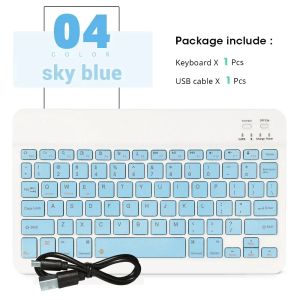
Hebrew Bluetooth Keyboard 10inch For iPad Air Pro 9th 10th Wireless Rechargeable Mini Keyboard For Phone Tablet Laptop Universal
Product featuresï¼
1.BROAD COMPAYIBILITY :
Use with all four major operating systems supporting Bluetooth (iOS, Android, Mac OS and Windows) ,Compatible with iPads, iPhones and Bluetooth-enabled Tablets, Laptops, and Mobile Phones, such as iPad air , iPad mini, iPad Pro, iPhone Xs Max etc.ï¼Devices without Bluetooth need to buy a Bluetooth receiver by themselvesï¼
2.ULTRA-SLIM,LIGHTWEIGHT & PORTABLE:
This lightweight Bluetooth keyboard is designed for anyone who needs a portable capable keyboard for work or play and especially suitable for business travel.
3.RECHARGEABLE AND AUTO SLEEP MODE:
The universal wireless bluetooth keyboard uses built-in lithium battery, can be easily recharged through USB cable, no need to change the battery. The Built-in Rechargeable battery is incredibly long-lasting, standby time is about 6 months between charges. The bluetooth wireless keyboard can automatically enter into sleep mode in order to save energy.
4.STABLE CONNECTION:
Advanced Bluetooth technology provides a cable-free connection with an operating range of 10 meters. But for Desktop PC Laptop without bluetooth function, you need to insert a third-party bluetooth adapter (not included) to install bluetooth driver before use.
5.COMFORTABLE and QUIET TYPING:
The whisper-quiet, low-profile keys bring a whole new level of comfort to your fingertips. Besides, keep all your most-used functions and media controls closer than ever Windows-dedicated hot keys.
How to connect?
Bluetooth keyboard connection method:
9.7'' keyboard connection :
1.Turn on the "on" button in the keyboard
2.Press and hold the "connection" key on the keyboard for 2 seconds
- Turn on the Bluetooth device you need to connect to
4.Find "Bluetooth keyboard" in "my device" and click "connected"
Mouse connection modes:
Bluetooth connection mode: open the 'on' button in the mouse, then open the Bluetooth device to be connected, find 'BT mouse' in 'my device', and then click 'connected'.

GlobalTechMart
Review

You May Also Like

Bandai | 90x40cm Mouse Pad P-Pokemon Pikachu pc speed For e-sports players Office Laptop Computer Keyboard Pad Non Slip Desk Mat Mousepad
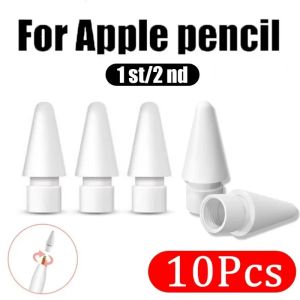
10Pcs Replacement Pencil Tips for Apple Pencil 1st / 2nd Generation iPencil Sensitivity Nib for IPad Pro Pencil 1/2 Precise Control Spare Nib

3-Speed Rechargeable Portable Clip-On Fan – Perfect for Strollers Baby-Friendly & Quiet Cooling (SG Seller)

ATK GEAR | Gaming Magnetic Mechanical Keyboard
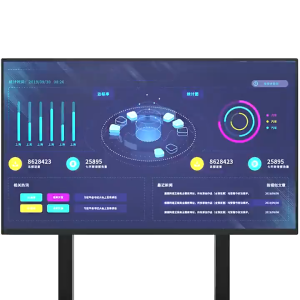
Heavy Duty Mobile Floor TV Stand with Bracket Mount Height Adjustable for 32-65 inch
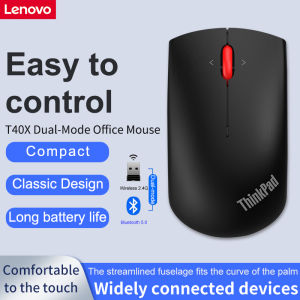
Lenovo | Wireless Mouse Lenovo ThinkPad T40X Dual-Mode Mouse Office Mouse Black Bluetooth Mouse Wireless USB Mouse

Ulanzi | BC08 Tactical Waterproof Protective Camera Bag Single Shoulder
Razer Gigantus V2 Pro Gaming Mousepad – 5 Surface Speed Options – Stitched Edges – Precision Control Surface
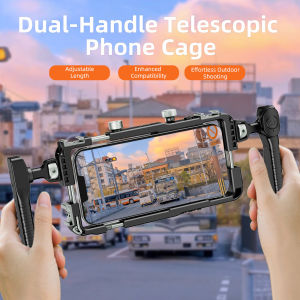
Universal Smartphone Video Rig with Handles 67mm Filter Adapter Phone Cage for iPhone 14 13 15 Pro Max Samsung S23 Ultra

Anti-Loss Adjustable Wrist Mobile Phone Lanyard
KUULAA 20000mAh Power Bank 22.5W Fast Charging Portable Powerbank with Digital Display Compatible For iPhone 16 pro max iPhone15 14 13 Promax and Samsung Huawei Xiaomi Series