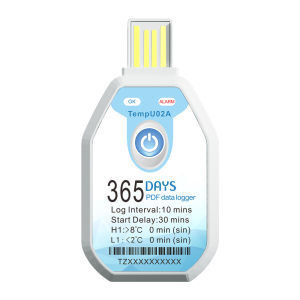
USB Temperature Recorder -30℃~70℃ 365 Days Single-use Temperature Data Logger Temp Monitor for Cold-chain Warehouse
365 Days Single-use Temperature Data Logger USB Temperature Recorder -30℃~70℃ Temp Monitor for Cold-chain WarehouseThe Single-use Temperature Data Logger is a type of our cold chain data logger. It is mainly used for temperature recording during storage and transportation of foodstuff, medicine, chemicals and other products. High measurement accuracy, large memory capacity, long battery life and shadow mode. After recording is complete, insert the device into the computer's USB port to automatically generate PDF and CSV reports.Item ParametersTemperature Scale :℃ or ℉ [Default: ℃]Measuring Range :Temp -30℃ ~ +70℃Accuracy: ±0.3℃ (-20℃~+40℃), ±0.5℃ (other)Resolution: 0.1℃Data Capacity: Up to 68000 readingsUsage Type :Single-useStart Mode Button :Start or Timed Start [Default: Button Start]Recording Interval: Programmable (10 seconds~99 hours) [Default:10 minutes/365 days]Start Delay: Programmable (0~72 hours) [Default: 30 minutes]Alarm Range:Programmable high or low alarm limit for each channel[Default:8℃]Alarm Type: Single type, Cumulative type [Default: Single type]Alarm Delay: Programmable (0~99 hours) [Default: 0 minutes]Form of Report:PDF report and CSV file are optional[Default: PDF and CSV]Interface:USB2.0 InterfaceWaterproof: IP67Battery Shelf Life :3 years (Normal temperature 25℃)Time Zone :Programmable [Default:UTC +0:00]Operating Instructions1)Start recordingPress and hold the button more than 3 seconds. Then the 'OK' light (Green) will light up for 3 seconds, indicating a successful start, You can then place the data logger in the desired monitoring location.2)Stop recordingPress and hold the button for more than 3 seconds. Then the ‘ALARM’ light (Red) will light up for 3 seconds, indicating a successful stop. 3)Get reportAfter recording, connect the device to the PC's USB port. The device will automatically generate PDF and CSV reports, which can be opened to view the data.Note: If the device is not started, it will enter the shadow mode and record data onceevery hour by default.

GlobalTechMart
Review

You May Also Like
Micro Electronic Vacuum Pressure Switch
Bosch | 0281006049 Original Intake Manifold Pressure Map Sensor 026123001A 504307953 for MAN IVECO Daily 2.3-3.0L 2009- 0 281 006 049
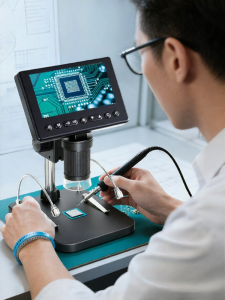
NIOYE | Portable Digital Inspection Microscope
YORLELIE | Noise Reduction Shock Absorption Pad For Toyota Cars
Extended Hollow 304 Stainless Steel Cylinder Tube Bearing Sleeve M6 M7 M8 M10 M12 M14 for Hardware Tools Fasteners Bolts
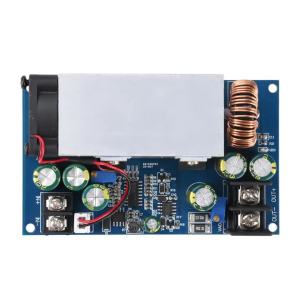
600W DC-DC Buck Module 12-75V to 2.5-60V CC CV Adjustable 25A Step-Down Power Supply Module Voltage Regulator Constant Current
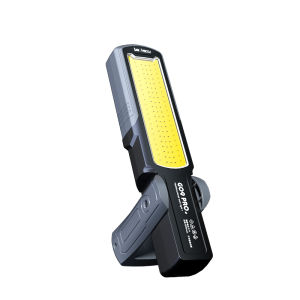
LEM | Magnetic Super Bright Rechargeable Lithium Battery Work Light
243 Screw Glue Threadlocked Blue Anti Loosening Fastening Anaerobic Glue Corrosion-Resistant And High-Temperature Resistant Thread Sealing Glue Anti-Loosening Anti-Slip Rust-ProofSuitable for Nuts Bolts Fasteners.

KONNWEI RC-10 12V 10 A 24V 5A Car Battery Charger Full Automatic Fast Charging Pulse Repair Battery Charger Lead Acid AGM Gel
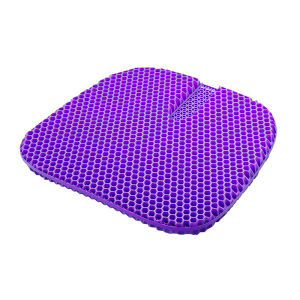
Honeycomb Gel Cooling Seat Pad

HUAIMING | Scratch Covering Decorative Reflective Creative Car Stickers