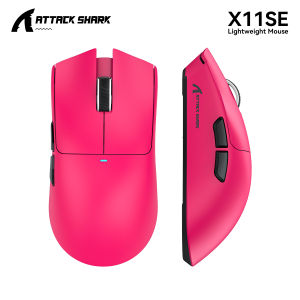
ATTACK SHARK | ATTACK SHARK X11 X11SE Wireless Gaming Mouse PAW3311 800-22000 DPI Bluetooth 2.4GHz USB Wired Rechargeable 6 Buttons
SpecificationsX11Model name: ATTACK SHARK X11Sensor type: PixArt PAW3311 opticalConnections: USB wired / 2.4GHz / BluetoothDPI adjustment: 800-22000Polling range: 125-1000HzSize: 128 x 64 x 40mmPower: RechargeableControls: 6 buttons and 1 scroll wheelX11SEModel name: ATTACK SHARK X11SESensor type: PixArt PAW3311 opticalConnections: USB wired / 2.4GHz / BluetoothDPI adjustment: 800-22000Polling range: 125-1000HzSize: 128 x 64 x 40mmPower: RechargeableControls: 6 buttons and 1 scroll wheelProduct HighlightsX111. Magnetic charging supportThe X11 can charge on its magnetic base or through its Type-C port.2. Adjustable mouse sensitivityIts PAW3311 optical sensor provides an 800-22000 DPI range.3. Three connection choicesUse the X11 in USB wired, 2.4GHz wireless or Bluetooth mode.X11SE1. Rechargeable Type-C designThe X11SE provides a Type-C port for charging and wired connection.2. PAW3311 optical trackingThe X11SE has an 800-22000 DPI range and specified 125-1000Hz polling range.3. Single-wheel, six-button controlsThe X11SE combines one scroll wheel with left, right, middle, forward, back and DPI buttons.DescriptionX11The ATTACK SHARK X11 is the magnetic-charging model in this listing. It provides wired USB, 2.4GHz wireless and Bluetooth connection modes, along with a PixArt PAW3311 optical sensor. Sensitivity can be adjusted within the 800-22000 DPI range. The X11 measures 128 x 64 x 40mm and has one scroll wheel and six buttons.X11SEThe ATTACK SHARK X11SE is listed separately from the X11 and uses a Type-C connection for charging and wired operation. Its other connection choices are 2.4GHz wireless and Bluetooth. A PAW3311 optical sensor provides 800-22000 DPI adjustment, with a specified 125-1000Hz polling range. This model also measures 128 x 64 x 40mm; its own controls comprise six buttons and one scroll wheel.Q&AX11Q1. What charging connections does the X11 provide?A1. It supports a magnetic charging base and a Type-C charging port.Q2. Can the X11 work through a cable?A2. Yes. USB wired mode is supported alongside 2.4GHz wireless and Bluetooth.Q3. How can I adjust sensitivity?A3. The X11 has DPI adjustment within an 800-22000 range.Q4. Does the X11 have side navigation buttons?A4. Yes. Forward and back side buttons are part of its six-button layout.Q5. What is the size of the X11?A5. It is 128mm long, 64mm wide and 40mm high.X11SEQ1. How is the X11SE charged?A1. The X11SE has a Type-C port for charging.Q2. Which wireless modes can the X11SE use?A2. It supports 2.4GHz wireless and Bluetooth; USB wired operation is also available.Q3. What sensor does the X11SE contain?A3. It contains a PixArt PAW3311 optical sensor with an 800-22000 DPI range.Q4. What is the X11SE polling-rate range?A4. Its specified polling-rate range is 125-1000Hz.Q5. How many buttons and scroll wheels does the X11SE have?A5. It has six buttons and one scroll wheel. The buttons are left, right, middle, forward, back and DPI.

Prime Supply_Play Life
You May Also Like
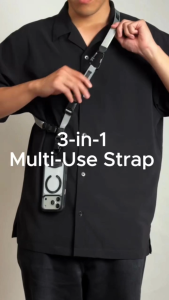
Bitplay 3-in-1 Multi-Use Strap – Neck Crossbody & Wrist Phone Strap with Bag Strap Function Durable & Stylish Lanyard
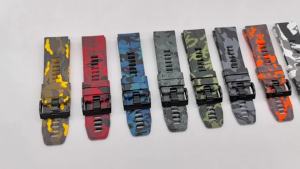
QuickFit 22mm 26mm Sports Camouflage Silicone Strap For Garmin Fenix 6X 7X Pro Band For Fenix 6Pro 5Plus Bracelet Watchband

(SG) ShieldMonster iPhone Screen Protector Tempered Glass for iPhone 18 Pro Max/18 Pro/17 Pro Max/17 Pro/17 Air/16/16e/15/14/13/12 /11/ Pro Max Mini/XR/XS Max - 9H Clear Privacy Matte Anti-Bluelight
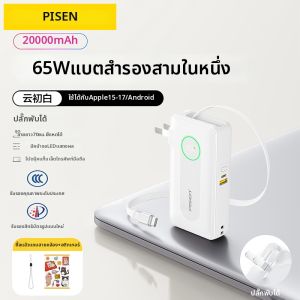
PISEN | 3C Certified Airplane Safe Fast Charging Power Bank with Built-in Plug and Retractable Type-C Cable for Phone and Laptop
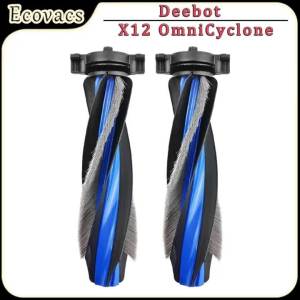
Replacement Main Brush Compatible With Ecovacs X12 OmniCyclone Robot VacuumRoller Brush Parts

EWEADN | Wireless Mechanical Keyboard and Mouse Set Animal Cute

For Samsung Galaxy Z Flip 8/Flip 7/ Flip 6/Flip 5 Belt Clip Holster Case Cover Leather Waist Bag For Motorola Razr 60/60ultra2026
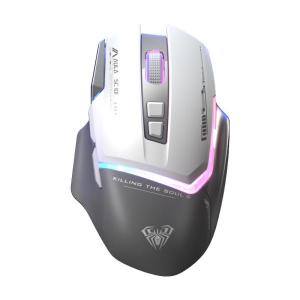
AULA-MOJING | Wireless Gaming & Office Mouse with Bluetooth & Wired Charging
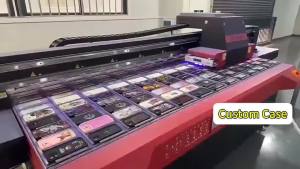
Bright Blue Tropical Foliage Phone Case for iPhone 18 17 16 15 14 13 12 11 Air Pro Max Plus Double-layer Cover
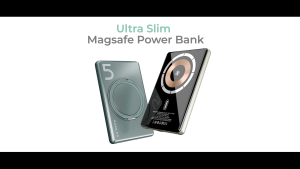
KUULAA 5000mAh Magnetic Power Bank 9.6mm Ultra Thin Wireless Charger with 360° Rotating Stand Powerbank Fast Charging for iPhone 16/15/14/13/12 Pro Max/Plus
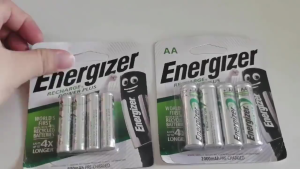
Energizer 1.2V AA/AAA Ni-MH Rechargeable Battery and 4-slot charger