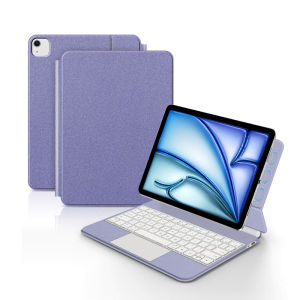
AJIUYU Magic Keyboard for iPad Air 11 M4 M3 M2 11" Pro 11 1st 2nd 3rd 4th Gen Air 5th Air4 Case Smart Multi-touch Keyboard Cover
For iPad Pro / Air Magic KeyboardMagnetic separation, backlight, touch panel, multi angle support、Wireless Bluetooth connectionA keyboard and protective case in oneOne product ,dual uses,when unfolded , it is a Tablet Keyboard,and when closed,it is a protective Case,non-removable,enabling it to meet the needs of more scenariosNote 1:You need to upgrade the system to version 17.0 or higher to use the touchpad.Note 2:Please check in the size and detail model of your Tablet. it is very importtant ! ! !Note 3:After Open the Power, Please Click "Fn" and "C" 【Fn+C】Button Together to Open the Keyboard's Bluetooth. It is Very Important.Product Details:1. Number of buttons: 642. Battery: Lithium battery 500mAh3. Stand-by time: 150 days4. Working Time: 5 hours (with backlit on),120 hours (with backlit off)5. Working Voltage: 3.0 - 4.2V6. Charging current:<250 mA7. Effective distance: 10 meters8. Backlit Light: 7 colors backlit9. Charge Port: Type-c10. Material: Anti fouling and durable PU material11. Key life:3 million12. Charging times: 4 hours13. Color: Black 、White、Pink、 Purple注意:如果您在使用键盘的时候,触控板出现延迟,或者蓝牙连接不稳定的情况,两种解决方法:1.将iPad升级为最新系统,2.关闭蓝牙重新连接。Note: If you experience delays in the touchpad or unstable Bluetooth connection while using the keyboard, please check your iPad system to see if it has been upgraded to the latest versionDue to multiple model options available on this link, please make sure to confirm your machine model or code before making a purchase in order to select the correct option. If you make a wrong purchase, you will be responsible for it yourself How To Verify Your Tablet Model1.Turn iPad tablet to the back find your specific model,Par exemple: A ****2.Find the "Settings"--Click the "About"--Find the "Model"3.Please select the correct model number for your tablet purchase after viewing it.Compatible models and codes:This style of keyboard cover is compatible with these 9 models. Please confirm your machine model before purchasing to avoid purchasing errors!The camera holes on the keyboard cover have been upgraded to square holes. If you mind, please do not purchaseFor iPad Air 11 inch M4 2026(Model Code:A3459、 A3460、 A3463 )For iPad Air 11 inch M3 2025 (Model code :A3266、A3267、A3270)For iPad Air 11 inch M2 2024 (Model code: A2902、A2903、A2904)For iPad Pro 11 2018 1st Generation (Model Code :A1980 、A1934 、A1979 、A2013)For iPad Pro 11 2020 2nd Generation (Model Code :A2228、 A2068、A2230 、A2231)For iPad Pro 11 2021 3rd Generation (Model Code:A2377、A2459、A2301、A2460)For iPad Pro 11 2022 4th Generation(Model Code:A2759 、A2435、 A2761、 A2762)For iPad Air 5th generation 10.9 inch 2022(Model Code:A2588、 A2589 、A2591)For iPad Air 4th generation 10.9 inch 2020(Model Code:A2316、A2324、A2325、A2072)Note: Tablet and stylus are not included in the packaging!![Note: Only the corresponding machine model can be magnetically attracted. If your machine is not of the above model, please do not purchase!!! ]Attention PleaseEnglish versionkeyboard : There are English letters on the keyboard only.Multi-language versionkeyboard : English letters and carved language letters together ..【For example, if you choose French, the keyboard will display English and French letters. Please note that the same letters will not be engraved repeatedly】(Due to the difference in the number of keyboard keys compared to a normal office keyboard, some special character engraving positions are the same, which is a normal phenomenon)The keyboard Core defaults to English, and the characters engraved on the keyboard are only a Surface display.so in some countries, even if the input method is switched, the special symbols do not necessarily match the keyboard function layout(You can hold down the Shift combination).If you mind, please do not purchase!!.Note: Due to the material of the white keyboard, the engraved letters are dark gray.【1】Bluetooth connection method: Turn on the keyboard switch, then hold down Fn+C for about 2-3 seconds to start Bluetooth, then turn on your tablet Bluetooth device, search for "BT Keyboard", and click connect to connect 。Note: If you do not use the keyboard for a long time, the keyboard will enter sleep mode and Bluetooth will automatically disconnect.【2】Open iPad Settings - Keyboard - Keyboard - Add New Keyboard - (Select the language you need) - After switching, press and hold the keyboard Control+Spacebar to switch to the input method you have selected and use it normally.【3】For detailed instructions, please read the user manual. If you have any questions, you can contact "Online Services" for consultation .The resolution of the machine is different, and there may be color differences in the images, which is a normal phenomenon. The actual product received shall prevail .Note:Due to the large size of the tablet, if the keyboard angle is adjusted too much during use, the keyboard may tilt. This is a normal situation, please do not panic, just adjust the keyboard amplitude, and it will not affect use.Here is a guide on how to identify the machine model steps (image models are for reference only) !!Arabic layoutGerman layoutRussian layoutFrench layoutKorean layoutPortuguese LayoutSpanish layoutHebrew layoutWhite Spanish

GlobalTechMart
Review

You May Also Like
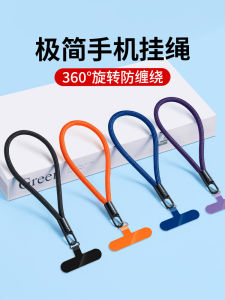
High-End Phone Strap Wristband Style Short Lanyard for Men And Women Anti-Lost Safety Belt Pad Clip Anti-Fall Decorative Accessories

LINGKEN | Sapphire Glass Lens Protector for iPhone 17/16 Pro Max High Definition Anti-Shock
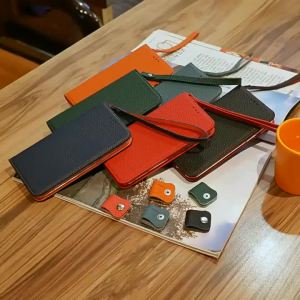
Cowhide Genuine Real Leather Case for iPhone 18 Pro Max 13 11 12 14 15 16 17 Pro Max 16 Plus Flip Wallet Card Business Phone Bag2026
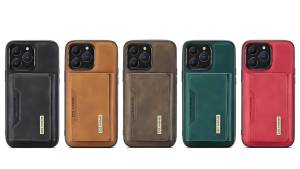
szhaiyu | 2 in 1 Detachable Wallet with Card Holder Case for IPhone 16E 17 Air 16 15 Plus 15 14 13 12 11 Pro Max Leather Shockproof Cover
Luxury Matte Lens Protect Phone Case For Magsafe For Samsung Galaxy S26 Ultra S25 S24 S23 S22 S21 Plus Shockproof Soft Cover

Bandai | 1pc Street Fighter Large Mouse Pad Computer Mat Desk Mat Keyboard Mat Office Gaming Table Mat
Case For Redmi pad SE 11 PAD 2 2025 8.7 inch Tablet Cover Xiaomi mi pad 7 8 pro 11.2 5 6 11 pro 11 inch Hand Strap Holder funda

EUCAGR PU Leather Case For Realme 10 Pro+ Realme10Pro Back Cover Silicone Full Protection Phone Case For Realme 10 Pro Plus 5G

Bandai | Large Mouse Pad Dragon Ball Anime Pc Speed For e-sports Players 800x300 Laptop Computer Keyboard Desk Mat Xxl Mousepad

K7SEQ Plastic Side-lying Phone Holder 3D Printing No Arm Pressure Horizontal Phone Holder Creativity Portable Lazy Phone Stand Bed Sofa

JJC Camera Bag Pouch EVA Hard Shell Protective Case For DJI Pocket 3 With Protective CaseDJI Mic 2 Transmitter & Osmo Pocket 3 Battery Handle & Other Suitable AccessoriesFree Get 2pcs MicroSD Card Holders