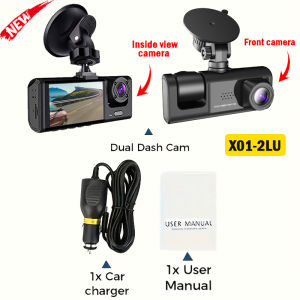
2/3 Channel Dash Cam 1080P FHD Front and Rear Inside Car Camera WiFi APP Control Night Vision Parking Mode Car Accessory
The products are divided into X01/X94.1.X01-2LU, no WIFI and no rear view camera.2.X94-2LU, with WIFI but no rear view camera.3.X94-3LU, with WIFI rear view camera.Product Specifications:> 3 Channels[Front1080p+Interior720p+Rear720p]> 2 Channels: [Front1080p+Interior720p]> Screen size: 2 inches> File format: AVI>Voltage 1 Current: 5V/1A> Video resolution: 1080P; 720P; 720P> Continuour Loop Video: Seamless Loop Recording> Automatic power on/off: support automatic ignition and shutdown> Interface: Support USB> Time Synchronization: Support> Support memory card: TF (maximum support 64 GB)> Built-in stereo: support> Frequency: 50HZ / 60HZ> Supported languages: Chinese, English, French, Russian,Japanese, Spanish,Korean,etc.New HD 3 Lens WIFI Dash CameraOnly Front Camera: 1080PFront + Rear Camera:1080P+1080P;Front & Inside Camera:1080P+720P;Front & Inside & Rear Camera:1080P+720P+720PStarlight Night VisionWith the help of F2.0 wide aperture and the decent low-lightperformance of the lens, the car camera is able to capturedetails like license plates at night.Built-in WiFiDownload the APP from Android and iOS systems, connect your phone with dash cam via WiFi, then you can view the recordings in real-time, also can download, playback and share the recordings via your phone.Warm tips:Customers in the use of the recorder want to connect WIFI please in the recorder menu to open the WIFI and mobile phone connected to be able to use it!Reversing ImageWhen the car in reverse gear, the car DVR will automatically switch to the rear camera imaging view with parking line, ensures safety for parking.Loop RecordingEvery detail would be automatically record and not miss one second, unlocked data would be overwritten automatically when TF card is run out of storage.G-SensorIn the event of an impact or collision, the built-in G-sensor would lock and save the video, and the video would not be overwritten by loop recording.24h Parking MonitorWhen Someone Near Your Car Or Vehicle Starts To Move,Automatically Turn On And Start Recording When Detects Any Impact Or Collision,The Device AutomaticallyAutomatically Recording For Few Seconds,Make Sure 24hr Parking Guard.Attention: It Should BeConnected By A Dvr Exclusive Power Cable.(Friendly reminder: parking monitoring needs to be configured with a special buck cable for use, otherwise 24-hour monitoring is not possible)Installation ImageA:Rear cameraB:Car recorderC:You need to link the red wire of the rear camera to the positive pole of the reversing light in order to realize the reversing imageTo protect your privacy, the TF card needs to be formatted for the first time. There are two solutions:1. Insert the TF card correctly into the dash cam, open the camera settings, find the storage card format, confirm that the formatting is complete, and then restart the camera to use.2.Connect to the mobile application, search for settings in the mobile application, format the memory card, confirm formatting is complete, and then restart the camera to use it. Sincere wishes to you and your family.

Prime Supply_Play Life
Review

You May Also Like
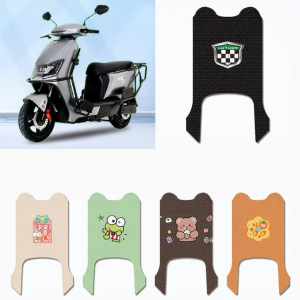
Waterproof Decorative Electric Scooter Footmat
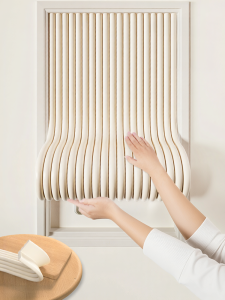
O Margo | Soundproofing Acoustic Panel Door Strip

2pcs Carbon Fiber Pattern Rearview side Mirror Cover caps For Mercedes Benz W176 W246 W204 W212 W221 C117 X204 X156 Replacement
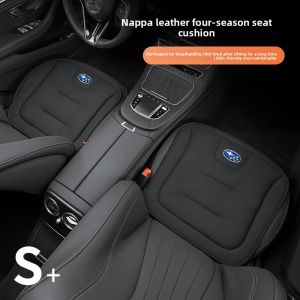
TUSHUGUANG | Summer & All-Season Car Seat Covers for Subaru Forester WRX Outback Legacy XV
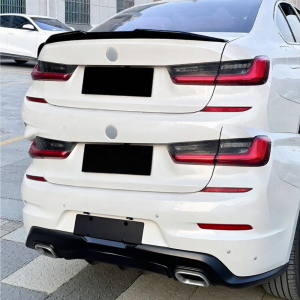
BONINGYU | For 2019+ BMW G20 Series PSM Style Rear Wing
![HOT SALE[Instant Cool Breathable 3D Soft Cushion] Gel-Cooled Icy Comfort/Antibacterial High Elastic Multipurpose Car Summer SeatsFast shipping](https://img.lazcdn.com/g/p/c36149623d9e0f7a21a3b9bdbcb75419.jpg_300x300q80.jpg)
HOT SALE[Instant Cool Breathable 3D Soft Cushion] Gel-Cooled Icy Comfort/Antibacterial High Elastic Multipurpose Car Summer SeatsFast shipping
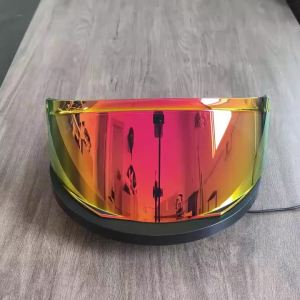
Helmet for SHARK Shark EVO ES EVO ONE EVO GT Backflip Journey Sunscreen Mirror

3 / 4 Buttons Case Flip Remote Car Key Fob Shell Cover for Hyundai Accent Elantra Kona Santa Fe Tucson Veloster 2018-2022
Upgraded Flip Key Remote Fob 315MHz / 433MHz ID44 Chip for BMW E36 E38 E39 E46 E53 E60 E61 E81 X3 X5 Z3 Z4 EWS System LX8 FZV
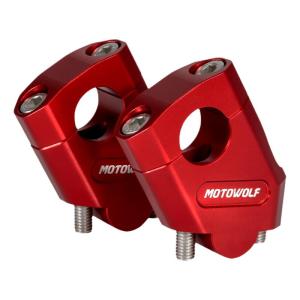
Motowolf | Height Increasing Rearward Adjustable Bar Mounting Kit
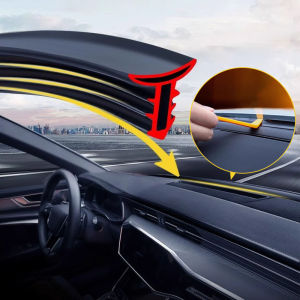
SEAMETAL Car Dashboard Seal Strip Front Windshield Soundproof Rubber Sealing Strip Universal Car Window Abnormal Sound Strip