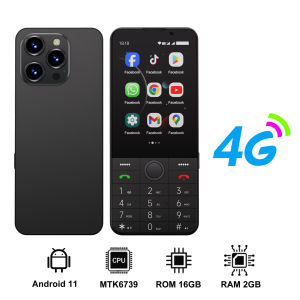
SERVO | SERVO F26 PRO 4G LTE Button Smartphone Android 2GB+16GB Play Store Torch WiFi Hotspot Touch Screen Smart Phones Dual SIM Standby
🗝️Product Parameter◆ Model : F26 PRO◆ CPU : MT6739WA◆ OS: Android 11.0 Version◆ Screen Size : 3.5 inch 320480 Screen◆ SIM Card Quantity : 2 Nano SIM cards + 1x TF Memory Card◆ Phone Size : 145.66315mm◆ Phone Weight : 145g◆ Memory Card : 2GB RAM+16GB ROM, Supports SD card expansion◆ Battery : 2850mAh◆ Phone SMS :1000+◆ Charging Interface Type : Type-C◆ Camera : Rear Camera Pixel 5MPFront Camera Pixel 2MP◆ Wifi: Wi-Fi Hotspot◆ GPS: Yes◆ NFC: No◆ Bluetooth: 4.0◆ Phone Unlock : Password unlock🔠Language: Support muti-languagesNote:The physical buttons on this phone do not support Korean, Japanese, and Chinese input methods📶Network2G GSM850/900/1800/19003G WCDMA/B1/B2/B5/B84G_FDD: B1/B2/B3/B5/B7/B8/B204G_TDD: B34/B38/B39/B40/B41Pre-purchase Note :Due to the problem of network frequency band, the mobile phone cannot be used normally in the following countries: Colombia, India, Türkiye, Chile, Azerbaijan, Tanzania, Australia. Please know before ordering🌟Features🔸Support dual card dual standby🔸3.5-inch high-definition display screen🔸4G high-speed network, fast internet access🔸Android 11 Pure System🔸2GB RAM+16GB ROM supports SD card expansion🔸2800mAh endurance battery🔸Video player and music player🔸Face Unlock🔸Bluetooth 4.0,/vibration, MP3, WIFI, hotspot sharing📦Package1Box11x Phone(including battery)11x Type-C Cable1User manual1Card Removal PinNote:1. This product does not contain a SIM card, please buy it locally by yourself.2. First use, Please charge the phone for 3-5 hours first and use a charger that supports 5V1A to charge the phone, thank youFAQQ: Does the phone not turn on after charging?A: If the mobile phone has not been used for a long time, the battery power will also be consumed by itself. If it cannot be turned on, You need to charge the mobile phone for 3-5 hours first. Please use the charging cable configured with this product and the charger that supports 5V1A to charge the mobile phone.Q: Why can't this phone read the SIM card?A: Please consult your local network provider to see if the SIM card you are using matches the network frequency band supported by your phoneQ: How to check the status of the package?A: Enter the official website of Cainiao parcel and enter the parcel number to check the logistics track. Or enter this page for customer service help to inquire.https://global.cainiao.com/?spm=a311a.7996332.0.0.227d2516klCRJJ

Prime Supply_Play Life
Review

You May Also Like
vivo | Hot Pick 2026 VIVO V50 Lite Global Android Smartphone 8+256GB Built‑in Memory 6.58‑Inch Full‑View Display Dual 64MP Rear
Honor Magic 8 Pro Air Dimensity 9500 Smartphone | 6.31 inches 5500 mAh 80W Fast Charging Dual SIM | HONOR Phone

Honor Robot Phone Snapdragon 8 Elite Gen 5 6.31" 1216 x 2640 pixels LTPO OLED 7060mAh 120W Dual SIM Honor Phone
Redmi | New Arrival 2026 Redmi 15R Global Unlocked Smartphone 8+256GB Storage Dual SIM Design 6.9 Big LCD Display Dimensity Chip 13MP
2026 Motorola Razr Fold Foldable Smartphone | Snapdragon 8 Gen 5 | 8.09inch 2K 165Hz pOLED Foldable Screen | 6000mAh 80W Fast Charging | Motorola Foldable Phone

XTEINK | Global Version XTEINK X3 E-ink Screen Reader Protective Case Support CrossPoint Firmware Unlock Multi-language X3 E-book Reader

2026 OPPO Reno16/Dimensity 8550 Super/OPPO Reno16 Pro/Dimensity 9500s Mobile Phone/6.78inch 120Hz AMOLED Screan Smartphone/7000mAh Battery 80W Fast Charging/OPPO Reno SmartPhone
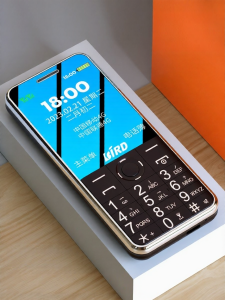
BIRD | Large Screen Large Font Long Battery Life Elderly Phone Full NetCom
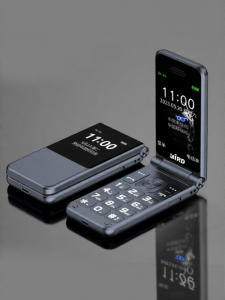
BIRD | Flip Large Sound Long Standby HD Calling Elderly Phone
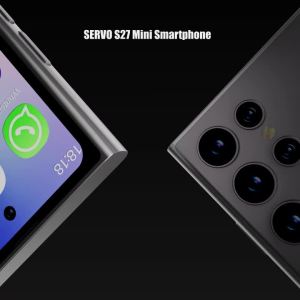
SERVO | SERVO S27 Mini Smart Phone Android 10.0 WCDMA 3G Cellular Dual SIM 4.0" Display GPS 2000mAh 2+16GB Pocket Smartphones Play Store

SERVO 4G LTE Mini Smart Mobile Phone Android12.0 OS 2GB+16GB WhatsAPP Play Store WiFi Dual SIM Standby 4.0inch Pocket Smartphone