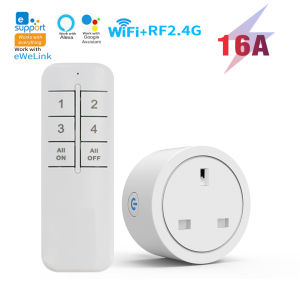
WiFi Smart Socket UK Plug Wireless Remote Control Socket EWeLink App Control Timer & Countdown Works with Alexa Google Home
Upgrade your home with this 16A WiFi Smart Socket. this smart plug gives you complete control from anywhere via eWeLink App, RF2.4G remote, or voice commands. Perfect for daily routines, and peace of mind.✅Product parameters:✅Wifi smart socket parameters:Working voltage: AC100~240V, 50/60HzMaximum current: 16ARemote control frequency: 2.4GHzsupport App: eWeLink APPTerminal platform: Android/IOSWifi: IEEE802.11 b/g/n 2.4G✅Remote control parameters:RF frequency: 2.4GHzSize: 118 x 40 x 10mmModel of battery used: 2 AAA battery (Battery included)The "All ON" button can open 4 sockets with one click, and the "All OFF" buttoncan close 4 sockets with one click✅Matching method of remote control and socket:1 remote control+1 socket1 remote control+2 sockets1 remote control+3 sockets1 remote control+4 sockets2 remote controls+1 socket3 remote controls+1 socket4 remote controls+1 socket1 socket can be paired with up to 5 numeric buttons✅✅APP connection:1. Turn on Bluetooth and 2.4G on your phone wifi2. Press and hold the socket button for more than 5 seconds, the indicator light will flash quickly twice and remain on once to enter the distribution mode,3. Open the app, click on the bottom, select "Bluetooth network distribution", click "Next", and the app will automatically scan for devices.4. Click on the scanned device, and then select the device connected to the phone WiFi Confirm that the relevant information is correct, click 'Save', and wait for the device to be connected.5. The device has been successfully added. You can modify the device name and click 'Add Complete'.✅✅If the indicator light flashes slowly, you need to select compatibility mode to connect to the APP。Alternatively, press and hold the socket button until the indicator light flashes twice and stops once, release it, and then connect to the app✅ ✅ The remote control needs to be paired with the socket in the following way before it can be used:✅Remote control control, no WiFi required, it is RF2.4G control.✅2.4G remote Off line pairing:When in non pairing mode, quickly and continuously press the button 2 times on the socket, At this time, the indicator light flashes twice and stops once.,the socket will enter pairing mode. At this time, press the switch remote control once, and if the socket is controlled, pairing is successful; (If pairing is not successful, please repeat the above operation)✅Attention: If the indicator light flashes slowly or rapidly, it indicates that the pairing has entered invalid pairing mode and cannot be successfully paired. You need to clear the pairing code of the socket and then perform the pairing operation again. (The indicator light must flash twice and stop once before pairing can be successful)✅Clear pairing:When in non pairing mode, continuously press the button on the socket 8 times (within 5 seconds) to turn off the indicator light and clear the successful pairing.🔹 eWeLink APP Remote ControlControl your devices from anywhere using the eWeLink app on iOS or Android. No hub required – works over 2.4GHz WiFi.🔹 Voice Control with Alexa & Google Home speakerHands-free operation: "Alexa, turn on the heater" or "Hey Google, turn off the fan." Works seamlessly with Alexa and Google Assistant.🔹 Timer & Countdown FunctionsSet schedules for your appliances – automatically turn on/off at specific times. Use countdown mode to power off after a set duration, saving energy and adding convenience.🔹 Sharing function: Share devices with family through the app🔹 RF 2.4GHz Remote Compatible(Can be used without WiFi,only serves the purpose of powering off and on, for example: cannot adjust the wind speed and shaking state of the fan)Pair with an optional RF 2.4GHz remote for physical control. Ideal for family members who prefer a simple button press.Note: it Without metering function, and it dose not support RF 433mhz frequency.

GlobalLifestyle
Review

You May Also Like
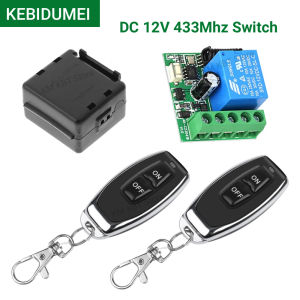
Kebidumei | 433Mhz Remote Control Wireless Switch DC 12V 1CH RF 10A Relay Receiver and 2CH Transmitter For Door Electromagnetic Lock
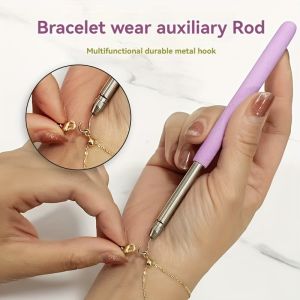
Help Wear Bracelet Tool Partner Jewelry Helper Fastening Aid Quickly Unfasten Hooking Equipment Pliers Clasps Ties Zipper Craft
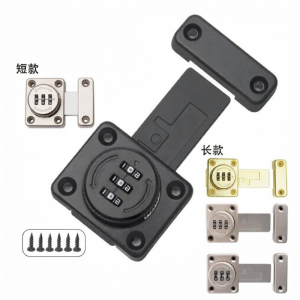
Password Protected Sliding Door Cabinet Lock

DELIXI Electric | Mobile Workshop Tool Cart
![[Made in Italy] Vicario Armado Shower Mixer 26080 Hot and Cold Mixer x sgPlumbMart](https://img.lazcdn.com/g/ff/kf/S055f5b0e824342a38bb795fd2b1688f5O.png_300x300q80.png)
[Made in Italy] Vicario Armado Shower Mixer 26080 Hot and Cold Mixer x sgPlumbMart
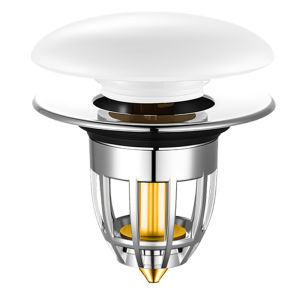
YEMO | Ceramic Press & Pop Drain Stopper for Bathroom Basin
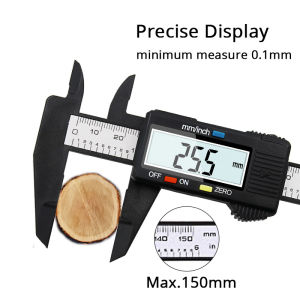
6 Inch 0-150mm Measuring Tool Electronic Caliper Ruler Digital Vernier Caliper Gauge Micrometer Measure instrument
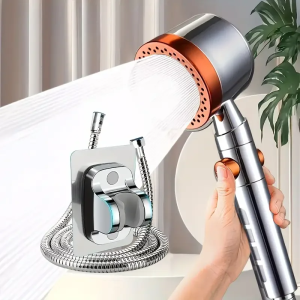
5 Modes New High Pressure Water Saving Filter Shower Head Handheld Shower Head One Button Stop Bathroom Accessories Set
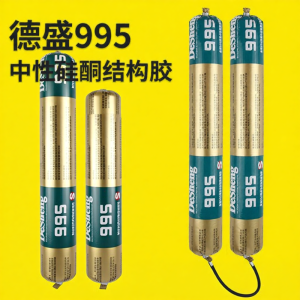
Roof and Wall Neutral Silicone Sealant

3M | Splash Proof Dustproof Windproof Fly Insect Proof Myopia Post-op Goggles
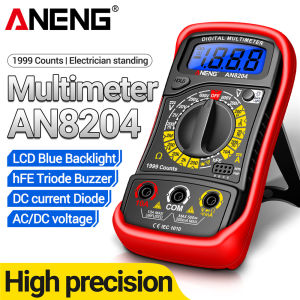
ANENG | ANENG AN8204 Digital Multimeter High Precision Portable AC/DC Voltage DC Current Resistance 1999 Counts Electrician Repair Tools