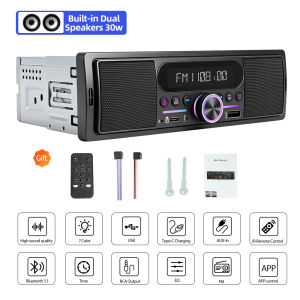
Grandnavi | Car MP3 Radio Player 1Din FM Bluetooth USB AUX Built-in 15Wx2 Speakers Vehicle Locator For Tool Cart Small Truck Sightseeing Car
Feature:LCD:VA-LCD DISPLAYKey Light:Multi ColorBluetooth:Version 5.1Bluetooth Music:SupportAUX In:SupportAudio Format:MP3, WMA, AAC, FLACDual Bluetooth Connection:SupportMax Power:2x15W + 2x45WRadio:Preset 18FMAPP Control:iOS and Android PhoneCharge:Front Type-C 2APre-Output:4CHx2VRemote control:SupportEQ:32 Band, 8 PresetGENERALPower supply requirement:DC 12VBuilt-in Speaker Power:2×15WExternal Speaker Power:2×45WFuse:10ARADIOFM frequency range:87.5~108.0 MHzPreset:18FMUSBAvailable audio formats:MP3, WAV, AAC, APE, FLAC, etcUSB port type:2.0USB maximum capacity:64GBUSB charging:5V/2AFrequency response:20 Hz - 20 KhzS/N ratio:60 dBBLUETOOTHVersion:Bluetooth 5.1BT profile support:A2DP, AVRCP, HFPRange of frequency:2.4 GHz spectrumBuilt-in Dual Speakers 30W(Left speaker 15W+Right speaker 15W)Built-in Speaker Power:2×15WExternal Speaker Power:2×45WNote:The device can directly connect to the original car speaker wiring without requiring wire cutting or modification. After connecting to the original car wiring harness, the rear left and rear right speakers will function normally, while original car front speakers will be muted.The front sound effect is output by the device's built-in speakers.One product can achieve full-vehicle sound output, eliminating the need for additional front door speakers and saving on speaker accessories.Support FM RadioRadio freagency Range:87.5~108.0MHz,Support radio area:Europe, America, Asia, RussiaAUX+USB+BT5.1 Multi AudioInput & Type-C Fast ChargingRemote Control & APP ControlSupports dual control via physical remote and mobile app; universal app compatibility for both iOS and AndroidHD Screen and Colorful BacklightHow to turn on the radio?①Please make sure connect positive pole with RED/YELLOW wire.②Connect negative pole with BLACK wire.Reverse connection of positive/negative poles may cause the damageof fuse.If so, please replace with a new fuse then connect wires again.Product ListQ&AQ1.Why the car radio can't turn on?1>Please check the Voltage of the car radio: DC 12V2>When you test this car radio, you can combine the red and yellow wires and connect them to the positive side of the power supply. The black line to the negative power supply.3>Replace the same type of insurance to test the car radio.Note: Please must use our power cables to connect our car radio, it is not possible to insert the original car plug directly into our machine.Q2.Why the car radio will show time after we turn off this?>That time clock is a function for the car radio, that can't be removed. In fact, a car radio had been turning off, saves time is more convenient for people to see,>If you didn't need this, you need to unplug the power positively and negativelyQ3.Why hasn't sound in the car radio when playing music?>1. When you are not using our original audio cable, please check if your audio cable is suitable for our car radio>2. Please check if there is any collision between the lines.>If the line is connected, there will be no sound when the speaker cable touches the speaker cable. There is also no sound when the power cord touches the speaker cable.>If the problem is still here, please use a single speaker to connect a group of audio cables to test the car radio. The four-speaker cables are connected separately to see if there is any sound.Q4.Why can't search FM?>1. No radio antenna was inserted.>2. Please check if the radio antenna is plugged in. Please insert more antennas several times to make it well contacted.>3. The signal of your location is not good. Please go to a better place to test again.>4. The radio antenna on the car is broken/has no effect; please replace the radio antenna and test it again.Q5.Why can't connect the Bluetooth to the car radio?>1. Open the phone settings interface, open the Bluetooth in the Bluetooth function, search for Bluetooth devices, and find the player's Bluetooth model to be paired; if you need a pairing code, enter 0000; if not, try 1234 or 123456.>2. Please try to use another mobile phone to test this function. All methods are correct and still cannot use Bluetooth, Please unplug the plug on the back of the player and plug it in after 3 minutes.

Prime Supply_Play Life
You May Also Like
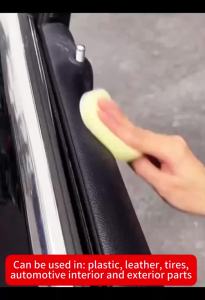
150g Car Plastic Restorer Back To Black Gloss Car Cleaning Products Plastic Leather Restore Auto Polish Repair Coating Renovator
For Toyota Land Cruiser Prado 120 3 III For Lexus GX470 GX 470 J120 2002-2009 2 Din Car Radio Carplay RDS GPS WiFi FM Autoradio
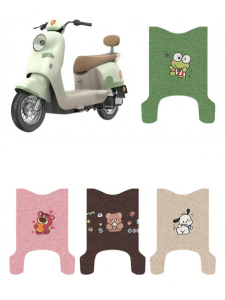
New Style Decorative E-Bike Footrest Mat
![[PHV & Taxi Essential]🔵 Waterproof Vinyi Sticker No Eating Drinking Smoking 5 Stars Rating Tips(FOC Singpost Mailing)](https://img.lazcdn.com/collect/social-img/9c770253eddf45f28c26f4003c00a6d0_59a38809691740e1a0e69a5e257612a4.png_300x300q80.png)
[PHV & Taxi Essential]🔵 Waterproof Vinyi Sticker No Eating Drinking Smoking 5 Stars Rating Tips(FOC Singpost Mailing)
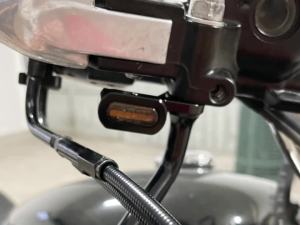
Motorcycle Mini LED E Mark Turn Signal Light Running Indicator Lamp For Harley Touring Street Road Glide Softail Sportster XL883
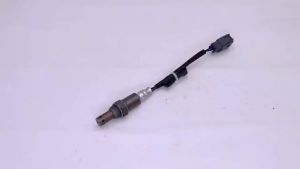
Oxygen Sensor 89467-60020 for Lexus GS IS Toyota Land Cruiser Yaris Car Auto Part SU10787 8946760020 5S9325 89467-30040
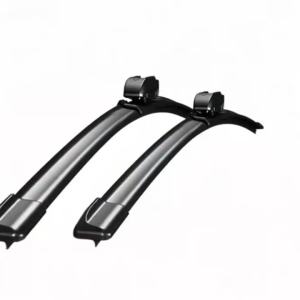
Long Lasting Sturdy Black Wiper Blades 2-Pack For Peugeot 807 2002-2014 Quick Install Excellent Cleaning Performance
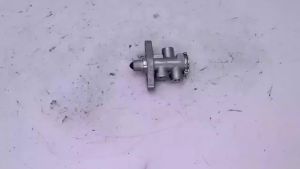
Solenoid Valve 1319557 for Scania 4 Series P G R T 12019200A T1319557
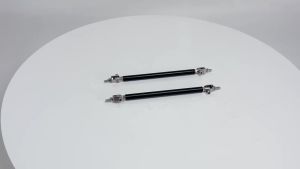
2psc Universal Racing Adjustable Front Rear Bumper Lip Splitter Support Bar / Pull Rod Kit Racing 75mm/100mm/150mm/200mm
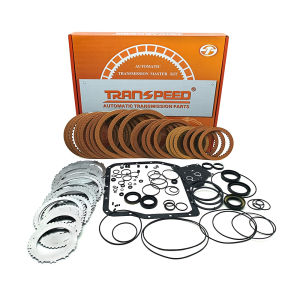
TRANSPEED U240E U241E Automatic Transmission Parts Motor Gearbox Rebuild Overhaul Master Repair Kits Car Accessories For TOYOTA Camry RAV4
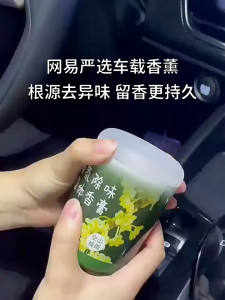
【SG Stock】Car Air Freshener Solid Sachet 155g | NM+1 Dual-Action Deodorization | 93.5% Formaldehyde Removal | 45-Day Long-Lasting Fragrance网易严选车载香薰汽车净化除臭除醛固体香膏留香持久