


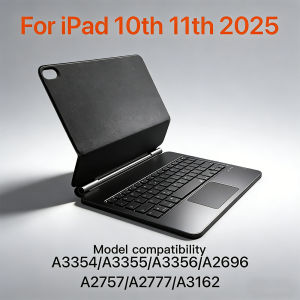
Portable Magic Multi-angle Keyboard for iPad 10 11th Magnetic Smart Case for iPad a16 A3354 A3355 A3356 A2696 Silent Spanish
EMTRA New 2026 Magic Keyboard Are you still using a handheld device to video chat with your family and friends? Take a look at our product. It can be fully charged in just 4 hours and can last for 150 days. Its multi-angle design is suitable for your work and daily life needs. Please note: The product comes in various languages and colors. Before placing your order, please carefully review the SKU image, which shows the compatible models. You can see model A*** on the back of your tablet. Note 1:You need to upgrade iPad OS to version 16.0 or higher to use the touchpad. Note 2:Please check in the size and detail model of your iPad. it is very importtant ! ! ! Note 3:After Open the Power, Please Click "Fn" and "C" 【Fn+C】Button Together to Open the Keyboard's Bluetooth. It is Very Important!!! Note 4:Switch language: Open Settings - Language and Input Method - Physical Keyboard - Add Language Layout.How To Verify Your Tablet Model 1.Turn iPad tablet to the back find your specific model,Par exemple: A****2.Find the "Settings"--Click the "About"--Find the "Model"3.Please select the correct model number for your tablet purchase after viewing it.【1】1. After connecting Bluetooth, open your iPad - Settings - Keyboard - Add New Keyboard 【2】Input method switching: control+spacebar.(Choose the language you need) English versionkeyboard : There are English letters on the keyboard only.Multi-language versionkeyboard : English letters and carved language letters together.The keyboard Core defaults to English, and the characters engraved on the keyboard are only a Surface display.so in some countries, even if the input method is switched, the special symbols do not necessarily match the keyboard function layout(You can hold down the Shift or option combination).If you mind, please do not purchase!!. Gesture 1: ClickGesture 2: Open program dockGesture 3: Open Control CentenGesture 4: ScalingGesture 5: Drag and moveGesture 6: Open the APP SwitchGesture 7:7 colors of light adjustable Adjustable brightness You can adjust the screen to the angle you want Automatic Sleep Wake Up Function High strength magnetic attraction, stable screen Stain and scratch resistant Just wipe to remove stains Coping with different scenarios Multi-Touch Trackpad

GlobalTechMart
Review

You May Also Like
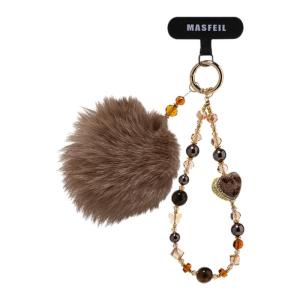
MASFEIL | Leopard Heart Plush Anti-Loss Mini Phone Lanyard For iPhone 17

【🔥SG SELLER🔥】RICHMENTGADGET For OPPO Find N5 Case Electroplated Transparent Folding Hinge Magnetic Rotating Bracket with Tempered Film Shockproof Hard Cover
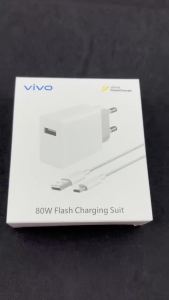
VIVO 80W Super Flash Charging Plug Type C 6A Cable For X80 X90 Pro X100 X300 Ultra IQOO S18 S19 Neo6 Z6 Fast Charge Adapter Kit2026

MASFEIL | Magnetic with Stand Cute Premium Phone Case

ssager 100W USB to Type-C Cable Digital Display 7A Fast Charging Type C Cable for HUAWEI Xiaomi iPhone15 OnePlus Samsung Realme
TFT Fold3 For Samsung Z Fold 3 F926 F9260 LCD Display Touch Screen Digitizer Assembly Replacement For Samsung Z Fold3 Screen

Skyzer PD100W 6in1 USB-C Hub

Screen Protector For Insta360 X6 TPU Hydrogel / Tempered Glass / PMMA Composite Film Clear Anti-Scratch Action Camera Film

YINGYUE | Refined High-end Unique Aesthetic Phone Wristband Liquid Silicone
[2 Pack] Spigen Samsung Z Fold 8 Ultra / Z Fold 7 Tempered Glass EZ Fit Pro HD Galaxy Z Fold 8 Ultra Screen Protector
MASFEIL | Floral Magnetic Stand Phone Case for iPhone











