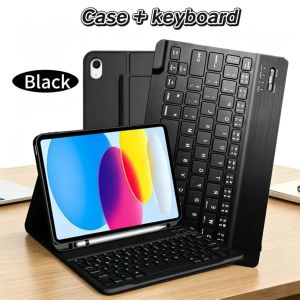
Case for iPad A16/A19 11 Inch 2025/2026 Wireless Bluetooth Keyboard Case for iPad 10th 10.9 Inch 2022 for iPad Smart Stand Cov
Please confirm your machine model before purchasing~ For iPad 12th 11-inch 2026(A3549/A3550/A3551) For iPad 11th 11-inch 2025(A3355/A3356/A3354) ForiPad 10th 10.9-inch 2022(A2696/A2757/A2777/A3162)Please confirm the language keyboard you needwe will customize the engraving keyboard language for you according to your choicePlease confirm each combination of the product before purchasing. Note the first basic image of each color version, which will most accurately reflect the color combination of the product.Please confirm the keyboard language before purchasing, we will deliver the goods to you according to the color combination you have selectedNote:The digital tablet and stylus are not included in the package. The detailed description is for reference only. Please refer to the actual product for the color of the product. Office learning business fashionComfortable solution to your office, study and entertainment needs. MagnetdesignMagnetdesign -Verhindern Sie, dass die Tastatur herunterfalltAbnehmbare Bluetooth-Tastatur - kann die Tastatur leicht entfernenAutomatischer Schlaf-/Wake-Energy-Erhaltung Triangular stable design Stable support, anti-slip protection Honeycomb back design, great heat dissipation effect Backlit keyboardSwitch cool lights at will How to connect keyboard & Mouse?1,Connect the mouse first, then connect the keyboard.2,Mouse:Push the switch to the "Bluetooth" icon, find the Bluetooth connection with "Mouse" in the device Bluetooth list.3,Normal Keyboard:Push the switch in the upper right corner to "ON", press "Connect", and find the Bluetooth connection with "Keyboard" in the device Bluetooth list.4,Touchpad Keyboard:turn on keyboard ,press Fn+C to,then find the Bluetooth connection with "Keyboard" in the device Bluetooth list.A variety of styles, various colors to choose fromHow to connect keyboard FAQQ:What should I pay attention to when connecting the mouse for the first time?A:When the mouse is connected for the first time, you need to press the left button, the right button and the scroll wheel at the same time for about 3-5 seconds.Q: Is the scroll direction of the mouse USB connector and Bluetooth connection the same?A: No, they are different. When using the USB connector, the scroll wheel slides in the same direction as the computer mouse. Bluetooth connection is the opposite.Q: How to switch between different systems?A: Fn+Q=Android, Fn+W=Windows, Fn+E=IOS.Please note that please switch the system before connecting the tablet.Q:The bluetooth keyboard letters are messy?A: Please check the settings according to the prompts,a. Check whether the keyboard language set on the device is English.b. Disconnect the keyboard Bluetooth, click Ignore the connected device, reopen the Bluetooth keyboard, select system, Fn+E (IOS system).Note: Fn+Q=Android, Fn+W=Windows, Fn+E=IOSc. Press the L S Z buttons at the same time to reset the keyboardQ:How to configure the input method for different languages keyboard?A:Take the samsung tablet as example,open "Settings--"ystem"--"Language & input"--"Add New Keyboard". (For other systems, please set them in the system settings according to the tips of the iPad example.)Q:How does the mouse change teh scroll wheel sliding direction on the device?A: The mouse is connected, open "General" - "Trackpad & Mouse" - close "Natural Scrolling".

GlobalTechMart
Review

You May Also Like
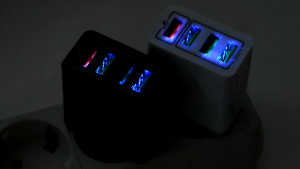
SG Stock | Quick 3.0 Wall 4 Port USB Fast Charging Portable Adapter UK EU Plug

Ulanzi SK-25 MagMount Vacuum Suction Cup Magnetic Phone Holder Car Dashboard Window Mount for Mobile Smartphone
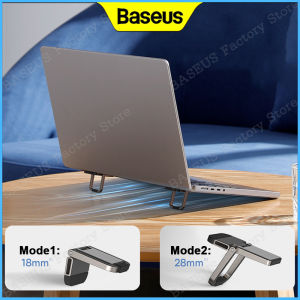
Baseus Laptop Stand Alloy Notebook Kickstand Foldable Convenient Height Adjustable Mini Compact Desktop Computer Holder 2PCS/SET

ESR for iPhone 16/15/14 Pro Max Magnetic Case for iPhone 16/15/14/13/16e Case with HaloLock Powerful Back Cover
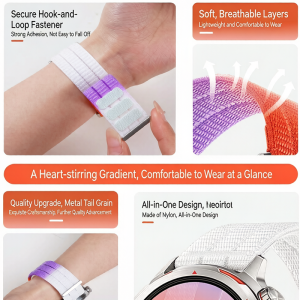
Breathing Woven Nylon Strap For Huawei Watch GT Runner 2 Smart Watch Band Sport Bracelet Belt
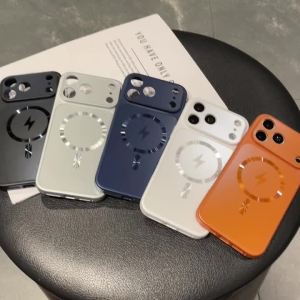
New Wireless Heat Dissipation Phone Case For iPhone 18 Pro Max 17 16 Pro 15 14 iPhone 17 Pro Max Magsafe Shockproof Cover Fundas

Langtu | Silent Mechanical Feeling Office Keyboard Set

💓HOT SALE💓Double-Sided Suction Cup Magnetic Mobile Phone Holder Vacuum Magnetic Phone Holder Multifunctional Foldable Lifting Lazy Support Mobile Phone Holder【狂抖不掉】双面吸盘磁吸手机支架

iokex | Adjustable Magnetic Support Stand 17
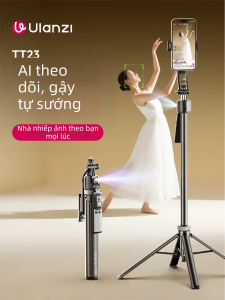
Ulanzi | Automatic Tracking Rotating Phone Mount 360
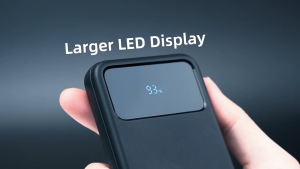
IN-BOX Mcdodo 4499 22.5W Powerbank 30000mah