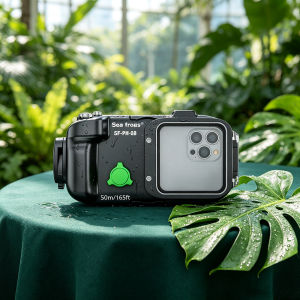
Seafrogs Waterproof Phone Case – Compatible iPhone 13/14 Pro/Max/15 Pro/16/17 40m Depth
📱 How to Use the Waterproof CasePreparation – Check that the O‑ring (rubber seal) inside the case is clean and free of sand or debris.Installing your phone – Lift up the clip, place your phone inside, and adjust it to the correct position.Closing the case – Close the housing firmly and lock the latches on both sides securely.Bluetooth pairing – Press and hold the power button until the green light flashes (pairing mode). Turn on Bluetooth on your phone, search for “PH‑08,” and tap it to connect.Opening Accessibility – On your phone, go to Settings > Accessibility.Enabling Zoom – Turn on the “Zoom” feature so you can double‑tap with three fingers to magnify the screen.Waking / turning off the screen – Press and hold the left button to wake or turn off the screen.Attaching the filter (optional) – A red colour‑balance filter is included. Align the filter with the clip first, then tighten the screws securely.📱 Compatible Phone BrandsThis waterproof case fits almost all standard‑sized phones, regardless of brand. Examples of compatible brands include:SamsungOPPOXiaomiApple (iPhone)vivoHonorand other brands with similar dimensions(No brand restriction – as long as it fits inside the case, it works.)🌊 Example Shots Underwater in Singapore(Using sample phone: iPhone 17 Pro Max + this waterproof case)Important note: The iPhone 17 Pro Max is only water‑resistant to 6 metres without a case. If you dive deeper than 6 metres (up to 40 metres), you MUST use this waterproof case to prevent damage to your phone.🐠 At Pulau Hantu (depth: 8–18 metres)Colourful corals – Use the main lens to capture hard and soft corals, along with clownfish hiding in anemones. Turn on “Action Mode” for smoother video.Schools of fish – Use the ultra‑wide lens to get the panorama of hundreds of fish (like fusiliers or snappers) swimming in sunbeams – it feels like watching a nature documentary.🐢 At Sisters’ Islands (depth: 8–20 metres)Sea turtles – You’ll often see hawksbill turtles feeding on seagrass. Use the telephoto lens (3x–5x zoom) to capture clear details of their face and shell.Nudibranchs and small critters – Look for colourful sea slugs or frogfish hiding in sponges. Use 2x–3x zoom (or a macro attachment) for extreme close‑ups.🚢 At St. John’s Island / Raffles Lighthouse (depth: 10–22 metres)Shipwrecks and artificial reefs – Explore old wrecks covered in marine growth. Sunlight piercing through the surface creates dramatic, historical compositions – perfect for storytelling photos.Banded sea snakes and lionfish – These are common here; use the wide‑angle lens to capture them in their habitat with the reef backdrop.🐟 At Lazarus Island / Kusu Island (depth: 5–12 metres)Reef fish and seagrass meadows – Perfect for snorkelling and shallow dives. Use the main camera for vibrant shots of angelfish, butterflyfish, and the occasional cuttlefish. Try slow‑motion video for a stunning effect.💡 Underwater Photography TipsTurn on Action Mode in video to reduce shakiness.Use the dual‑camera feature (if available) to shoot wide and zoomed shots simultaneously.Don’t forget to attach the red filter when going below 5 metres – red colour is lost underwater, and the filter helps bring natural colours back.Before every dive, double‑check that the case is properly closed and all buttons work smoothly.If you need a shorter version, a social‑media format, or any other tweaks, just let me know – happy to help! 😊

Starbea
Review

You May Also Like
Magnetic Loop Strap For Huawei Fit 4 3 Strap Accessories Silicone Replacement belt Correa Bracelet for Huawei watch fit3 2 1Band
Roller Brush For Tineco Floor ONE S5 Combo Wet Dry Vacuum Cleaner Accessories Brush Head Filter Original Dust Bucket Water Tank
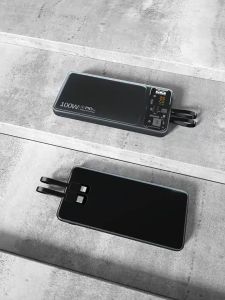
SG【READY STOCK】100W Super Fast Charge Powerbank 30000mAh Large capacity charging bank Portable Fast charging digital display LED Power Bank
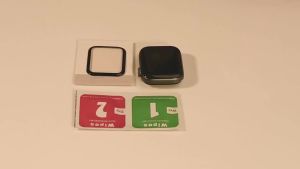
Protector Film For Apple Watch Series 11 SE3 ULTRA 10 9 8 7 6 5 4 3 2 Ultra 44mm 45mm 40mm 41mm 42mm 46mm Soft HD Screen Protectors Apple Watch 49MM
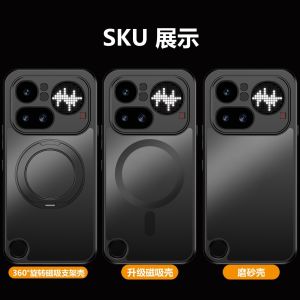
Applicable to Nothing Phone4Apro mobile phone case fog-sensitive magnetic suction phone3A rotating bracket protective cover. h260709
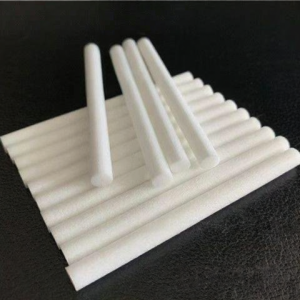
MOLIDA | Water Absorbent Cotton Filter Replacemen Cores
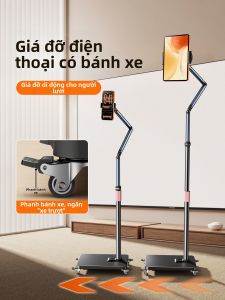
JIAHUACAI | Adjustable Mobile Phone Stand For Video Recording & Comfort Viewing
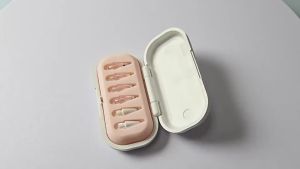
Six-piece set of replaceable needle tubes for Pencil Pro/1/2/3 generations suitable for writing drawing and anti-slip modification tips.
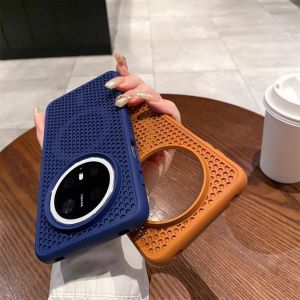
Applicable to Huawei Mate80 heat dissipation magnetic mobile phone case Pura70 honeycomb hole breathable Honor Magic6 protective case h260709
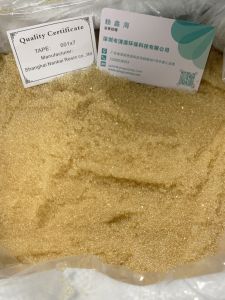
Strong Acid Cation Exchange Resin Water Softening Resin

Bandai | Mouse Pad Mechanical Warrior G-gundam A-aerial 90x40cm Gamer Computer Desk mat Keyboard Anime Gaming Accessories Mousepad Carpet