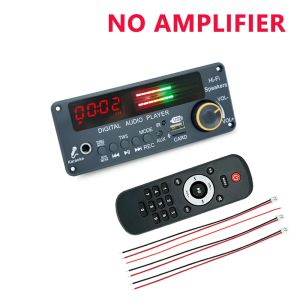
KEBIDU | KEBIDU 200W Amplifier Bluetooth 5.3 MP3 Decoder Board Hands-free Car Wireless MP3 Player Mic USB TF FM Radio TWS Music Player
Feature1. Bluetooth version 5.3, supports Bluetooth calling function, microphone interface function, recording function, folder switching function, TWS function2. Music format: MP3/WMA/WAV/FLAC/APE lossless format music3. Voltage DC 12V, current above 2A, FM frequency: 87-108 MHz4. Support Function Introduction: Supports MP3/USB/TF/LINE IN/FM/BLUETOTH/Remote Control Connection5. Support adjustment of treble/bass/microphone sound size/microphone reverberationSpecificationsAmplifier: 200WFM frequency: 87-108 MHzScreen: LED screenMic interface: 6.5mmStorage device: U-Disk/TF CardStorage capacity: Supports up to 32GBTWS function: SupportsVoltage:DC 12VCurrent:2ASuitable:For Car/Home Speaker RadioRecording Description1. Press and hold the MODE button to start recording, then press and hold the MODE button again to cancel the recording function and play the recording file;2. When recording, it is more necessary to connect a storage device, such as a USB flash drive or TF card;Under the storage device, such as a USB flash drive or TF card, long press the PLAY/PAUSE button (play/pause) to enter the recording folder and play the recording file.Button and interface1. LED screen: digital display;2. LED light bar: The size of the music sound flashes;3. Microphone interface;4. TREBLE/BEASS/ECHO/MIC.VOL: Switch between microphone sound size C/microphone reverberation E/high frequency H/low frequency b; Switch to mode first, press the previous or next song to adjust, and confirm automatically after 3 seconds if there is no adjustment;5. PREV: Short press to select the previous song; Long press to quickly reverse; Double click to switch to the previous folder;6. PLAY/PAUSE: Short press to pause and play; Long press in the receiving state to activate the FM automatic station; Bluetooth connection successful, long press for TWS function;7. NEXT: Short press to select the next track; Long press to fast forward; Double click to switch to the next folder;8. MODE: Switching between USB/TF/FM/AUX/BLUETOOL; Long press the button to start recording, press the button again to cancel the recording function and play the recording file; When recording, it is more necessary to connect a storage device, such as a USB flash drive or TF card;9. AUX interface: audio input interface;10. IR: Infrared receiver module;11. MIC: Supports calling and recording functions;12. USB interface: connect to a USB flash drive (maximum support 32GB);13. TF card slot: connect TF storage card (maximum support 32GB);14. VOL+/VOL -: Rotate the volume to the right to increase, rotate it to the left to decrease.

Prime Supply_Play Life
Review

You May Also Like
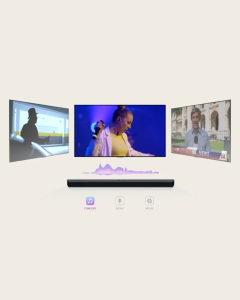
LG S20A 2.0ch Soundbar | Dolby Digital | DTS Surround | AI Sound Pro

Polvcdg | Wireless Open-Ear Sports Waterproof Bone Conduction Headphones
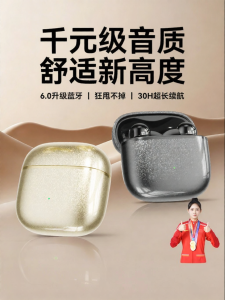
HANG | Premium Quality Bluetooth Earbuds
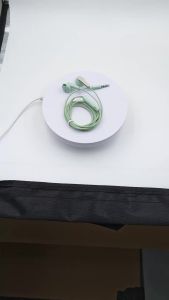
Wired In-Ear Headphones 3.5mm Type-C Dual Interface Volume Control Gaming Headset for Music Gaming HiFi Bass Stereo
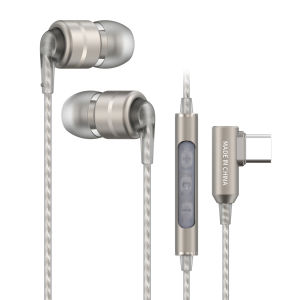
SoundMAGIC E80D Digital USB C Headphones - Type C Wired Earbuds with Microphone HiFi Stereo Earphones Powerful Bass Noise Isolat

Wireless Open Ear Earbuds 13mm Large Diaphragm Upgraded Soundproof Design Panoramic Surround Audio for Music Use
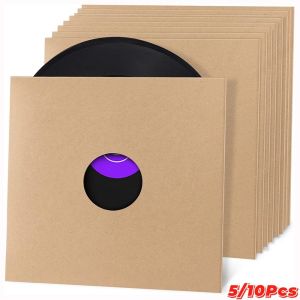
MKEB 7/10/12 Inch Vinyl Record LP Jackets Brown Kraft Paper Album Covers Cardboard Vinyl Record Covers
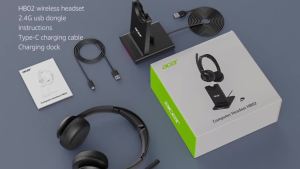
Acer | Acer Call Center Wireless Headset with Mic for Work 2.4G USB Dongle Bluetooth 5.3 Dual Mode Headphones ENC Clear Calls HB02
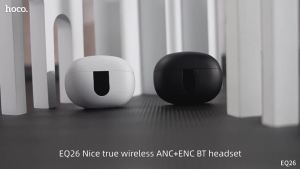
【NEW Connect Two Devices】HOCO EQ26 TWS True Wireless Headset ANC+ENC Noise Reduction Bluetooth Earphone With Mic Stereo In-ear Music Sports Earbuds For All Smartphones Universal
![[🎶SG] XDUOO TA-26S 6N5P 6N8PTube Headphone AmplifierPre Amplifier](https://img.lazcdn.com/g/p/2e5c6dfc1e500b12e025adb0ba5e4576.png_300x300q80.png)
[🎶SG] XDUOO TA-26S 6N5P 6N8PTube Headphone AmplifierPre Amplifier
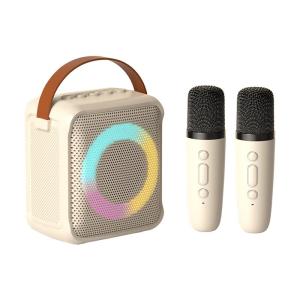
Haomuren | Bluetooth Wireless KTV Speaker Microphone Home Outdoors