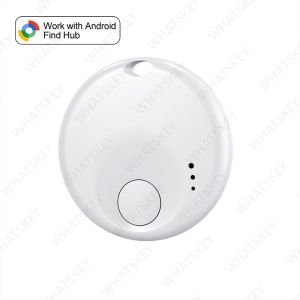
Android Air Tracker Tag Smart Bluetooth Tracker Tag Work With Google Find Hub APP Tracking Locator Device Item Finder for Keys
Please note before ordering:🔔.This product is not applicable to Huawei series products and Apple products. It is only suitable for the Android system.Only suitable for overseas versions of Google phones, not compatible with domestic Android phones🔔.And it is not available in the Russian region. Please place your order with caution.🔔.If your mobile phone is from Apple or Huawei or a domestic version of Android phone in China, please do not place an order as this product is not supported.🔔. Please note that when connecting, first make sure that your phone can be downloaded from Google and the Android system is above 9.0. Turn on your phone's Bluetooth and WiFi🔔. Connect to the device in Google Find Hub device instead of Bluetooth on the phone🔔. Before matching and connecting with a mobile phone, it is necessary to turn on the phone's WiFi, Bluetooth, and location information, and then enter the Apple Find My App or Google Find Hub App for matching and connection, instead of searching for pairing connections in the phone's Bluetooth listNotePlease use it with Google Find My APP Device.Please confirm that your phone can download the Google Find My Device APP before placing an order. Thank you.This tracker basically works like AirTags. It needs to update the location effectively when there are other Android phones nearby, and the phone must also register or use Google Find My Device to report the last tracker location to you.Tips: If the surrounding Android device is far away, the product will be updated within 15 minutes, if the locator is mobile, the surrounding signal is strong in order to achieve real-time updates (50 metres within the scope of the Android device can be updated with the location, such as the distance is closer to update the time faster)FAQ & AFAQ: Why can't my Android phone connect to Tag ?A: This is usually because the user missed the automatic pop-up window of Tag, you can try to restore the factory settings. The steps are as followsHow to reset: Please refer to the paper manual for the reset operationStep: Manual Connection Steps(Please refer to the video below)If the automatic popup doesn't appear, follow these steps to connect manually:1. Open phone settings2. Go to Google3. Select All services4. Go to Devices5. Turn on Scan for nearby devices6. View Available devices nearby

GlobalTechMart
Review

You May Also Like
2026 New Smartwatch Women AMOLED HD Screen Always On Display Bluetooth Call IP68 Waterproof GPS Smart Men Watch For Android ios
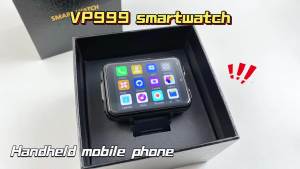
VP999 Men Smartwatch 2.4inch Large Amoled Smartwatch With Dual Camera GPS WIFI Sim Card Slot Play Game Video Calling App Store
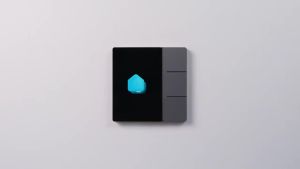
WiFi for Smart Touch Screen 3.5 Inch Smart Central Control Multi-functional Touch Screen Control Panel for Intelligent Scenes
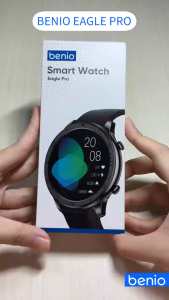
Benio Eagle Pro Smart Watch Bluetooth Touch Screen Multifunctional Fitness Tracker 1.39-inch IPS With Sports Mode Heart Rate Steps Tracker
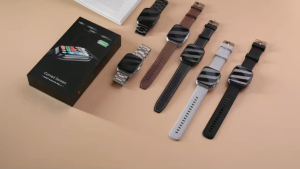
2026 New 1000mAh Battery 1.83" Smart Watch Men Women Heart Rate Monitor SportsTrajectory IP68 Waterproof Smart watch
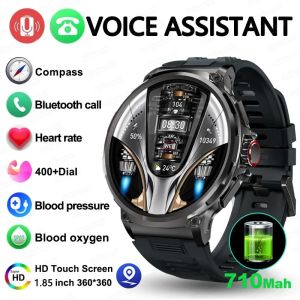
Smart Watch Men 1.85"ultra HD Bluetooth Call GPS Track 710mAH Large Battery 400+Dial IP68 Waterproof Sports Watch

GUHUAVMI | 2026 New Accurate AI Diagnosis ECG Smart Watch Body Fat Blood Oxygen Blood Pressure 2.0”HD AMOLED Screen Clock Call Health Watch
20A 16A Cozylife Smart WiFi Light Switch Intelligent Module App Remote Control Supports 2-Way Control Alexa Google Assistant
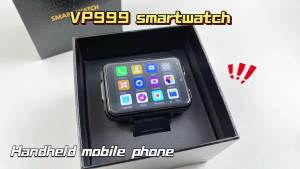
VP999 Smartwatch 5G Smart Watches With 2.4inch Amoled Large Screen 480*680 HD Resolution GPS WIFI Sim Card Slot APP Download
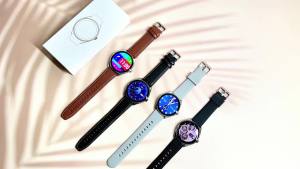
T-REX 3 New Ultra Slim AMOLED Smart Watch Women Screen Always Display Time Heart Rate Bluetooth Call High-end Fashion Smartwatch
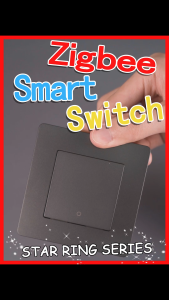
(3Days Arrive)MOES New Star Ring Tuya Smart ZigBee2MQTT3.0 Push Button Switch/Scene Switch Smart Life APP Remote Control Work with Alexa G oogle