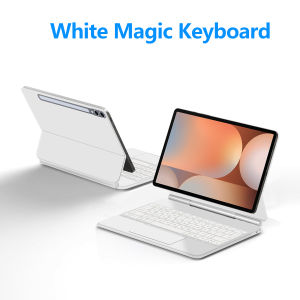
AJIUYU | Magic Magnetic Keyboard for Samsung Galaxy Tab S10+/S9+/S8+/S7+/S7 FE/S9 FE Plus/S9 Plus 12.4" Tablet Case Multi-Touch Trackpad
【The main video is for reference only.】For Samsung Galaxy 12.4-inch Magic KeyboardMagnetic separation, backlight, touch panel, multi angle support、Wireless Bluetooth connectionNote 1: You need to upgrade your tablet operating system to version 17.0 or higher to use the touchpad..Note 2:Please check in the size and detail model of your Tablet . it is very importtant ! ! !Note 3:After Open the Power, Please Click "Fn" and "C" 【Fn+C】Button Together to Open the Keyboard's Bluetooth. It is Very Important.Product Details:1. Number of buttons: 842. Battery: Lithium battery 500mAh3. Stand-by time: 150 days4. Working Time: 5 hours (with backlit on),120 hours (with backlit off)5. Working Voltage: 3.0 - 4.2V6. Charging current:<250 mA7. Effective distance: 10 meters8. Backlit Light: 7 colors backlit9. Charge Port: Type-c10. Material: Anti fouling and durable PU material11. Key life:3 million12. Charging times: 4 hours13. Color: Black WhiteHow To Verify Your Tablet Model1.Turn iPad tablet to the back find your specific model,Par exemple: SM-****2.Find the "Settings"--Click the "About"--Find the "Model"3.Please select the correct model number for your tablet purchase after viewing it.Applicable Models:For Samsung Galaxy Tab S10+/ S10 Plus 12.4 inch(SM-X826B、SM-X820)2024.For Samsung Galaxy Tab S7+/ S7 Plus 12.4 inch(SM-T970、SM-T975)2020.For Samsung Galaxy Tab S7 FE 12.4 inch(SM-T735、SM-T730)2021 .For Samsung Galaxy Tab S8+/ S8 Plus 12.4 inch(SM-X800、SM-X806)2023 .For Samsung Galaxy Tab S9+ / S9 Plus12.4 inch(SM-X810、SM-X816B、SM-X818U )2023 .For Samsung Galaxy Tab S9 FE Plus/S9 FE+ 12.4 inch(SM-X610 SM-X616B)2023 .These models are all universal,No matter which model you choose, this keyboard cover is compatible !!Note: Tablet and stylus are not included in the packaging!!![Note: Only the corresponding machine model can be magnetically attracted. If your machine is not of the above model, please do not purchase!!! ]Attention PleaseEnglish versionkeyboard : There are English letters on the keyboard only.Multi-language versionkeyboard : English letters and carved language letters together ..【[For example, if you choose Portuguese , the keyboard will display English and Portuguese letters. Please note that the same letters will not be engraved repeatedly]】(Due to the difference in the number of keyboard keys compared to a normal office keyboard, some special character engraving positions are the same, which is a normal phenomenon)The keyboard Core defaults to English, and the characters engraved on the keyboard are only a Surface display.so in some countries, even if the input method is switched, the special symbols do not necessarily match the keyboard function layout(You can hold down the Shift combination).If you mind, please do not purchase!!.Note Due to the material of the white keyboard, the engraved letters are dark gray .【1】Method to connect Bluetooth: Turn on the keyboard switch, press the Fn+C button for about 2-3 seconds, the blue light on the keyboard indicator will flash, and then search for your tablet's Bluetooth connection keyboard.【2】After connecting Bluetooth,Take the samsung tablet as example,open Settings--ystem--Language & input--Add New Keyboard. (For other systems, please set them in the system settings according to the tips of the iPad example.)【3】Input method switching: ctrl+spacebar.(Choose the language you need)【4】Type-C charging interface, with switch button,【5】For detailed instructions, please read the user manual. If you have any questions, you can contact "Online Services" for consultation .The following is the carving layout for reference onlyAll products are based on the received 'physical' item

Prime Supply_Play Life
Review

You May Also Like
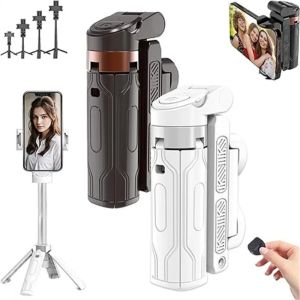
3 in 1 Mini Selfie Stick Adjustable Extendable Grip Phone Tripod with Detachable Remote Bluetooth Selfie Stick
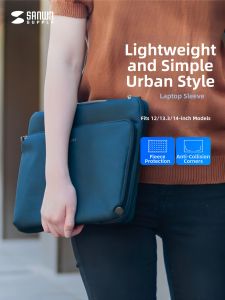
Hinomi | Universal Lightweight Laptop Bag
![[MTO] Handmand Adjustable Shoulder Strap with Animal Paw pattern- perfect for adding personality and charm to your everyday carry for handphone and bags.](https://img.lazcdn.com/g/ff/kf/Se9a80b0aa2354da5afe2786e392a00145.png_300x300q80.png)
[MTO] Handmand Adjustable Shoulder Strap with Animal Paw pattern- perfect for adding personality and charm to your everyday carry for handphone and bags.
Logitech | Logitech M650 Signature Ergonomic SilentTouch Mouse Quiet Click 4000DPI Optical Sensor Long Lasting Battery Bluetooth Wireless F
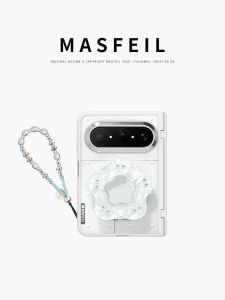
MASFEIL | Polka dots for Huawei PuraXMax mobile phone case magnetic tape holder small folding wide Pura collectors edition FG transparent all-inclusive cover shatterproof x2 premium
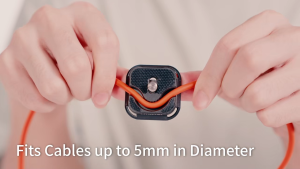
Ulanzi UKA10 Uka Cable Clamp Quick Release Plate (C079)

2X Ultra Clear / Anti-Glare / Anti Blue-Ray Screen Protector Guard Cover for 13.3" HP Spectre x360 Gem Cut (2019-NEW) Laptop
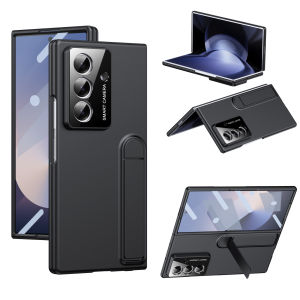
Hybrid Full-Body Matte Cover Case for Samsung Z Fold 7 2025 Fold 6 5 4 5G with Lens Protection &Tempered Glass & Foldable Kickstand
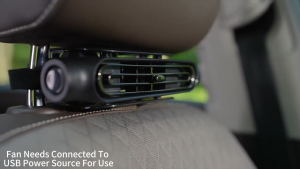
MeeGoo Car Headrest USB Fan 3-Speed Strong Air Cooling Dual Booster Low Noise Mini Fan Adjust Angle Velcro Easy Install
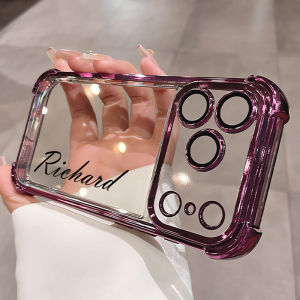
Custom Name Case for Honor 600 Lite 5G 600 Pro 5G Air Cushion Clear Cover Shockproof Shell
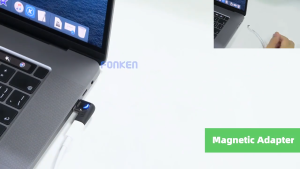
(sg) 120W/6A 100W USB-C Magnetic Adapter Type C to C Fast Charging Converter/Connector Compatible w iPhone/Mcbook etc