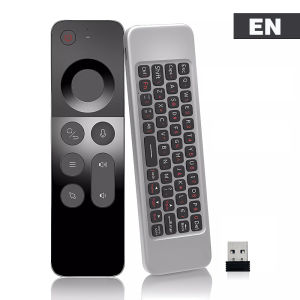
MRSVI Universal Voice Air Mouse Remote Control W3 2.4G Simple Handheld Mini Wireless Keyboard for Android TV BOX Windows PC
Main parameters:Standby power consumption: 25uaWireless modulation mode: GFSKRemote control distance: 8-12mModulation frequency: 2.4~2.4835ghzCharging port: Micro USBWorking temperature: - 20 ℃~65℃Overall dimension: 15244 9.8mmNumber of keys: 58Battery type: 250mah / 3.7V lithium batterySupport system: Android / Windows / OS / LinuxMaterial:ABS PlasticExcept for voice keys and air mouse keys, everything else can be learnepackage include:Remote12.4G dongle1Manual*1About Charging:The product is a lithium battery rechargeable model. Since this product is not designed with a power switch, the product may run out of power after long-distance transportation or during use. Please use the Type-C charging port and a 5V2A fast charging head for charging. If your charger is not 2A, the charging time will be extended or it will not be able to charge!(If you find that the device cannot be turned on, please keep charging (no matter how many days) until the red light flashes when you press a button)Infrared Learning:A.Press and hold the [OK] + [Power] button at the same time for around 3 seconds, the indicatorlight will change from dim to bright, then release both buttons.B. Press the button need to "learn', the indicator light flashes, waiting for the machine learningsignal;C. Place the original remote control at and the air mouse on the desk, head to head (the distancebetween them is about 10cm). Press the button you want to learn for about 3 seconds; after thelearning is successful, the indicator light flashes 3 times and will stay on. Repeat steps b-ccontinuously for multiple buttons learning process.D. Press the [Air Mouse] button to exit the learning mode and save the learning data.Please refer to the instruction manual for details.Note:1. Some buttons require infrared learning before they can be used. Please refer to the tutorial for specific operations.2. This is a replacement remote control, which only supports Android smart boxes and PCs. It does not support brand TVs, such as Apple, Samsung, Xiaomi...3. If some buttons cannot be used, the reason is that they are not perfectly compatible or have not been infrared learned. This is not a quality problem. Please consider whether your device can be used before purchasing.4Since the device is connected via a 2.4G dongle, please confirm whether your device supports 2.4G dongle connection when purchasing!5. The actual product may have errors with the picture.6.If it is the Arabic version, please set your device language to Arabic!7.If the keyboard is not working, please set the TV's virtual keyboard output to physical keyboard output!

Prime Supply_Play Life
Review

You May Also Like
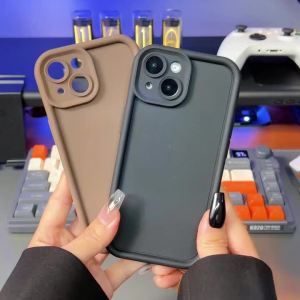
Flowers Funda For iPhone 18 Pro Max Case iPhone 16 15 17 14 11 Pro Max 13 12 Mini Soft Silicone Anti-fall Back Protection Cover
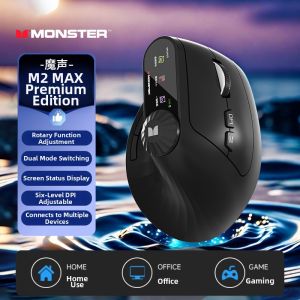
Monster | Ergonomic Vertical Mouse Wireless Bluetooth Quiet
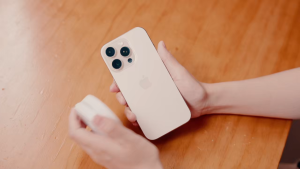
Ulanzi LM23 Magnetic Pocket LED Selfie Light Makeup Mirror Phone Ring Grip Stand
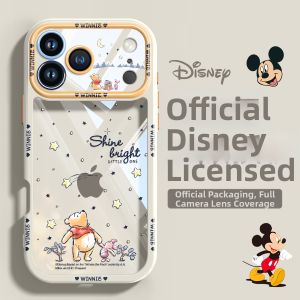
pinsai | Winnie the Pooh Transparent Cream Color Thin Unique Phone Case for iPhone 18 Pro Max

Potdemiel | Gaming Pokemon Mimikyu Anime Kawaii PC Mouse Pad Keyboard Overlock Larger Mousepad PC Offices Non-slip Base HD Printing Desk Mat
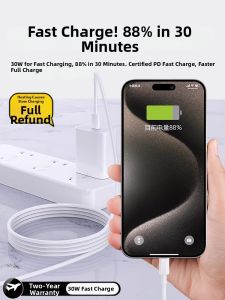
ARUDDI | 30W Fast Charging Braided Data Cable USB-C Dual Type-C Charger Set

Stylus Pen for iPad Air/Mini/Pro 2018+ Palm Rejection Fast Charge Long Battery Side Magnetic with Premium Storage Case
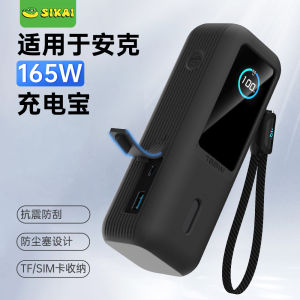
Power Bank Silicone Protective Cover Anti-drop With Built-in Cable SIM Card Holder Camera Mount

Cooling Car Seat Fan 3 Speeds Adjustable Car Headrest Cooling Air Fan USB Powered Air Cooling Fan for Front Rear Seat
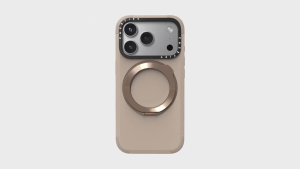
CASETiFY Magsafe Force Ring Stand Case for iPhone 17 Series - Taupe
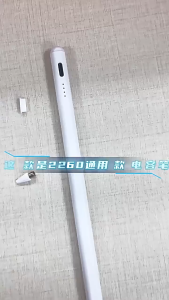
【SG】Universal Stylus Pen for Android/iOS Active Capacitive Pen with Palm Rejection Magnetic Adsorption for iPad Tablet Phone