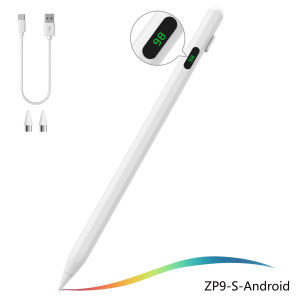
Universal Stylus Pen General-Purpose Display Screen Capacitive Pen for Android Tablet Phone Capacitive Stylus Painting Writing
Purchasing Notes:This pen is only compatible with capacitive screen devices!!!General Compatibility: This stylus has general compatibility and is suitable for iOS/Android tablets as well as other capacitive screen devices.1. This iPad model is only applicable to tablets produced between 2018 and 2025 (please check the serial number on the back cover of the iPad to determine the production year when purchasing).2.Note: Not supported for Adaline Microsoft/Kindle/Chromebook/EMR/ Samsung/Galaxy Tab devices with screens using MPP/USI screen protocol.3. Due to certain software protocol restrictions, opening these software may result in the inoperability of the capacitive pen. If you cannot use the capacitive pen when using software A, please try opening other software or using other mobile phone or tablet devices.General model and special modelGeneral model1. The general model is applicable to the vast majority of capacitive touchscreen tablets on the market. Before purchasing, please confirm whether your tablet is a capacitive touchscreen.2. The capacitive pen of the general model does not have anti-slip function. Please pay special attention that if you want to use it on an iPhone, please purchase the general model.3. In this store's SKU, the general model is represented as Ad (Android) / Universal / S / without any suffix. For example: ZP4-white-ad/ZP4-white-Universal/ZP9-S-white/ZP4-white. For specific functions, please refer to the product title and detail page.Special Edition1. The special edition capacitive pen is only applicable to Apple tablets from 2018 to 2025 and cannot be used on iPhones!2. The special edition capacitive pen has anti-slip function and tilt pressure sensitivity.3. The general edition is indicated as A/AP (Apple)/ABL/AS/ASPOR in our store SKU. For example: ZP4-white-A/ZP4-white-AP/ZP4-white-ABL/ZP9-AS-white/ZP9-ASPOR-white. For specific functions, please refer to the product title and detail page.General Disconnection Issues and Preventive Measures(1)If you cannot write or the touch function fails, you can adjust the tightness of the pen tip.This is usually caused by the screen not being original or the tempered film being too thick.(2)If it still cannot be used, please check if the following reasons are the cause:(3) If the device cannot be powered on, you can wait for 8 seconds and then press it again to power on.(4)If it still cannot be powered on, it may be that the capacitor pen has entered an automatic sleep state due to prolonged standby. At this time, you need to charge it for 1 hour to forcibly wake it up.If the first two methods still do not work, it may be that during transportation, the internal parts were jostled and distorted. Please gently tap the pen tip to return it to its original position.(5) It needs to be tilted more than 15 degrees and does not support vertical use.(6) Do not use the tablet and pen when charging.(7) When the capacitor pen light does not illuminate red when charging, if you are using it after charging and the red light does not illuminate, do not worry, this is a normal phenomenon.If the red light does not illuminate when not in use, the battery is full and the red light will not illuminate.(8) If the pen tip cannot make contact, try replacing the spare pen tip.(9) Tablet computers or mobile devices do not support using while charging. Repairing or replacing the screen of the tablet computer or mobile phone may cause disconnection or touch failure. We apologize for any inconvenience caused.

GlobalTechMart
Review

You May Also Like
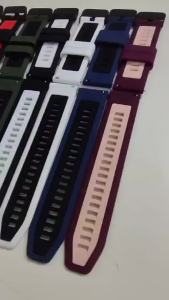
For Huami Amazfit Active Max 48mm Watchbands 22mm Silicone Strap For AMAZFIT BALANCE 2 BIP 6 5 GTR 4 3 2 2E Cheetah Pro Bracelet

Godox ES45 E-Sport Bi-Color LED Light Panel

[SG Seller] High-Speed USB-C to HDMI Adapter Cable for Samsung/Sony/BlackBerry 240W Type C to C Phone Cable Super Fast Charging Speed Phone Holder charger Braided wire 1.5M 充电线支架

Floor Stand 4-13Inch 175CM Universal Adjustable Desktop Cell Phone Holder for Tablet Mobile Desk Mount
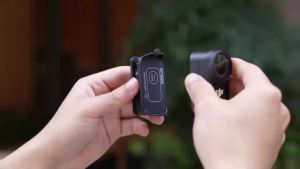
STARTRC Magnetic Backpack Clip Holder For DJI OSMO NANO Camera Accessories Quick Release Anti-shake Clip

Bandai | Desktop Game Mouse Pad Oversized Non‑Slip Desk Mat For Laptop PC Office Home Gaming Ornament Gift

C31N1620 Laptop ZenBook UX430 UX430UA UX430UN UX430UQ UX430UQ-GV015T PRO PU404 PU404UF
NexusClick K710 Blue Switch Mechanical KeyboardRGB Lighting Hot SwappableType-C Detachable Cable Gaming Office Wired Keyboard
Plum Bossom 2in1 Phone Case For Samsung A57 5G S26 Ultra S25 S23 S22 S24 Plus A55 A56 A37 A36 A35 A17 5G A53 A54 A34 A26 Funda

【✅SG READY STOCK】 RICHMENTMALL Stylus Pen for Samsung Galaxy S24 Ultra S23 Ultra S22 Ultra S Pen Touch Pen With 5 Tips/Nibs S Pen All Versions S Pen,Samsung Galaxy S25/24/23 Ultra Replacement Pen Touch Pen Stylus Pen (No-Bluetooth)

SKINARMA Juno Laptop Sleeve Fits Up to 14"