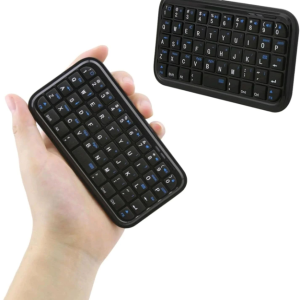
Mini Bluetooth Keyboard Bluetooth 3.0 Wireless Keyboard 49 Keys Pocket Keypad Rechargeable Mini Slim Travel Keyboard
Easy to Carry: This mini pocket Bluetooth keyboard is light and compact, making it effortless to carry around. It won't occupy much space in your bag. Just flip the switch on your keyboard, press the pairing key, and follow the instructions on your device to connect via Bluetooth. Enabling you to have a convenient typing experience wherever you are.SIZE:114609mm/4.482.360.35inLong Battery Life: The 1200mAh smart power management software incorporated in the keyboard guarantees a longer operating time. It has a built-in rechargeable battery, and the charging cable is included in the package. The charging time is 2 hours.Wide Compatibility: This mini keyboard is compatible with various Bluetooth-enabled devices, such as iOS tablets, 4.0 operating systems, PS3, smartphones, PCS, and more. It supports Bluetooth 3.0 and has a connection distance of up to 10 meters (32.8 feet), providing seamless connectivity.Easy-to-Use Design: With a 49-button layout, this handheld keyboard makes typing, chatting, and gaming more effortless than ever. The keyboard is ingeniously designed and comfortable to use, enhancing your overall typing experience.Package Includes: 1 x mini Bluetooth keyboard, 1 x charging cable, 1 x instruction manual. Please note: Ensure your device has built-in Bluetooth and is compatible with Google/Android/OS, Windows Mobile (6.0 and above), Nokia Symbian S60 (V3.0 and above), or iOS.The keyboard is compatible with general support for Bluetooth devices.Connection Ways:Pairing your Bluetooth Keyboard with your Ipad/iPhone1. Turn on the keyboard and press the PAIR button on the keyboard the LED light will blink blue.Turn on your iPad or iPhone and tap "Settings"2. Select "General"3. Enable the Bluetooth function. If its Off,tap on it to turn it On4. After finding "Bluetooth Keyboard"then you should click "Bluetooth Keyboard",it will start connecting.5. You will now be prompted to enter a PIN number using your keyboard,Enter the digit PIN from your keyboard and press ENTER.Trouble Shooting:If you are unable to connect the keyboard to your iPad/iPhone,please try the following:Check if the battery is low. When the battery is low,some keys will react slowly and even don't work.Then,you should charge the battery.Restart the Bluetooth switch "pair",make sure your device can research this device.Ensure the password for the pairing is correct.

GlobalTechMart
Review

You May Also Like
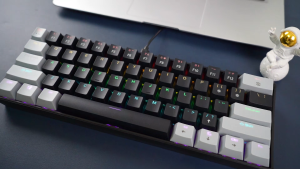
APAYADO K61 Keyboard 60% Portable Wired Mechanical Keyboard Wired 61 Keys Phantom RGB

Newyu | Non-reflective Full Coverage Anti-peep Phone Screen Protector

BLUEO | Blue Gorilla Compatible Vivox200ultra Camera Lens Film AR Enhanced X200promini New Model X200s Phone Camera Tempered Glass Film X200pro Full Cover Anti-fall Camera Rear Protection Sticker High Definition
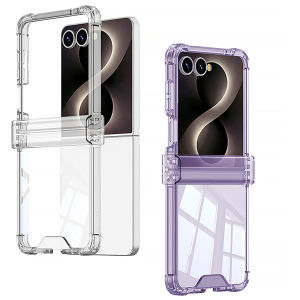
szhaiyu | Four-corner Anti-drop All-inclusive Hinged Transparent Phone Case for Samsung Galaxy Z Flip 8 7 6 5 Flip7 FE Shcokproof Cover

Sanrio | Kawaii Strawberry Hello Kitty Phone Case For iPhone 17 16 15 14 13 12 Pro Max Plus 17 Pro Air iPhone 11 INS Silicone Back Cover

Falcam | Quick Lock Travel Camera Tripod for Professional Shooting

M133 Rechargeable Portable Wireless Mouse Transparent Shell Bluetooth Mouse with 2.4GHz USB 2400DPI Gaming Wireless Mouse for Laptop

D.M.GEAR | Tactical MOLLE Phone Chest Bag
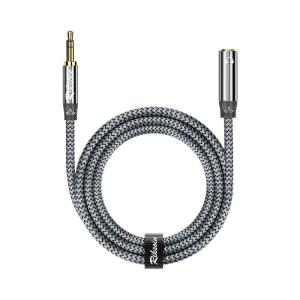
RIKSOIN | Multi-Function Audio Extension Cable 3.5mm
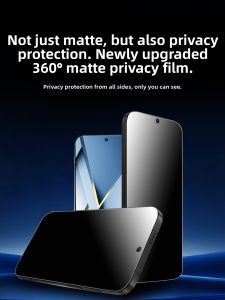
JLD | 360-Degree Matte Anti-Peep Privacy Screen Protector Full-Screen Drop-Proof Fingerprint-Resistant

mave | Quiet Portable Mini Table Fan Foldable Stand USB Charging