ANENG | ANENG SL108 PRO Electric Soldering Irons PD 100W QC Adjustable Temperature Fast Heat Portable Digital Smart Soldering Iron Tools
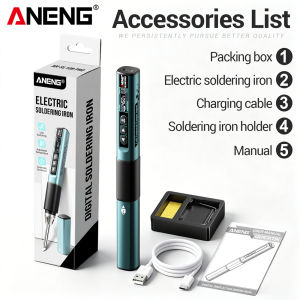
A NENG SL108 PRO Electric Soldering Irons PD 100W QC Adjustable Temperature Fast Heat Portable Digital Smart Soldering Iron Tools(I). Overview:This product is a portable intelligent soldering iron that does not require AC 220V power supply. It can be used by inserting a universal power adapter or power bank. The TYPE-C port supports multiple protocols such as PD and QC, and the soldering iron tip quickly heats up to the soldering point; Adopting OLED display screen with clear interface; The body is compact, exquisite, and easy to carry. The universal soldering iron handle is matched with a metal shell, and the soldering iron tip can be flexibly replaced, making it suitable for various soldering scenarios. (2).Function:ItemParametersHeating Temperature100℃~450℃ (200°F ~ 800°F)Auto‑Sleep ModeAdjustable from 1‑60 minutesAvailable LanguagesChinese, English, French, German, SpanishWorking Voltage9V‑28VMax Power100WCharging ProtocolsMulti‑protocol fast chargePower Supply InterfaceType‑CTemperature CalibrationSupportedScreen SettingRotatable screen orientationTemperature IncrementAdjustableStartup HeatingConfigurableAuto Wake‑upAvailableFactory ResetSupportedTemperature Unit℃ / °FDisplay ScreenHigh‑definition OLED ScreenSoldering Tip ModelT12Housing MaterialAluminum + ABS + Silicone(3).Temperature Calibration InstructionsWhen users need to calibrate the temperature of the soldering iron tip, they can follow the following instructions:;1. Turn on the heating function of the soldering iron, place the soldering iron tip in contact with the standard soldering iron thermometer, wait for the temperature to stabilize, observe the temperature difference between the thermometer and the soldering iron screen display, and record the difference value.2. Remove the thermometer and operate the soldering iron to enter the temperature calibration interface. Adjust the calibration parameters based on the recorded temperature difference until the soldering iron displays a temperature equal to the thermometer temperature.3. After the adjustment is completed, press the OK button to confirm and complete the calibration;Attention: The temperature control parameters may shift after replacing the soldering iron tip. Please complete temperature calibration before use to avoid abnormal temperature affecting the soldering effect or damaging the device.(4) Soldering‑Iron Operation Instructions:The soldering‑iron tip can be replaced freely. Install the original matched‑model tips. When connected to a fast‑charge adapter, the soldering iron will automatically identify the optimal output voltage of the adapter.Operation Steps :1.Enter soldering‑iron function page, short‑press the OK button, then the iron starts heating up.2.Press left‑right directional keys to set a proper temperature for soldering requirements.3.Check real‑time temperature, input voltage and current value shown on the screen.4.Start soldering after the temperature gets stable by contacting the soldering‑iron tip with solder points.Important Notes:a. Long‑press the right‑key to increase preset temperature; long‑press left‑key to decrease preset temperature.b. The soldering‑iron will go into sleep mode with minimum temperature after the set idle time. It quickly reheats when auto‑wake‑up triggers or you press the OK‑key.c. It is normal that the housing will get slightly warm during working, safe for regular operation.d. To avoid insufficient power supply, it is recommended to use a power adapter rated above 60W.(5) Maintenance instructionsBefore the first use and after each operation, apply tin to the new soldering iron tip to prevent oxidation.The temperature fluctuation of the brand new cutting-edge is normal, and it will reach a stable temperature after several uses.Non professionals are prohibited from disassembling, repairing equipment or modifying internal circuits.Clean the equipment with a damp cloth and mild detergent. Do not use corrosive agents or solvents. Dust and moisture on the test port may affect the reading accuracy.Do not keep the heating temperature above 380 ℃ for a long time to extend the service life of the soldering iron tip.Packing list:(Without Battery)1Packing box 1Electric soldering iron 1Soldering iron rack1Instruction book 1 Type-C charging cable

Prime Supply_Play Life
Review

You May Also Like

Strong Suction Cup Wall Hooks reusable waterproof
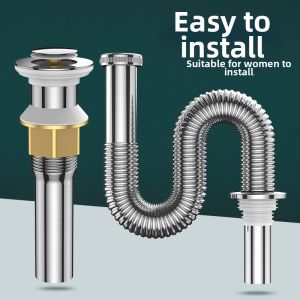
Anti-odor Drain Pipe Fitting
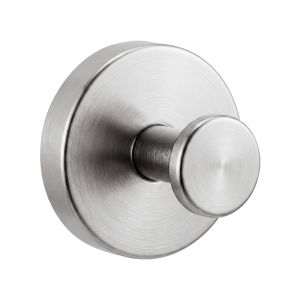
youqin | Powerful Non-drilling Adhesive Hook

SG STOCK Wall Hole Repair Sealant Sealing Glue Household Tool Air-conditioning Waterproof Pipe Mending Plasticine

DELIXI | Mini Three-way Steel Tape Measure

Bosch | Bosch Go 2 Screwdriver Rechargeable Cordless Drill Bosch Go 3.6V Electric Screwdriver Multi-Function Household Batch Power Tools

LUOCHENG | High Pressure Large Water Hole Shower Head

Odor Preventing Seal Ring

Metal Copper 1440° Rotation Faucet Aerator Extender Anti Splash Filter Faucets Bubbler Nozzle Kitche

Dehub | No-Drill Wall Mounting Hook Kitchen Organizer
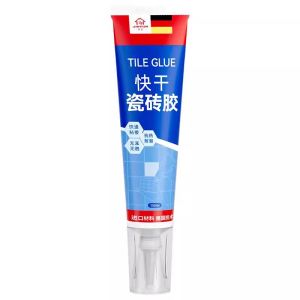
JIAYUN | Strong Adhesive Tile Glue for Wall Tiles and Repairing Loose Tiles