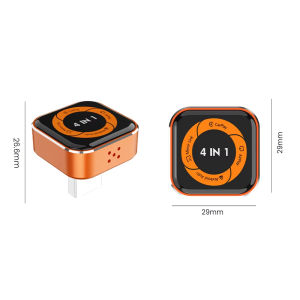
CarRocket Car Intelligent Systems Smart Car Systems 4in1 Wireless Carplay Adapter Android Auto For Built-in CarPlay Fit VW FAIT
🚀 Turn Any Car into a 2026 Smart Cockpit!CarRocket: Ultimate Wireless CarPlay & Android Auto AI Box – Stream, Navigate, Control with Zero Lag!Tired of tiny screens blocking your entertainment? ANY car display! This plug-and-play hub transforms commutes into cinematic adventures – no factory upgrade needed.✨ Why Drivers Love CarRocket:🚗 Universal Fit for 2000+ Models (2016-2026)"My 2016 Honda Civic streams YouTube like a 2025 Tesla!" – Verified Buyer.⚡ 2026 CarPlay Ultra Ready – Future-Proof Tech!Live Activities & Widgets: Real-time traffic, flight tracking, and weather directly on dashboard.Safety First: Auto-disables video when driving (passenger mode only).🔒 Driver-First DesignSteering Wheel Control: Skip songs or adjust volume without touching screens.Lag-Free Navigation: 0.1s response time for Google Maps turns – miss zero exits🔥 4-in-1 Wired to Wireless Converter: CarPlay/Android Auto/AirPlay/Mirror Link | Auto-Reconnect & Stable WiFi | Plug & Play for iOS/Android📬Note before buying:1. Please ensure that your original car has OEM wired CarPlay. If it does not have or the car is equipped with wired Android Auto and wireless CarPlay, it is not supported.How to check for wired CarPlayInsert the iPhone into the car's USB port using the original USB cable.If the CarPlay logo pops up on the screen → compatible; No CarPlay after wired connection → incompatible2.Carplay supports iPhone 6 and above models, with software versions of iOS 10 and above.3. Android cars support Android 11 and above models. Please note that Huawei phones are very unique. Huawei devices have their own mobile operating system EMUl. Unfortunately, Android Auto Wireless does not support EMUl.4.Connect mirror function, you need to exit the Carplay/Android Auto function. Please disconnect the Bluetooth settings.🎁Product Features✅Upgrade from wired CarPlay to wireless CarPlay✅Upgrade your vehicle's wired CarPlay to wireless Android Auto✅Supports wireless Apple mirroring and Android mirroring connections✅Original factory buttons/touchscreen control, plug-and-play, smooth operation✅After the initial connection, the device automatically connects when you get in the car✅Bluetooth 5.0, 5GHz Wi-Fi✅USB plugAirplay projection screenSync mobile APPIPhone image projection screen, mobile phone system iOS. 18 and laterMiracast projection screenSync mobile APPAndroid image projection screen, mobile version needs to be Android 11 or aboveAirplay/Miracast Enabled: Allows wireless streaming of music, videos, and more from phone devices directly to your car’s display.(Attention: We are unable to screen copyrighted apps, and some copyrighted videos cannot be played. We apologize for any inconvenience caused)How to connect Mirror link?1:Turn on WiFl on your phone2: Click on wireless screen mirroring3: Find the wireless screen projection entrance onyour phone(usually available in the drop-down menufunction list)or search for itin the settings4: Find the device name of the box in the wirelessscreen casting list.5: Click on the device nome to connect and casthe screen for use.How to use wireless Carplay/Android Auto?Step 1: Plug the adapter into your car’s wired CarPlay USB port.Step 2: On the adapter’s interface, click the [CP/AA] icon.Step 3: Turn on Bluetooth + WiFi on your phone.Step 4: Search for the adapter’s Bluetooth name (e.g., “SmartBox-xxxx”) and pair.Step 5: Auto-recognizes and connects to CarPlay/Android Auto – done!OTA UpgradeNeed to upgrade OTA in case of connection failureor disconnection.1: Turn on your phone's WiFi.2:Connect to WIF, name:"SmartBox-xxx"Password:12345678"3:Open the mobile browser.4: Enter the website address'192,168.1.101' 5: Enter the OTA upgrade interface.6: Pull down the upgrade interface, click "Update'and afterloading the box, the upgrade is complete.▶ For Phones📱 Mobile compatibility:▪️ IPhone (for CarPlay): iPhone 6+/iOS 10+; (For AirPlay): iOS 18+▪️ Android (suitable for Android cars): Android 11+/phone supports wireless Android cars▪️ Huawei phones (EMUI system): Huawei devices have their own mobile operating system - EMUI. Android Auto Wireless does not support EMUI, please do not use it▶ How to connect Carplay/Android Auto?📲 Quick Connection Guide (30s Setup):Step 1: Plug the adapter into your car’s wired CarPlay USB port.Step 2: On the adapter’s interface, click the [CP/AA] icon.Step 3: Turn on Bluetooth + WiFi on your phone.Step 4: Search for the adapter’s Bluetooth name (e.g., “SmartBox-xxxx”) and pair.Step 5: Auto-recognizes and connects to CarPlay/Android Auto – done!▶ For Airplay/Miracast🖥️ Wireless Screen Mirroring:▪️ AirPlay (iPhone): iOS 18+ required | Sync apps, movies, navigation to car display – ideal for long drives.▪️ Miracast (Android): Android 11+ required | Cast phone screen in real-time – no lag for maps/games.▶ How to connect Mirror link?🖇️ Mirror Link Setup:Step 1: Turn on WiFi on your phone.Step 2: Open wireless screen mirroring (find it in: Drop-down menu → Settings → Display → Wireless Projection).Step 3: Select the adapter’s device name (e.g., “SmartBox-xxxx”) from the list.Step 4: Connected instantly – start casting!▶ OTA upgrade🔧 OTA Upgrade (Fix Issues & Get New Features):Why upgrade? Resolve connection failures/disconnections, add new functions.Step 1: Turn on your phone’s WiFi.Step 2: Connect to WiFi: Name → “SmartBox-xxxx” | Password → “12345678”Step 3: Open phone browser, enter URL: 192.168.1.101 (correct punctuation!)Step 4: Enter OTA page → Click “Upgrade” and wait 2-3 minutes.📌 Important Reminders:▪️ Copyright Notice: Due to copyright protection, some copyrighted apps/videos may not be supported – this is a standard industry limitation, thank you for your understanding.▪️ Keep the adapter away from high temperature (e.g., car dashboard in direct sunlight) to ensure stability.▪️ If connection fails, try OTA upgrade first or contact our support team.▶ After-sales Guarantee🛡️ After-sales Support:Wireless carplay adapter✅24/7 customer service✅30 day free return policy✅24 month warranty period

GlobalTechMart
Review

You May Also Like
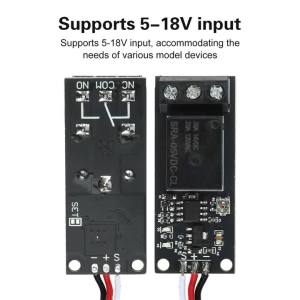
Aideepen | DC 5-18V PWM Electronic Relay Switch Remote Control for RC Airplane DIY Model Navigation Lights Controller Power On-off Switches
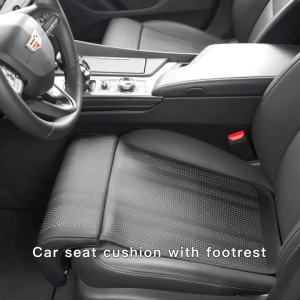
For Hyundai Veloster 2011 2012 2013 2014 2015 2016 2017 2018 2019 2020 Car Seat Extender Leg Support Cushion Knee Protection Pad
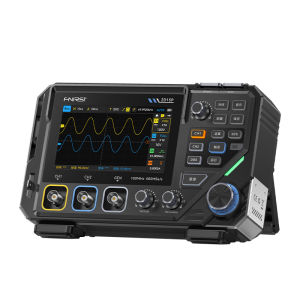
FNIRSI | 3-in-1 Digital Oscilloscope Multimeter Function Generator

KEYECU 95440-G5010 95440-G5200 Smart Remote Key Fob for KIA Niro 2019 2020 2021 2022 TQ8-FOB-4F23 TQ8-FOB-4F24 433MHz

NPC | Acidic Stain Remover Cleaning Agent
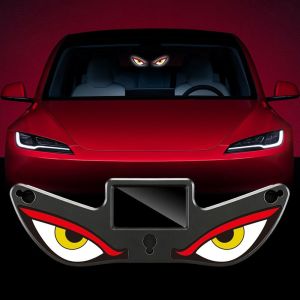
HESONG Wireless Solar Powered Car Neon Light Dynamic Display Vibration Lights on Car Interior Decor Light Gifts Suction Cup Smart LED Lights
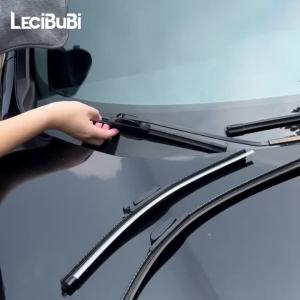
For Honda Civic 10 2016-2019 2017 2018 2pcs Front Windshield Wiper Blades Windscreen Wipers Carbon Fibre

8PCS LED Interior Light Bulb Kit For Ford Ranger 2012 2013 2014 2015 2016 2017 2018 2019 LED Car Dome Lamp CanbusLED Map Dome
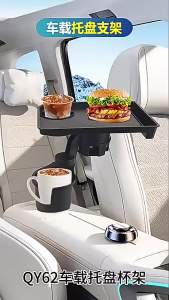
Kebidumei | 3-in-1 Car Cup Holder Tray Fits 2.6"-3.7" Inner Diameter Car Trays Organizer with Double Cupholders Phone Holder for Eating

Side Rearview Mirror Cover Wing Mirror Cap With the painted color For Mazda 2 Mazda 3 1.6
GYEON Q2M CeramicDetailer 500ml-Automotive Car Care extreme Gloss Slick Hydrophobic Ceramic Detailer