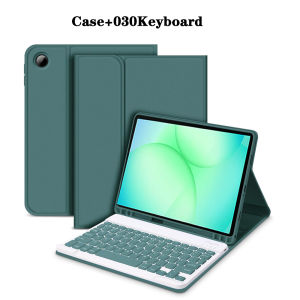
Keyboard Case for Samsung Galaxy Tab A9 Plus 11 Inch For Samsung Galaxy Tab A11 Plus 11 Inch Tablet Case Bluetooth Keyboard
The tablet case in this link is only compatible with models:Samsung Galaxy Tab A11 Plus 11-inch(Model:SM-X230/SM-X235/SM-X236B/SM-X236/SM-X310/SM-X315)Samsung Galaxy Tab A9 Plus 11-inch(Model:SM-X210/X216/X218)How to verify tablet model1. Go to the back and find your specific model.2. Find "Settings" - Click "About" - Find "Model"3. Please purchase the correct compatible model case according to the tablet after viewing.Note:The digital tablet and stylus are not included in the package. The detailed description is for reference only. Please refer to the actual product for the color of the product.How to connect keyboard and mouse?1. Connect the mouse first, then the keyboard.2. Mouse: Push the switch to the "Bluetooth" icon and find the Bluetooth connection with the "mouse" in the device Bluetooth list.3. Keyboard: Push the switch in the upper right corner to "ON", press "Connect", and find the Bluetooth connection with "Keyboard" in the device Bluetooth list.4. Touchpad keyboard: Open the keyboard, press Fn+C, and then find the Bluetooth connection with "Keyboard" in the device Bluetooth list.FAQQ:What should I pay attention to when connecting the mouse for the first time?A:When the mouse is connected for the first time, you need to press the left button, the right button and the scroll wheel at the same time for about 3-5 seconds.Q: Is the scroll direction of the mouse USB connector and Bluetooth connection the same?A: No, they are different. When using the USB connector, the scroll wheel slides in the same direction as the computer mouse. Bluetooth connection is the opposite.Q: How to switch between different systems?A: Fn+Q=Android, Fn+W=Windows, Fn+E=IOS.Please note that please switch the system before connecting the tablet.Q:The bluetooth keyboard letters are messy?A: Please check the settings according to the prompts,a. Check whether the keyboard language set on the device is English.b. Disconnect the keyboard Bluetooth, click Ignore the connected device, reopen the Bluetooth keyboard, select system, Fn+E (IOS system).Note: Fn+Q=Android, Fn+W=Windows, Fn+E=IOSc. Press the L S Z buttons at the same time to reset the keyboardQ:How to configure the input method for different languages keyboard?A:Take the samsung tablet as example,open "Settings--"ystem"--"Language & input"--"Add New Keyboard". (For other systems, please set them in the system settings according to the tips of the iPad example.)Q:How does the mouse change teh scroll wheel sliding direction on the device?A: The mouse is connected, open "General" - "Trackpad & Mouse" - close "Natural Scrolling".

GlobalTechMart
Review

You May Also Like
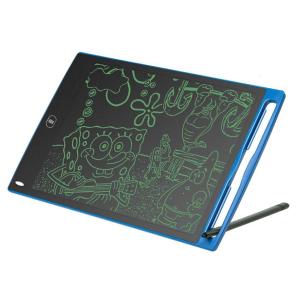
Eversalute 8.5 Inch LCD Drawing padWriting Tablet Drawing Board-Useful at the Office Home School- Great Gift for Kids
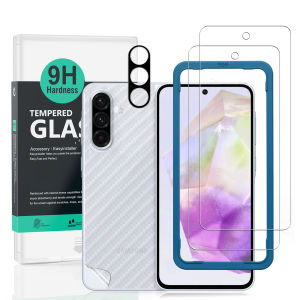
Ibywind For Samsung Galaxy A36 5G Screen Protector(Pack of 2)with 1pc Metal Lens Protector1pc Carbon Fiber Back FIlmEasy Install Kit

Trail loop Band For Suunto Race 2 Vertical 2 Smartwatch bracelet Nylon Loop Strap Suunto 9 Peak Pro 9 Peak 5 Peak Race S Race Smart Watch Adjustable Bracelet

ZEIIE 360 Rotatable Socket Fan Low Noise with Safety Cover UK Plug Fan Portable EU Plug Kitchen Fan for Kitchen Bathroom Dorm
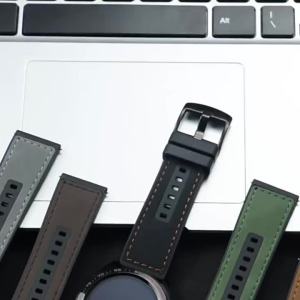
Leather Silicone Strap For Samsung Galaxy Watch 8 9/8Classic 40mm 44 46mm Sports Bracelet Band For Galaxy Watch Ultra 2025 47mm

New Earphone Protective Cover For Airpods Pro 2 3 Case With Secure Lock Invisible Phone Stand Leather Texture Case For Airpods 4
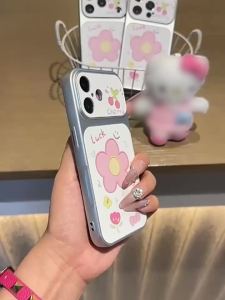
Football Jersey Classic Stripe Protective Phone Case For iPhone 17 Pro Max 16 Pro 13 15 11 12 14 Shockproof Bumper Fundas Cover

MOVSK | Silent Portable Clip-on Mini Fan USB Charging
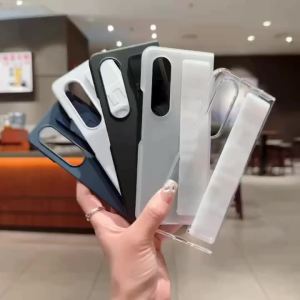
Luxury Silicone Wristband Wrist Strap Case for Samsung Galaxy ZFold 8 7 Z Fold 8 Ultra 7 6 5 4 Solid Color Shockproof Hand Cover

DJI RS 5 / RS 5 Combo Gimbal Stabilizer
![Premium 360° Rotating Aluminium Laptop Stand - Heavy Duty & High-Quality Design [SG Seller]](https://img.lazcdn.com/g/ff/kf/Sc56149016a3a42419865decf9d57bb83P.jpg_300x300q80.jpg)
Premium 360° Rotating Aluminium Laptop Stand - Heavy Duty & High-Quality Design [SG Seller]