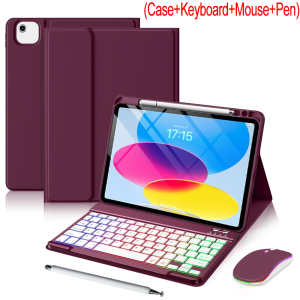
Case Keyboard for iPad 11th Generation A16 11-inch 10th Gen 10.9 Air 5th 4th Air 11 M4 M3 M2 Mouse &Stylus Pen &Cover&Keyboard
How to input the language you want?? Dear when you get the goods ,please open the keyboard power and bluetooth according to our manual or video or product description.If you don't know how to open keyboard bluetooth ,you can contact our service to get help. When you connect the keyboard with tablet ,please find your tablet" keyboard" setup . Then you need to setup your tablet "keyboard" and "physical keyboard" language to English and AZERTY or Spanish or Portuguese or other language at the same time . Only you setup your tablet well ,then when you click shift+space or ctrl+space or language switch key to switch the keyboard language ,you can input the characters you need correctly. Compatible Models:Detail model for Apple iPad 10th 10.9 (2022)A2696 A2757 A2777Detail model for Apple iPad 11th 11 (2025))A3354 A3355 A3356Detail model for Apple iPad Air 4 (2020) A2324 A2325 A2072 A2316Detail model for Apple iPad Air 5 (2022) A2588 A2589 A2591Detail model for Apple iPad Air 11inch (2024) A2899 A2900 A2902 A2903 A2904Detail model for Apple iPad Air 11inch (2025) A3266 A3267 A3270Detail model for Apple iPad Air 11inch (2026) A3459 A3460 A3463Product Parameters:1. Bluetooth Stand: 5.0 version2. Battery: Lithium battery 420mAh3. Stand-by time: 180 days4. Working Time: 3 hours (with backlit on),100 hours (with backlit off)5. Working Voltage: 3.3 - 4.2V6. Charging current:7. Effective distance: 10 meters8. Backlit Light: 7 colors backlit9. Charge Port: Type-c10. Material: PU Leather11. Color: Black12. Indicator LCD: please open the keyboard power first. Then press bluetooth button to open Bluetooth,connect keyboard with ipad.13. Charging times: 2.5 hoursProduct Photo:

Prime Supply_Play Life
Review

You May Also Like
![[Local Seller] Foldable Laptop Stand w Cooling Fan 360 Rotating Notebook Mounting Adjustable Holder Metal](https://img.lazcdn.com/g/ff/kf/Seb0a30bda2e64de0a44209669380440ah.png_300x300q80.png)
[Local Seller] Foldable Laptop Stand w Cooling Fan 360 Rotating Notebook Mounting Adjustable Holder Metal
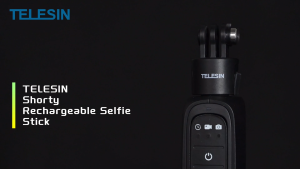
TELESIN Power Grip Tripod Remote Selfie Stick Battery Charger For GoPro Hero 13 12 11 10 9 MAX
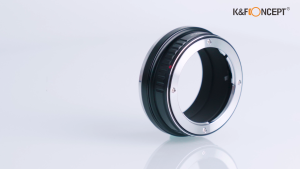
K&F CONCEPT Lens Adapter Ring OM Mount Series Adapter Ring High Precision Multi-model Adapter
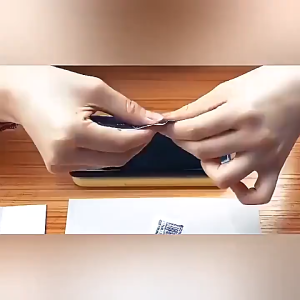
【🔥SG🔥】RICHMENTMALL Clear/Privacy/Matte/ Matte Privacy Anti-spy Hydrogel Film Screen Protector For Samsung Galaxy Z Fold 7 Samsung Galaxy Z Fold 8 Ultra Samsung Galaxy Z Flip 8 7 Hydrogel Film TPU Soft Films
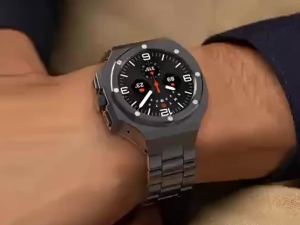
Luxury Modification Kit Case for Samsung Galaxy Watch 8 46mm Stainless Steel Bracelet for Galaxy Watch 8 44 40 Mod Kit Strap
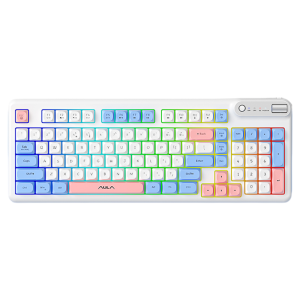
AULA | Tri-mode Silent Office Typing Wireless Keyboard Mouse Set

10000mah Magnetic Wireless Power Bank Transparent External Battery PD22.5W Fast Charger Wake On Touch for iPhone Xiaomi Samsung

Energea AirVia Mist 3600mAh Adjustable Handheld Fan Portable Cooling USB-C Rechargeable
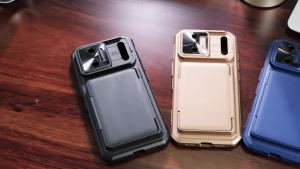
Multi‑Function Phone Cover for iPhone 17 / 18 Pro Max Built‑in Camera Button RFID Wallet Slot Slide Lens Cover Shock Case-Orange

Cell Phone Sticker Decorative Cell Phones Collecting Wealth Stickers Modern Applicable Scenes
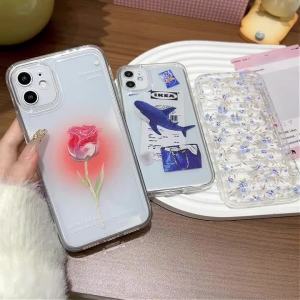
Transparent Silicone Phone Case For Samsung S25 Ultra Galaxy S26 S24 FE S23 Plus S22 Edge Protective Cat Painted Funda Cover