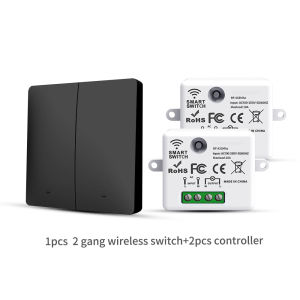
RF433 Wireless Self-Powered Switch Remote Control Wall Panel Button for LED Lamp - No Battery Required
Product parameters:Controller(Receiver)Working voltage:100-250V 50/60HzCurrent: 10AController size: 67 x 41.2 x 25.7 mm. (Body Size: 47.4x41.2x25.7mm)Material: ABS+PCPanel Switch ParametersFeatures: No battery, built-in power consumptionSize: 86x86x16.5mmButtons: 1 button, 2 buttons, 3 buttonsRemote Control Distance: Indoor about 20-30 meters and outdoor 10-50 metersWhat is the self-propelled switch?Self-powered wireless switch panel, press to build power by yourself, no wires and no power supply, self-built power for self-use, energy-saving and eco-friendly products, the service life is pressed more than 100,000 times, use with power on/off controller (electric equipment).Advantages:1. Save wires and save labor, no risk of electric shock and combustion without exposure to electricity, labor, no internal heat source and no influence on increased temperature.2. The controller can match multiple free sticker switches at the same time, so that one light can switch several lights! Solve the problem, no switch on the bed, turn on the light at night, unreasonable circuit design, inappropriate switch height for the elderly and children at home and inconvenient wiring at home due to deterioration of wiring!3. After power failure, the power goes off itself to avoid consumption of electricity and will not interfere with each other. Use digital encryption and decoding technology and no direction. High performance processing chip, built-in relay control, safer and more stable, superherodynamic herodynamic relay module, ultra low power consumption, strong antiinterference and sensitivity.High!Learning settingsThe packaged product has been paired at the factory, so this operation is not required. If you need to add or replace the remote Pairing methodLong press the receiver learning code buttonM for about 3-5 seconds, the indicator light is always on, enter the pairing mode, press theremote control switch at this time, and the receiver indicator light flashes, the code is successful.Clear function:Long press the receiver learning code button for about 8-10 seconds, and the indicator light flashes quickly to clear the code successfully.Controller (receiver) status settingController default open state setting: You can press the controller button to turn on the light. After 15 seconds, press the controller button again to turn it off. When powered on again, the controller will be in the on state.Controller default off state:You can press the controller button to turn off the light. After 15 seconds, press the controller button to turn it on. When powered on again, the controller will be in the off state.

Prime Supply_Play Life
Review

You May Also Like

Fragrant Sachet Materials DIY Kit
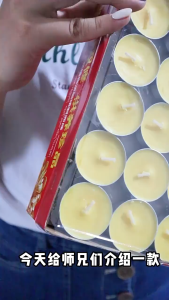
2/4/8Hours 100PCS Ghee Lamps Ghee Candle Plant-based Waxes Genuine Guarantee Red/Yellow Ghee Buddha Candles Lamps 环保无烟无毒纯天然酥油灯
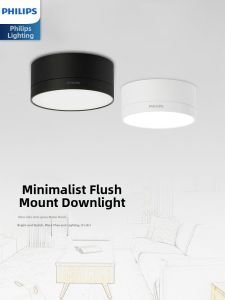
Philips | Ultra-Thin Surface Mounted Ceiling Light
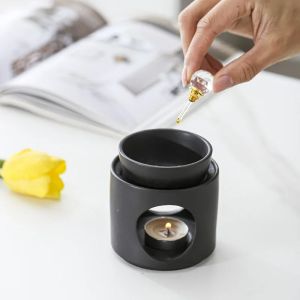
3 in 1 Tranquilize Essential Oil Furnace Burner Spa Yoga Candel Heating Censer with The Candle Tray for Home Decor Ornaments

BEAUTY IN THE LIGHT | Party Atmosphere Joke Toy Dancing Christmas Tree Ornament
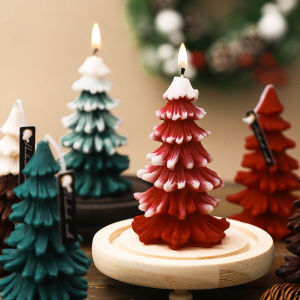
【2nd 50% off】Christmas tree aromatherapy candle gift box set creative handmade Christmas atmosphere low temperature fragrance gift ornaments

vibia | Outdoor Waterproof Wall Light

Pristine Reed Diffuser | Himalayan Tea | Signature Series | 500ml | Award-Winning Home Fragrance

Good Fortune Chinese New Year Pendants Best Wishes Good Luck Spring Festival Decorations Red Get Rich Chinese Lucky Ornament
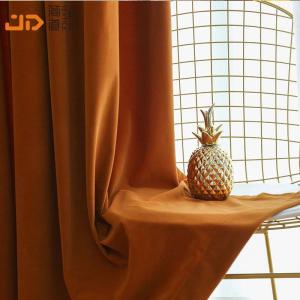
MOLORE | Nordic Sable Velvet Blackout Curtains For Multiple Scenes
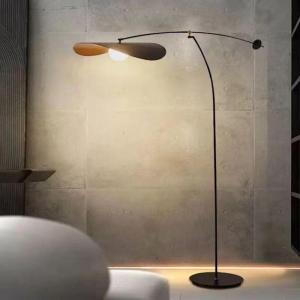
ZHUOLESHI | Modern Luxurious Living Room Floor Lamp