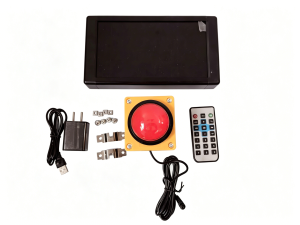
Charge 10-Second Challenge Timer Remote Control Hand Press Button Built-In Lithium Battery Portable Outdoor Use No Plug-In
10-SecondChallenge User Manual1. Quiz Buzzer Package ListAll-in-one host ×1Remote control ×1Game Button ×1Poweradapter2. Device Operation1) Device SetupAfterturning on the device, you may select a mode or start directly.The defaultdifficulty is 1. To switch modes, press MODE on the remote control.The display will show 2, then 3, and soon up to 18, then return to 1.There are 18adjustable difficulty levels in total.Afterselecting the desired difficulty, press “↩”to confirm ,press Game Buttonto start the game.Oncepressed, a voice announcement will play (only on models with sound effects;silent models have no audio).Then the timer starts counting up.Press the Game Button when the time isapproaching to stop the timer, and the result will be displayed.·If you do not stop at the set target time, the device will show the current time .·If you stop exactly at the set time (default: 10 seconds), the main unit will display the corresponding value .2) Value SettingThe default value is 10 seconds, and you can set other values via the MENU.Steps: When the display shows 00.00, press MENU. The screen will show ----.Then use the number keys to set your desired number, and the setting is complete.The difficulty corresponding to the number can be set via MODE. As for probability,all difficulty levels are approximate.You need to test multiple times to decide which level works best.You can first set a relatively high difficulty for the event.If it is too difficult and too few people succeed, you can switch to an easier difficulty at any time.This system includes two types of difficulty: range-based difficulty and probability-based difficulty.Range Difficulty(Win if the stopped time falls within the range; winning time will be displayed)·Difficulty 1: Never winDifficulty 7: 9.9400–10.0000·Difficulty 2: Actual difficultyDifficulty 8: 9.9300–10.0000··Difficulty 3: 9.9800–10.0000Difficulty 9:9.9200–10.0000·Difficulty 4: 9.9700–10.0000Difficulty 10: 9.9100–10.0000·Difficulty 5: 9.9600–10.0000Difficulty 11: 9.8000–10.0000·Difficulty 6: 9.9500–10.0000Difficulty 12: 9.7000–10.0000Probability-Based Difficulty(Cannot win until a setnumber of attempts; win chance greatly increases at the set count, then resets to unwinnable)·Difficulty 13: Win once every 5 attempts·Difficulty 14: Win once every 10 attempts·Difficulty 15: Win once every 20 attempts·Difficulty 16: Win once every 50 attempts·Difficulty 17: Win once every 200 attempts·Difficulty 18: Win once every 1000 attemptsOne-key Easy Mode FunctionThe system supports a one-key cheat function:·Press the OKbutton; The display flashes briefly..The next player will have a much higher chance of winning.3. Troubleshooting3.1The button has a movable clip inside.Sometimes it doesn’t respond when pressed. You can unscrew the four screws on top of the button and re-secure the clip tightly.3.2The IR remote need one CR2025 button battery.Due to platform shipping regulations, batteries cannot be included in the package. Please purchase it separately.3.3The timer can be powered by an external power bank. It only needs a power bank with a USB-A port and 5V output to work with thetimer.3.4The sound can be turned on or off via the green key on the remote control.

Prime Supply_Play Life
Review

You May Also Like

【✅SG stock】6 Hooks Hanger Wall-mounted Punch-Free Strong Self-adhesive Hook For Clothes Towel Storage Rack Kitchen Bathroom

BOJIAJIAJU | Flexible Hot & Cold Water Faucet 304 Stainless Steel
200Pcs Convinient Disposable Plastic Gloves / Thick Transparent PE Gloves for Home Kitchen and Catering
DigiWall 5637 X-Large RFID Security Safe! Perfect for Home Office & Business Use! - (New Model)100% Brand New ~ 1 Year Local Warranty - Free Home Delivery! ~ FREEBIE - DigiWall Classic Mini Safe!
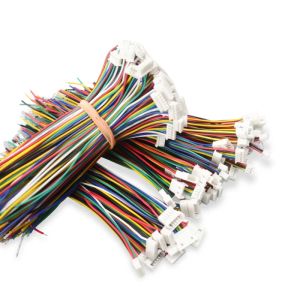
Durable Type 1Pairs Micro JST GH 1.25mm 2P 3P 4P 5P 6PIN Pitch 1.25mm Male Plug Connector With Wire Cables 100mm Connector 28AWG
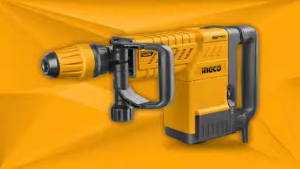
INGCO DEMOLITION BREAKER SDS MAX CHUCK 1500W 25J PDB15006
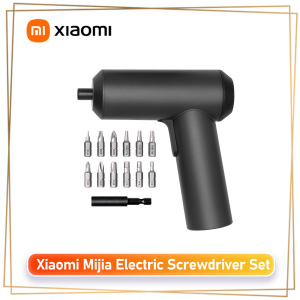
Xiaomi | Xiaomi Mijia Electric Screwdriver 3.6V Cordless Screwdriver Set 5N.m Torque 12 S2 Bits USB Charge Power Tool for Furniture Home
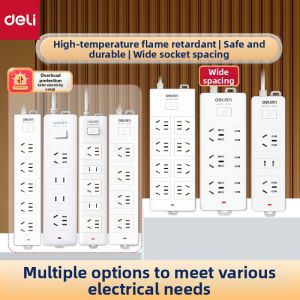
deli | High Power Household Extension Socket Multi-function
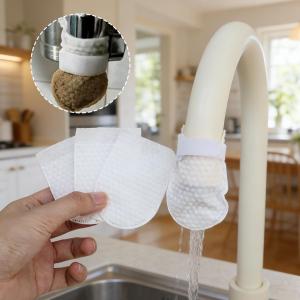
120Pcs Universal Faucet Filter Bag Anti-Splash Thickened Faucet Filter Bag with Strap Tap Splash-Proof Water Filter Bag
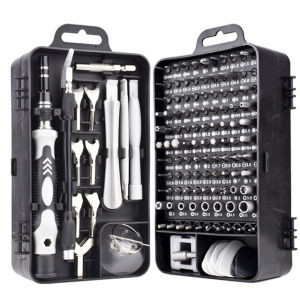
135In1 Screwdriver Set Torx Hex S2 Screwdriver Bits Tap Screw Driver Pocket Wrench Repair Phone Laptop Hand Tools Kit
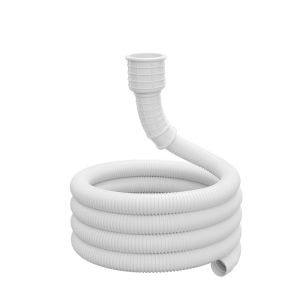
SUNINLIFE | Water Hose for Faucet Extension Plastic Pipe