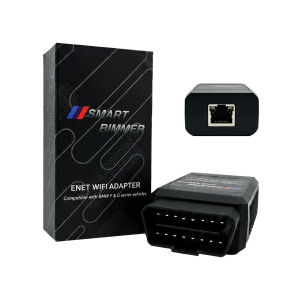
Enet Wifi Adapter for BMW F/G/I Series Mini Toyota Supra A90-Wireless obd2 Diagnostic Cable for BimmerCode BootMod3 xDelete MHD
X-OBD ENET WiFi Adapter: The Ultimate Wireless Coding & Diagnostic Tool for BMW & MiniUnlock the full potential of your BMW, Mini, or Toyota Supra with the X-OBD ENET WiFi Adapter. This professional-grade tool replaces cumbersome cables with a stable, high-speed wireless connection, allowing you to perform advanced coding, ECU flashing, and diagnostics right from your smartphone, tablet, or laptop.Whether you're a professional tuner or a DIY enthusiast, our adapter provides seamless compatibility with the most popular automotive software, including BimmerCode, BootMod3, xDelete, and MHD.🚀 Why Choose the X-OBD ENET WiFi Adapter?True Wireless Freedom: Say goodbye to messy cables. Connect to your vehicle's ECU via a stable 2.4GHz WiFi connection for a clean and efficient workflow.Dual Connection Modes: Features both WiFi and a standard Ethernet port. Use WiFi for wireless convenience or connect an Ethernet cable (not included) for a wired connection, especially useful for iOS devices.Broad Software Compatibility: Works flawlessly with a wide range of applications for coding, tuning, and diagnostics.Extensive Vehicle Coverage: Supports a vast array of BMW F, G, and I series models, Mini Coopers, and the Toyota Supra A90/A91.Plug and Play: Draws power directly from the OBD-II port. No external battery or power source is needed.📱 Compatible Software & FunctionsSoftwareMain FunctionsBimmerCodeCode hidden features, customize vehicle settings, and personalize your BMW/Mini.BootMod3The leading platform for ECU and TCU flashing on F/G series and Supra A90/A91.xDeleteThe premier tool for customizing your xDrive system and deleting unwanted features.MHD (MegaDamos)Advanced flash tuning for DME remapping while keeping all OEM safety mechanisms.BimmerLinkRead/clear fault codes, view live sensor data, check DPF status, and register new batteries.Bimmer UtilityA powerful all-in-one tool for coding, FA/VO editing, and diagnostics on F, G, and I series.ISTA/ESYS/INPAProfessional-level diagnostics, programming, and coding for BMW vehicles.🚗 Wide Vehicle CompatibilityCompatible with BMW F Series Chassis:Sedan/Coupe: 3 Series (F30, F35, F34), 5 Series (F10, F07, F18), 6 Series (F06, F12, F13), 7 Series (F01, F02)SUV/SAV: X1 (F48), X3 (F25), X5 (F15), X6 (F16)M Series: M3 (F80), M4 (F82/F83), M5 (F10), M6 (F12/F13)Compatible with BMW G Series Chassis:Sedan/Coupe: 3 Series (G20, G28), 5 Series (G30, G38), 7 Series (G70, G71), i5 (G60)SUV/SAV: X3 (G01), X5 (G05), X6 (G06), X7 (G07)M Series & EV: M3 (G80), M4 (G82/G83), M5 (G90), X5 M (F95), i4 (G26), iX3 (G08), iX (I20)Compatible with BMW I Series & Others:Electric: i3 (I01), i7 (G70/I70)Mini: All Mini Cooper modelsToyota: Supra A90 / A91⚠️ Important: This adapter is NOT compatible with BMW E Series models.🛠️ How to ConnectFor WiFi Connection (Android & iOS):Plug the adapter into your vehicle's OBD-II port.On your phone/tablet, go to WiFi settings and connect to the network named ENET_WIFI_xxx.Password: 12345678(For some Android devices): You may need to set a Static IP.IP Address: 192.168.16.107Gateway: 0.0.0.0Subnet Mask: 255.255.0.0Open your diagnostic app (e.g., BimmerCode, BootMod3) and it should automatically detect your vehicle's VIN.For Ethernet Cable Connection (iOS & Android):Connect the adapter to your device using a Lightning-to-Ethernet or USB-C-to-Ethernet adapter.The connection is usually automatic. For some iOS devices, you may need to set a manual IP in settings:IP Address: 169.254.250.250Subnet Mask: 255.255.0.0Launch your app to begin.📦 Package Includes1x X-OBD ENET WiFi Adapter

Prime Supply_Play Life
Review

You May Also Like

WEICHENGNEI | Rainproof Raincoat for Parents and Children Long Full-body

HELLOLEIBOO | Car Wash Kit Set
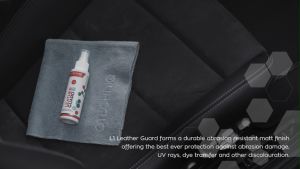
Gtechniq L1 Leather Guard Antibacterial Leather Coating (2 sizes available)
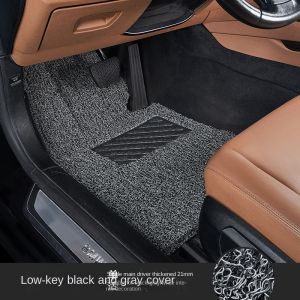
Can Freely Cut Car Coil Foot Pads Universal Foot Pads for All Brands Suitable for Sedans and SUVs Anti Dirt and Anti Slip
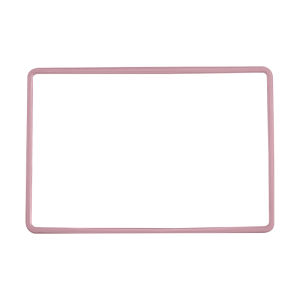
CO | Central Display Protection Cover For Tesla Model 3/Y Accessories
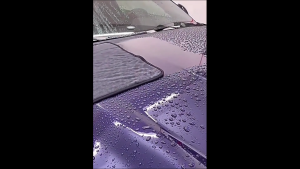
🇸🇬SG SELLER🇸🇬 Microfibre Braided Car Wash Drying Towel 160 x 60cm Remove All Water Droplets In 1 Wipe
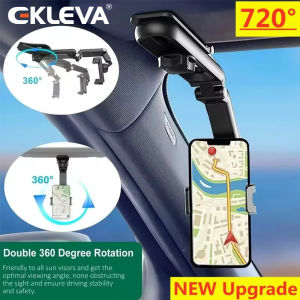
EKLEVA Universal Car Rearview Mirror Phone Holder 720 Degree Rotation Car Phone Holder Mount Stand For Dash Cam Smartphone Bracket

4Pcs/Lot KEYDIY KD Remote Key B01 B05 B09 B10 B11 B12 B15 B18 B21 B22 B25 B27 B28 B29 B30 B33 B34 B35 B36 for KD900 KD-X2 KD-MAX
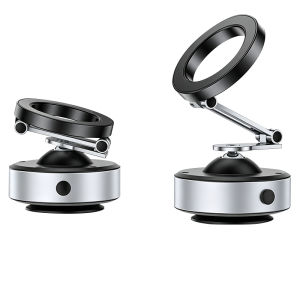
NIOYE | Electric Wireless Charging Magnetic Vacuum Adhesive Car Phone Holder
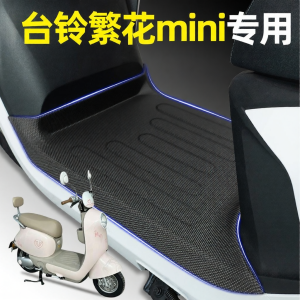
Decorative Mini E-bike Footrest Pad

30 Pcs Positive Car Air Fresheners Bulk Employee Appreciation Gift Funny Car Hanging Ornament Scented Incense Chip Dietician Appreciation Gifts for Driver Staff Teacher Nurse Team 10 Styles