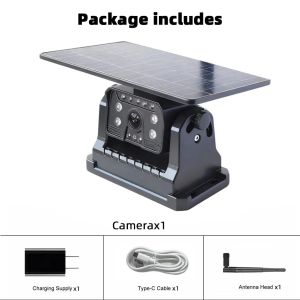
QXNY Wireless Backup Camera Solar Magnetic Mount AI Alarm.Front/Rear View Mobile Phone IPhone Android APP for Truck Bus RV Lorry
Wireless Solar Reversing CameraSolar Powered BSD Magnet Holder 1 Min installExtra-large solar panelFaster charging• 1 Mins DIY: The camera uses a strong magnet mount, no drilling, no wiring or no professional installation skills required! To install this wireless backup camera kit, you don't need any tools! Even a 4-year-old boy can do it!• Powered By the Sun: 9600mAh larger battery capacity, It can be charged via solar power, Type-C, or a power bank. If you can get about 60 minutes of solar charging per day, you will not need to charge it separately.• BSD Blind Spot Radar Function: The Solar Camera with Al Detecting technology, Support BSD Blind Spot Detection Alarm.• Top transmission distance: 50 meters.• Real-time image & 100% No Interference: When you’re driving, Launch the application, easily see what's behind your car. Images are smooth without any flicker. It delivers digital signals which will not be interfered with other devices, such as Bluetooth.• IR Night Vision: Safely backing up without any lights. The visible distance is greater than 15 meters, automatic gain control, auto white balance, auto backlight compensation.• IP67 Waterproof & High Compatibility: No need to worry about the water get into your backup camera or its micro USB input port. Suitable for any vehicles. AI Smart Blind Spot Radar Detection Alarm The Solar Al camera can detect pedestrians and vehicles at the rear of the vehicle, and provide real-time visual and audio alarm to remind drivers of potential dangers. lt is regarded as a safer vehicle product, which effectively improve driving safety. How to Power On Press and hold the power button to turn on the camera.Once powered on, the blue LED indicator will light up.The number of blue LED lights shows the remaining battery level:4 blue lights - Fully charged3 blue lights-75% battery2 blue lights-50% battery1 blue light-25% batteryImage Flip WIFI password: 1234567890 Problem 1: No signal or cannot find the Wi-Fi namePossible Causes & Solutions:Cause A - Camera is not powered on or the battery is deadPress the power button to turn on the camera.When powered on successfully, the blue power indicator will light up.The number of blue lights indicates battery level:·4lights=100%·3 lights=75%·2 lights = 50%·1 light=25%lf no lights appear, charge the camera using the included USB cable and a 5Vpower adapter (same as charging a phone)To confirm the camera is on, cover the light sensor with your hand if theinfrared light glows red, the camera is working.Cause B -Weak signalIf the infrared LED is on but the monitor still shows “No Signal," move the monitorcloser to the camera to test.Check if the antenna is firmly connectedProblem 2: Camera feels hot during useSolution:The camera processes data continuously while driving, so it will generate heat.It is equipped with temperature protection and operates between -20° C to 70°Clf the temperature reaches the safety limit, it will shut down automatically and restartonce cooled.Problem 3: Weak signal qualitySolution:We test each unit for long-distance performance before shippingIf you stil experience poor signal, ensure there are minimal obstructions between thecamera and phone, and check antenna placement.

Prime Supply_Play Life
Review

You May Also Like
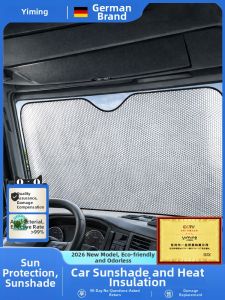
YIMING | Sun Shade Curtain for Car Window
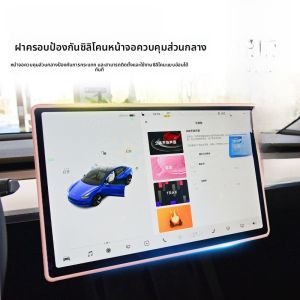
HELLOLEIBOO | Navigation Screen Protection Cover Rearview Mirror Protector Renewed

Universal Season Sun Protection Seat Cover
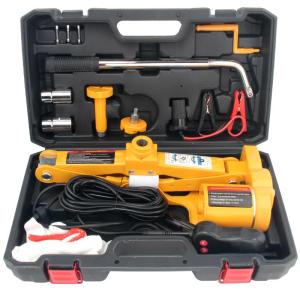
BOYAHENG | Car Jack Tire Change Tool
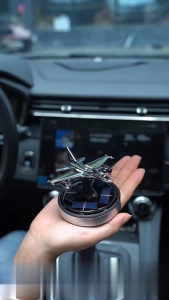
Chicmine Car Aromatherapy Air Freshener with 54 Dispersing Holes Solar-Powered Fighter Jet Essential Oil Diffuser Dashboard Decoration

2in1 Wireless CarPlay Dongle Wireless Android Auto Adapter AI Smart Box Car Intelligent Systems For Car With Wired CarPlay
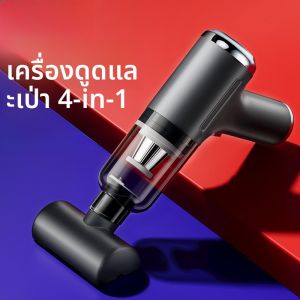
HELLOLEIBOO | Strong Suction Wireless Car Vacuum Cleaner
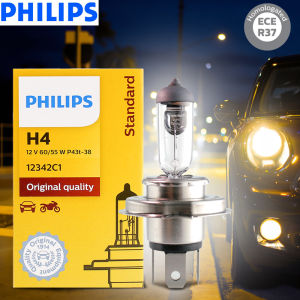
Philips | Philips Vision H4 12V 60/55W P43t Original Car Halogen Head Lamps 3200K Standard Replace Genuine High Low Beam 12342C1
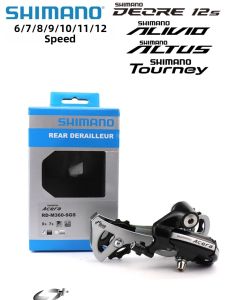
SHIMANO | Multi-Speed Rear Derailleur
HUICHANG | Anti Mosquito Sun Shade Insulated Magnetic Curtain

TeamAutoCare TAC40055 BMW X6 Series 2020-2023 Centre Mesh Tri-Color Trim Strip