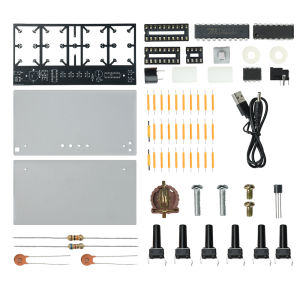
DIY Student Soldering Practice Project Kit DC 5V 4-Bit Warm LED Digital Alarm Clock Kit with Lighting Adjustment DC002 Socket
Product Features:1. The power supply is equipped with a DC002 socket and a CR1220 battery holder to automatically remember the time when the power is cut off2. Four ceramic filament LED digital tube, amber warm light soft, adjustable screen display brightness3. The complete set of plug-in components is easy to assemble, with components of moderate size and beginner friendly, suitable for welding practice4. Integrate the display mode of the alarm clock for year, month, day, and week. Once assembled, it can be used as a practical desktop electronic clock5. Suitable for campus technology training, parent-child handicrafts, maker gift giving, bedroom bedside desktop atmosphere decorationProduct Parameters:Supply voltage: DC 5VPower socket: DC002Battery holder: CR1220 (battery not included)Explanation: The battery has a power-off memory function. After setting the power on, if the power is turned off, the time and date will still be set to default time. For example, if the power is turned off at 10 o'clock and the phone is called at 3 o'clock in the afternoon, the time and date will still be on, so there is no need to reset them when the power is turned on.Instructions for Use:After installation, when powered on and turned on, the two dots in the middle of the time page flashPress the S4 button to switch functions:Press the S4 button for the first time to display the month and datePress the S4 button for the second time to display the weekPress the S4 button for the third time to display the yearPress the S4 button for the fourth time to set the display time for the last alarm clockPress the S4 button for the fifth time to return to the time pageS1 is the adjustment button:Press S1 once to blink, press S2 to subtract, and press S3 to addPress S1 for the second time to blinkPress S1 for the third time to flash the monthPress S1 for the fourth time to flash the datePress S1 for the fifth time to blink for the weekPress S1 for the sixth time to flash the year.After entering the alarm settings page, press S2 to decrease and S3 to increase.Press S1 for the eighth time to set the alarm settings page.Press S2 for subtraction and S3 for addition.After setting up, press S1 to confirm and exit, returning to the time page.S5 Brightness Adjustment, Brightness IncreaseS6 brightness adjustment, reduced brightnessPress S1 for the seventh time to enter the alarm settings page: it will flashProduct List:1X Electronic Clock DIY Kit (shipped as loose parts and requires customers to weld them themselves. The product does not include batteries.)

Prime Supply_Play Life
Review

You May Also Like

T2P Motorcycle Chain Lube Chain Wax Chain Cleaner Lubricant Tyresealant Chain Maintenance

TeamAutoCare TAC40040 BMW X3X4 Series 2022-2023 Centre Mesh Tri-Color Trim Strip

AN-RIDDLE | Interiors Cleaning Machine with Extraction and Spraying
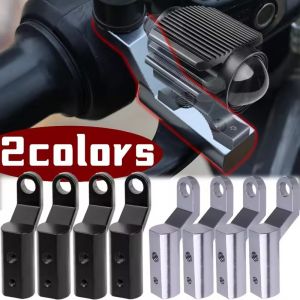
2PCS Motorcycle Headlight Holder Motorcycle Spotlights Modification Aluminum Alloy Rearview Mirror Multi Functional Extension Bracket
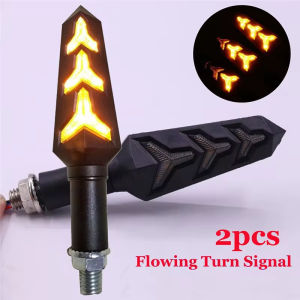
EKLEVA Motorcycle Turn Signals Light 12V Waterproof Flasher Indicator LED Flowing Water Blinker Bendable Moto Flashing Lights

Grandnavi | 2026 Android 15 3in1 CarPlay Ai Box Wireless Android Auto USB Adapter 4G 64G For Youtube Netflix Automatic Connection

Suitable for HONDA N-JF3 JF4 2017-2023 car window sunshade front and side door sun baffle sunscreen insulating visor curtain mesh curtain front block glass sunshade.

Rainproof Sun Protection E-bike Phone Holder

TUSHUGUANG | Headrest Neck Pillow Car Seat Support

HELLOLEIBOO | Rainproof Sunscreen Electric Vehicle Cover

Waterproof Non-slip Rain Boots