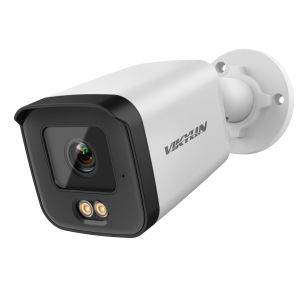
VIKYLIN 8MP HD IP Security Camera Poe Full ColorTwo-way Audio Fixed Camera Human Vehicle Detection Support SD Storage ONVIF IP66
Customer sevice:If you have any questions, please do not hesitate to contact us.Setup & Guides for PG and YC serieshttps://www.youtube.com/watch?v=7gzSDx-OBFY&list=PLHnanNJL7osTbCCVS9bfDegy5NqUeS2naSpecifications:Full Color Camera 2PCS Warm illuminatorLight Distance:10-30M Material: Metal Waterproof Level:IP67 Internal PoE Built-in Mic&SpeakerBuilt-in TF card slot(microSD card not include)24/7 Colorful Imaging. H.265 &H.265+&H.264 Weight: 0.43kgAn Incredible 8MP 4K Super HD IP CameraWith a high resolution of 8megapixels (3840 x 2160), this 8MP HD IP surveillance camera is able to capture videos in 3840p HD quality. It is a huge advancement compared to 720p HD or 1080p Full HD. you never miss a single detail of your loved ones. which enables you to see all objects very clearly.Smart Human & Vehicle DetectionReduces false alarms and ensures accurate target recognition.Two-way Audio, Talk Like You're HereBuilt-in microphone & speaker allow you to listen and talk to whoever the camera catches in real time, say "hello" to families and friends or warning to suspicious strangers.H.265+ Smart CompressionWith advanced scene-adaptive rate control algorithm, Dahua smart encoding technology realizes the higher encoding efficiency than H.265 and H.264, provides high-quality video, and reduces the cost of storage and transmission.Full Color 24/7 MonitoringWhen daylight is out, the colorvu camera with built-in LED lights continues to record in full color. This will bring more visual details that help identify people and cars than black-and-white videos.Using F1.0 large aperture lens, the amount of incoming light isgreatly increased up to 4 times. With wide dynamic and backlight compensation technology, it can output HD images and restore the real scene.F1.0 Super-Aperture LensBrings in more light for brighter and clearer low-light performance.Easy PoE InstallationThe PoE security IP camera uses a single cable to transmit both data and power. Simplified wiring means easier and clean installation. It is the best choice for DIY enthusiasts.Support on-board storage up to 512 GB (SD card not included)3DNR Enhanced Clarity in Low-Light SituationsYour camera uses DNR (Digital Noise Reduction) technology to filter out noise from low-light settings as well any noise caused by motion. By eliminating graininess, your camera provides a cleaner, more accurate image with better clarity, sharpness, and improved motion detection, enhancing your HD experience even in the dark! Not only does DNR reduce noise, but it reduces video file sizes as well, giving you greater disc space for storage.WDR (Wide Dynamic Range) technology: Using short shutter exposure in the background area, and enabling.Using a long shutter exposure to generate a composite image can not only reveal the details in the dark areas of the image, but also prevent the bright areas from being overexposed. Wide dynamic rangeThe state-of-the-art technology can achieve clearer and more vibrant images than the backlight compensation technology.BLC (Backlight Compensation) technology: It allows the camera to find the reference brightness for capturing the best image, and then automatically provides an appropriate amount of light compensation to help users identify objects with strong backlighting effectively. Backlight compensation is often effective for specific areas of the target image.HLC (Highlight Compensation) technology: It detects the presence of bright spots and then applies appropriate suppression to the bright areas to obtain a clear image. This function is useful for reading license plates at night.IP66 WeatherproofThe IP67 protection rating provides excellent protection for your equipment. Whether it's a dusty environment, an accidental splash or even a short immersion, there's no need to worry.Motion DetectionAlerts for activity in monitored areas.also support human/verhicle detection.Durable Metal HousingDelivers superior strength, impact resistance, and long-lastingoutdoor reliability.SUPPORT ONVIFWorks with most ONVIF-based NVR systems on the market.Warm Light VS Harsh White LightSee the Difference,Feel the Comfort.4 Programmable Privacy MasksHelp comply with privacy regulations and shield sensitive areas.Engineered for Blue Iris & VMSNo protocol conflicts. Just configure and record.POE Connection, Don't need Power Supply,No POE need USE 12v PowerA real play and plug security! It features POE (Power over Ethernet), with a single cable connecting each IP camera to the NVR for both power supply and video and single transmission. Easy wiring - the wiring process can't be simpler for DIY enthusiasts and beginnersConnection MethodPackage listFrequently Asked Questions:1.Why can’t I open the default IP address 192.168.1.110 via web browser ?A:The default IP address may not match your LAN’s IP scheme. Check yourcomputer’s IP address before accessing the camera. If the IP address does not matchthe 192. 168. 0.x scheme, please install the IP search tool from the download websiteto modify the camera’s IP address. Make sure the IP address of the camera matchesthe LAN IP scheme. For example, if the your LAN is 192. 168.1.xxx(192. 168.2.xxx)..., then set the IP camera to 192. 168.1. 123(192. 168.2.123)... and so on. For details about how to change the IP address, please refer to 3.12.How to reset the password ?A:The default Username: admin, Password: 123456. If you lost the password or want toreset the camera’s setting, please install the search tool Ajdev to search thecamera IP and click Batch Reset button.3.How to upgrade the IP camera ?A:①Ask the supplier for the suitable firmware. ②You can use the web browser, Ajdevtools, or PC client to upgrade the camera. ③Go to the Configuration > System >update, click browse and select the firmware, then click Upgrade button and wait for the operation to complete.4.How to fetch the RTSP video stream and http snapshot ?A:①Main Stream : rtsp://admin:123456@IP address/stream0②Sub Stream: rtsp://admin:123456@IP address/stream1③Main stream snapshot:http://192.168.20.131/snapshot.cgi?stream=1&username=admin&password=123456④Sub Stream snapshot:http://192.168.20.23/snapshot.cgi?stream=0&username=admin&password=1234565.Why does the NVR not show image after adding your IP camera ?A:①Make sure you selected the right protocol and enter the correct username andpassword when adding the cameras②Make sure the NVR and IP camera are the same IP segement.(eg. NVR:192.168.1.x, and IP camera:192.168.1.y).③Try changing the camera encode mode to H.264 if the NVR can’t supportH.265. (Configuration -> Camera -> Video > Encode mode: H.264)

Prime Supply_Play Life
Review

You May Also Like
WiFi 1080P HD Excellent Version Indoor Outdoor 360 Degree Wireless Camera
Baseus Mini Camera Detector Hidden Camera Portable Pinhole Hidden Lens Detect Gadget Anti-Peeping Detector With USB Cable For Travel Hotel
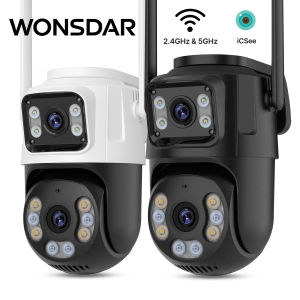
WONSDAR 2.4GHz&5GHz WiFi IP Camera Outdoor Dual Screen Auto Tracking PTZ Camera ICSee Security Protection Video Surveillance
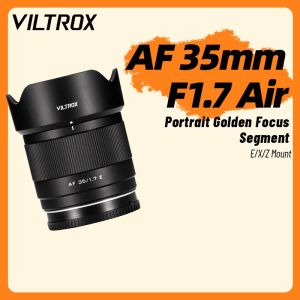
VILTROX | 35mm Auto Focus F1.7 Lens for APS-C
NiYi | Night Portraiture Fixed Focal Length Camera Lens 35mm F0.95
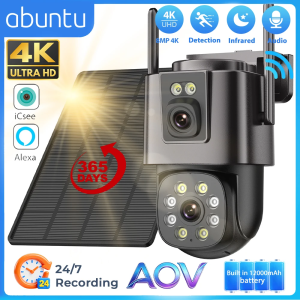
8MP 4K Solar Camera Wifi Outdoor 24/7 Video Record Dual Lens Wireless Security Camera Built-in Battery 365 Days Standby iCsee

NiYi Focus | Full Frame 50mm f2 Lens

EKLEVA 4K Portable MINI Vlog Camera Pocket Sports Camera with djustable rotating len Handheld Stabilizer Body Camera Video Recording
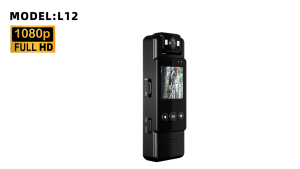
2024 New Mini Camera 1080P Portable Digital Video Recorder Worn Police Small Body Cam Night Vision DVR Miniature Camcorde
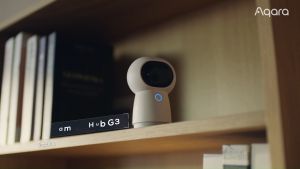
Aqara G3 Camera Hub
![[Fuji X] Tamron 11-20mm F2.8 Di III-A RXD Lens [B060X] | Tamron Singapore Warranty](https://img.lazcdn.com/g/ff/kf/S3b6ea4e5a6ad436ea59d44f2e912ff764.png_300x300q80.png)
[Fuji X] Tamron 11-20mm F2.8 Di III-A RXD Lens [B060X] | Tamron Singapore Warranty