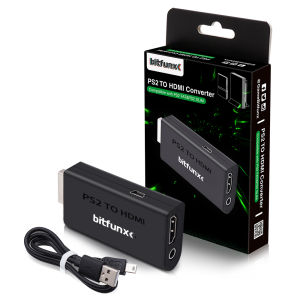
Bitfunx PS2 YPBPR to HDMI™ Adapter 3.5mm Audio Video Converter for SONY Playstation 2 PS2 PS3 Console
For Product Technical Support:1. Please join the Bitfunx Discord :https://discord.gg/ewRspdnt3Z2. Please visit Bitfunx Official Store to contact customer service. 3. E-mail : Bfse@sofunretro.com4. Visit @Sofunretro on Youtube to see more videos of the product in use.( https://www.youtube.com/@Sofunretro)Bitfunx PS2 YPBPR to HDMI™ Adapter 3.5mm Audio Video Converter for SONY Playstation 2 PS2 PS3 ConsoleNOTE :Only support YPBPR signal .Therefore, if the product is not working, please first check whether your PS2 game console's output signal is set to YPbPr.IntroductionThe majority of modern Televisions have connectivity via HDMI™ and lack some of the older inputs which retro game consoles use. With the Bitfunx HDMI™ adapter, you can bring your old Playstation 2 back to life on a newer TV and relive those gaming classics, with a simple ‘PLUG AND PLAY’ solution!Setup and CompatibilityThis PlayStation 2 to HDMI™ Converter actually converts Component Video (YPbPr) to HDMI™, which is highest possible image quality from PS2. To enable Component Video output for this adapter, be sure to select "Y Cb/Pb Cr/Pr" as the output type in the PS2 system menu ("System configuration -> component video out"). "RGB" will not work with this adapter if selected. The converter itself is powered by USB, which can be done by connecting the converter to a USB port on your PlayStation using the included USB power cable. And providing your with a Female HDMI™ socket and a 3.5mm Audio Jack - ideal for connecting headphones or an external set of speakers.How to output 1080i? (please visit the video)FEATURESVideo and audio output, no transmission loss.Support resolution: 480i, 480p, 576i, 576P, 720P, 1080i display modes.Easy to use. Plug and play.USB cable powered, no power adapter needed.FAQQ1:Can it support GSM 1080i or 720p ?A1: Yes, It can.Q2: Will GSM mode of OPL work?A2: Yes, It will.Q3: Why does my PS2 console not show image?A3: Please make sure that you've selected 'Y Cb/Pb Cr/Pr' output on your PS2 console, but not 'RGB'.

Prime Supply_Play Life
Review

You May Also Like
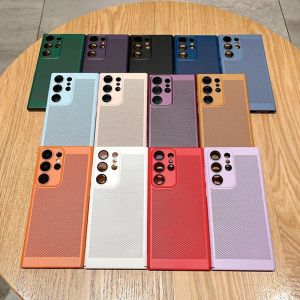
Mesh Heat Dissipation Breathable PC Case For Samsung S25 S24 S23 S22 S21 Plus Note 10 20 Ultra S20FE Ultra Thin Matte Hard Cover

Hdmi Splitter Adapter Cable 1 in 2 out Male to Dual Female 1 2 Way Converter for Hd Led Lcd Tv
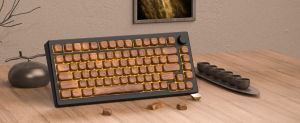
WOMIER 134 Key Walnut Wood Theme MOA Profile PBT Keycaps Dye-sublimation Customs Key caps for 61/64/68/84/75/87/96/98/104/108 Cherry MX Switch Gaming Mechanical Keyboard
MASFEIL | Magnetic Stand Phone Case Full Protection Cover
Zenia 1PC 20D HD Full Screen Curved Edge Full Coverage Protector Film For Garmin Lily Smart Watch Smartwatch HD 9H 3D Protective Glass Explosion-proof Anti Scratch Film
Newyu | Cool Temperature Stabilizing Transparent Cooling Protective Phone Case
JJC | JJC Ultra-Thin Camera Neck Strap for Ricoh GR IV HDF GRIV GR4 GR IV Monochrome GR III HDF GR IIIx HDF GR3x HDF Sony RX100 VII
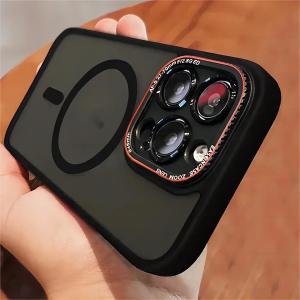
Luxury Matte Bumper Magnetic Clear Case For iPhone 16 17 15 14 13 12 Pro Max For Magsafe Wireless Charger Lens Protection Cover
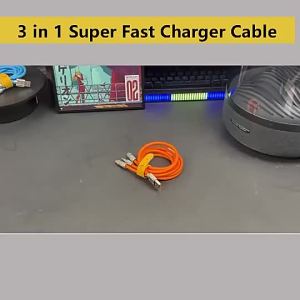
3 in 1 Super Fast Charger Cable 6A 120W Type C Micro USB One to Three Mobile LED Charging Data Cable hp Handphone Zinc Alloy Wire Cord Cable Cable For Android
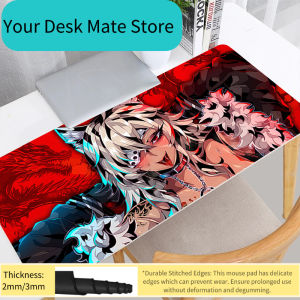
Bandai | Mouse Pads Large E-sports Mouse Pad Smooth Flexible Rubber Gamer PC XXL Computer Keyboard For CSGO Kawaii A-anime girl Mosuepad
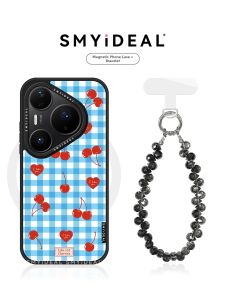
Smyideal | Magnetic Phone Case Compatible with Huawei and Honor Devices Unique Plaid Cherry Design