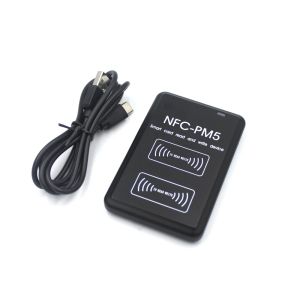
NFC RFID Reader Writer Dual-Frequency 125KHZ/13.56MHZ PM5 IC/ID Duplicator Card Copier with Decoding Function for Access Control
Dual-frequency 125KHZ 13.56MHZ NFC PM5 IC/ID Duplicator RFID Reader Full Writer Decoding Function Card CopierIdentification method:1. Decrypt the data saved in the original card first;2. Take the original card to swipe the access control or elevator;3. After swiping, decrypt the original card again;4. Use the comparison function of the software to compare whether the data before and after swiping the card is consistent;Note: If the two pieces of data are inconsistent, please contact customer service. If they are consistent, they can be copied directly.Operating instructions:Please don't be busy with the operation after receiving the goods, please contact customer service first to ask for a video tutorial. The device comes with a removable disk. After connecting to the computer, the computer will automatically recognize the device U disk. Remember to turn off the anti-virus software (without 360 certification) before use. Don’t put the device next to the computer host or magnetic objects to avoid interference. Please be patient to watch the video tutorials, especially about rolling code analysis and judgment.Features and specifications:Features:1) Sector data can be edited2) ID / IC card3) Supported read and write frequencies: 125 kHz, 250 kHz, 500 kHz, 375 kHz, 625 kHz, 750 kHz, 875 kHz, 1000 kHz, 13.56 MHz (ISO14443 A)4) Card reader support: EM4100 / EM4200, Mifare classic, UID, S505) Write card support: T5577, EM4305, Mifare UID.CUID,FUID6) Small and portable.7) Note that he can crack most but not all card encryption.8) Analog phone NFCSupported operating systems:- Windows XP,Windows 7,Windows 8,Windows 10This machine does not support copying cards which with powerArea A: Display device information, connection information, and card reading information.Area B: ID card operation.Area C: IC card operation.Zone D: This detector operates (not open).Area E: Use a known password to decrypt the IC card.Area F: Enter the card number. You can choose between decimal and hexadecimal card numbers.Area G: User settings and data analysis. (Not yet open)Area H: Display operation status.Area I: Shows the sectors cracked by the IC card. The S70 card has a total of 40 sectors. The S50 card has 16 sectors. The number represents the sector number, indicating a sector. The left block indicates the A key, and the right block indicates the B key. When the card or decoding is successful, it is green, when the decoding fails, it is red, and the yellow flashing indicates that the decoding process is in progress.Area J: Display IC decoding block data.Area K: IC card data can be imported.

Skyward Vistas
Review

You May Also Like
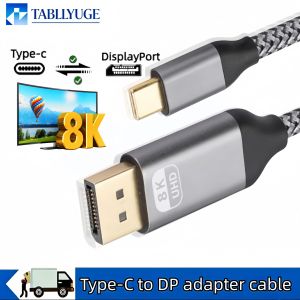
Type-C to DP Adapter Cable 8K 60Hz Computer Monitor Bidirectional Conversion DP to Type-C Mobile Phone Same Screen Cable
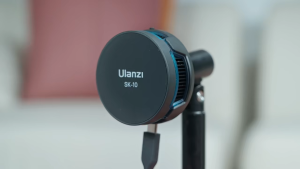
Ulanzi SK-10 Magnetic Phone Holder Wireless Charging Dock Stand Cooling Fan Cooler Live Streaming for Mobile Smartphone
3 In 1 Foldable Magnetic Wireless Charger Stand For iPhone 1716,15 14 13 Pro/Max/Plus AirPods 3/2 Station Dock Fast Charger Holder
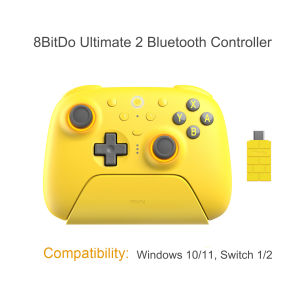
8BitDo | 8BitDo - Ultimate 2 Wireless Bluetooth Controller with Charging Dock TMR Joysticks & 8Speed for Nintendo Switch 1/2PCWindows

XUANG | Anti Direct Blowing Wind Deflector Air Conditioner Cover
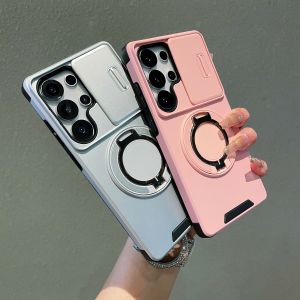
szhaiyu | 360° Rotating Metal Ring Holder Phone Case for Samsung S26 S25 S22 S21 Ultra S24 S23 Plus A37 A17 A56 A36 Hard Anti-Fall Cover
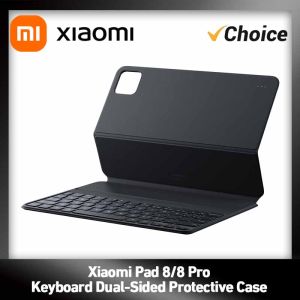
Original Xiaomi Pad 8/8 Pro Keyboard Dual-Sided Protective Case Magnetic Attachment 64 Keys PC Typing Feel Smart Wake
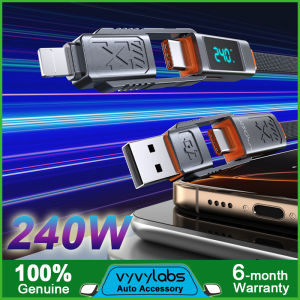
Vyvylabs 240W Cable 4-in-1 Fast Charging Data Cable USB Type-C Lightning Cord PD 3.1 Protocol Magnetic Cord for iPhone 16 15 14Pro Max Laptop Tablet Switch
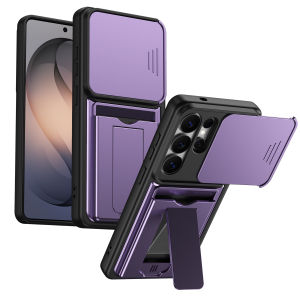
szhaiyu | Card Holder Slot Wallet Stand Phone Case for Samsung Galaxy S26 Ultra S26Plus A57 A27 A37 A17 A56 A36 A26 Lens Protective Cover
Ulanzi MA53 Arca Swiss Phone Holder Clip Mount
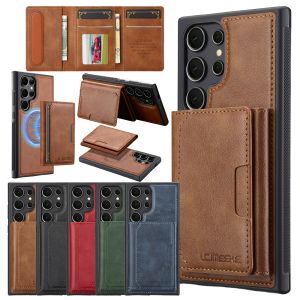
2 in 1 Wallet Leather Case for Samsung Galaxy S26 Ultra s25 Edge Plus S24 S23 Fe S22 S21 Cards Bag Wireless Charging Phone Cover