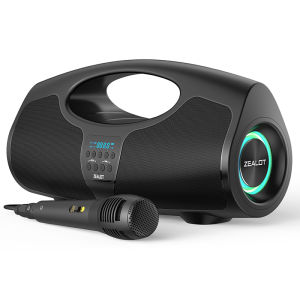
Zealot | Zealot-P1 Bluetooth Speaker 40W Wireless Party Speaker with Bluetooth 5.0 Stereo SoundComfortable handleControllable light
Selling PointBattery capacity: 7200mahBluetooth version: 5.0Speaker: 40WTransmission distance: 10mFrequency response: 20Hz-20KHzSignal to noise ratio: ≥ 85dBWorking voltage: 7.4VDistortion:< 1%Charging voltage: DC5VCharging interface: type-cBluetooth playback: 8hCharging time: 3 hoursWaterproof grade: IPX6Weight: 1.34kgSize: 32cm x17cm x 13cmPackaging List:1x ZEALOT-P1M Bluetooth Speaker 1x Charging Cable 1x User ManualFAQ1, What should I do if I can't turn on my computer?After receiving the speaker, please charge it first, and then it can usually turn on normally.2, What should I do if I can't charge the battery?Sometimes the battery may be in a state of waiting to be activated due to low temperature and other conditions. Usually, after continuous charging for 1 hour, the charging status will return to normal.3, What should I do if the sound cannot be output?Usually it's a formatting issue when playing music. Please adjust the music format to MP3.4, What should I do if I can't connect or pair with Bluetooth?Please disconnect other Bluetooth devices on your phone first, and then search for devices to connect.5, What should I do if there is no sound after Bluetooth connection?Please check if the speaker volume and phone volume have been adjusted to the lowest level. If there is no problem with the volume, please check if music is playing on the phone.6, What should I do if I can't adjust the volume?Please check if the volume of the speaker is already at its maximum. If both the phone and speaker are at their maximum volume, it is impossible to adjust it.7, What should I do if I can't connect the microphone?At present, only S32 and S53 models have built-in microphone function, while other models do not have built-in microphone. If you really need it, please choose the model with microphone.8, What should I do if my SD card is not recognized?Usually it's a format issue with the storage card. The storage card needs to be adjusted to FAT32, and music usually needs to be adjusted to MP3 format so that it can be recognized properly.9, How to connect to TV?Usually, it can be connected to a TV through an AUX data cable.10, How to set the standalone working mode?As long as the mode you choose works properly, it usually does not actively switch modes, such as MP3 mode. If you cannot read music continuously, it will automatically switch to a mode that can be used normally.

Prime Supply_Play Life
Review

You May Also Like
JBL Cinema SB510 3.1 Channel Soundbar With A Built-In Subwoofer
Cute Cat Ear Gaming Headphones with Mic Noise Reduced RGB Pink Girls Headset Gamer Accessories for PS4 Xbox Phone PC Kid Gift2026
![SG[In Stock]Monster XKT08 Wireless Bluetooth Earphone Headset Headphone Earbuds TWS HIFI Surround Bluetooth headset digital display binaural business Macaron with stereo stereo](https://img.lazcdn.com/g/ff/kf/Sa530a41a39364844805f85c2e6e1ce3aW.jpg_300x300q80.jpg)
SG[In Stock]Monster XKT08 Wireless Bluetooth Earphone Headset Headphone Earbuds TWS HIFI Surround Bluetooth headset digital display binaural business Macaron with stereo stereo

JBL | JBL CHARGE6 Wireless Speaker Powerful JBL Pro Sound Rugged Drop Resistant Hand Strap for Travel and Backyard Gathering
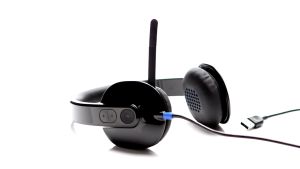
Logitech H540 High Performance USB Headset with Premium Ear Pad and Inline Audio Control
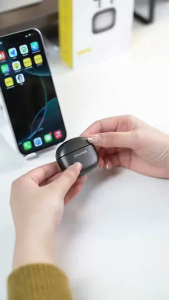
Awei T102 Bluetooth Earphone Wireless In-Ear Sports Suitable Air Pro Hi-Fi Bass Game Headset Touch Earbuds High-End Headphones Business For iPhone 17 Pro Max 16 Plus iPad iPods Samsung Tablet OPPO Vivo Xiaomi Realme Honor Huawei infinix HTC LG Sony
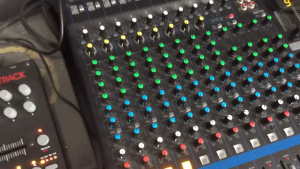
Yamaha MG16XU Professional Stage Audio Mixing Console 16 Input Channels with 4 Group Buses Built-in Digital Effects Mixer for Conference & Live Performance
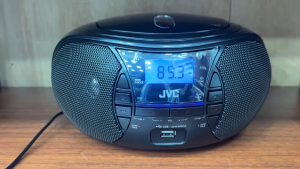
JVC RA-CRU20 Portable CD / USB Radio Boombox
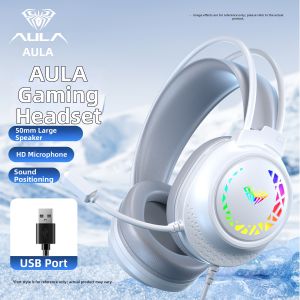
AULA | Noise-cancelling Gaming Headphones with Microphone for PC
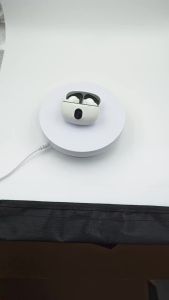
Super Lightweight Compact Mini Wireless Bluetooth Earbuds Built‑In Microphone Long Standby Battery Calling Music Enjoyment