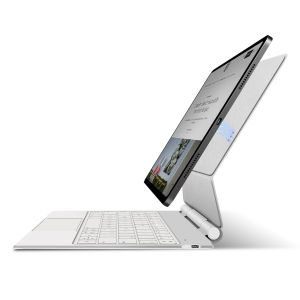
AJIUYU | Magic Keyboard Case for iPad Pro 13 Inch iPad Pro (M5) (M4) 13" Smart Pogo Pin Direct Connection Multi-Touch Trackpad Keyboard
For iPad Pro 13 Magic KeyboardMagnetic separation, backlight, Multi-touch TrackPad、Smart Pogo Pin connection、Reverse ChargeInstallation method: First, you need to confirm whether your machine model is correct, then open the iPad tablet (note that the iPad cannot be turned off, otherwise the keyboard cannot be connected), align it with the Pogo Pin contact, connect it magnetically, and then it can be used directly. If the connection is unstable, it is recommended that the buyer remove it and reinstall it. It is best to pinch the contact position during installationThis Magic Keyboard connects and powers itself through the three smart connectors on the back of the iPad, requiring no Bluetooth pairing and no charging for operation.Product Description:1.No data cable connection or Bluetooth pairing anymore to enjoy connect-and-go convenience! With a PIN connector design, you can instantly connect the tablet to the keyboard by installing the tablet on the keyboard instead of extra Bluetooth pairing, which ensures a more stable and convenient transmission, providing a more stable and responsive typing experience.2.You don't need to charge the keyboard without a built-in battery. When the tablet and keyboard are connected, the keyboard immediately gets power from the tablet and turns on, reducing the charging frequency for both of them. When the tablet runs out of battery, you can connect the keyboard to a power source, and then the tablet will be charged by the pass-through current.3.The keyboard does not have a built-in battery and does not require separate charging. The iPad can only provide power to the keyboard when used together with it. At this time, you can charge the iPad or the keyboardProduct parameters:Connection method: Magnetic Pogopin contact connectionCharging interface: Type-c (rechargeable, upgradable)Number of buttons: 84Normal/PD fast charging: 5V/2A; 9V/2A (supports overvoltage protection)Green indicator light: working statusWhite indicator light: Capslock capital lockPower on current: ≤ 85mA (including backlight)Standby current: ≤ 6mASleep current: ≤ 0.3mAShutdown current: 0Single finger tapping current: ≤ 10mATouchpad current: 15mABacklight current: 50mA low; 60mA medium; 70mA highBacklight: Colorful backlight with three levels of adjustmentMaximum supported voltage: 9VMiaokong gesture function: supportsQuick multimedia function: SupportsQuick language switching function for input method: SupportsSupported system versions: iPadOS 17.0 and above1. Connection method: Pogo Pin direct connection (no Bluetooth required)2. The four corners of the touchpad need to be pressed to use3.The center position of the touchpad cannot be touched or pressed, only the 4 corners support itHow To Verify Your Tablet Model1.Turn iPad tablet to the back find your specific model,Par exemple: A ****2.Find the "Settings"--Click the "About"--Find the "Model"3.Please select the correct model number for your tablet purchase after viewing it.Compatible models and codes:For iPad Pro 13 (M4) 2024 (Code :A2925、A2926、A3007)For iPad Pro 13 (M5) 2025 (Code:A3360、A3361、A3362)The above two models are universal ..Note: Tablet and stylus are not included in the packaging!![ Note:Only the corresponding machine model can be magnetically attracted. If your machine is not of the following model, please do not purchase it!!! ]Attention PleaseEnglish versionkeyboard : There are English letters on the keyboard only.Multi-language versionkeyboard : English letters and carved language letters together ..【For example, if you choose Russian, the keyboard will display English and Russian letters. Please note that the same letters will not be engraved repeatedly】(Due to the difference in the number of keyboard keys compared to a normal office keyboard, some special character engraving positions are the same, which is a normal phenomenon)The keyboard Core defaults to English, and the characters engraved on the keyboard are only a Surface display.so in some countries, even if the input method is switched, the special symbols do not necessarily match the keyboard function layout(You can hold down the Shift combination).If you mind, please do not purchase!!.Note: Duet to the material of the white keyboard, the engraved letters are dark gray!!!Hebrew, Russian, Arabic, Korean: Steps to switch input methods:【1】After connecting the keyboard, open iPad Settings - General - Keyboard - Keyboard - Add New Keyboard (add the language you need)【2】After adding the language, switch input methods: simply click the (Globe Key) button (select the language you need)【3】For detailed instructions, please read the user manual. If you have any questions, you can contact "Online Services" for consultation .The steps for switching languages in the following special countries:

Prime Supply_Play Life
Review

You May Also Like
SG库 拍一发二2个装网红同款天空之镜拍照神器超清镜面倒影拍摄器手机专用拍摄夹颜色随机
JJC | JJC for Dji Osmo Nano Lens Cap Cover Coque Compatible with Dji Osmo Nano Glass Lens Cover Protector Aluminum Alloy Silicone Cap
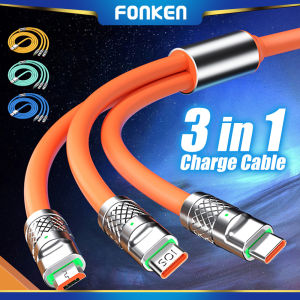
FONKEN 3 In 1 6A Fast Charging Cable For Android A-pple Multiple USB Charging Cord Micro USB Type C Cable
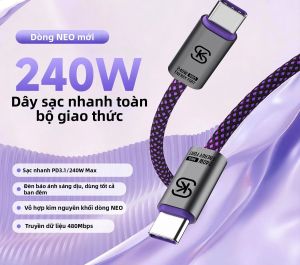
Sikai | Fast Charging PD3.1 Dual C-Port Cable 5A

Color Heart Star Doodle Phone Case for iPhone 18 17 16 15 14 13 12 11 Air Pro Max Plus Double-layer Cover
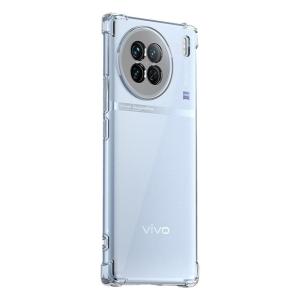
Henyou | Transparent Silicone Protective Case For Vivo X70 Series Phones With Airbag Four Corners Full Cover Anti-Fall Business Style
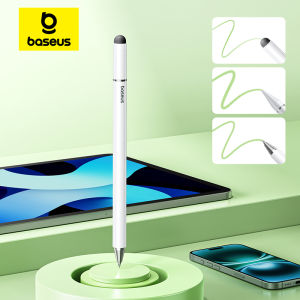
BASEUS | Baseus 3 in 1 Stylus Pen For iPhone for iPad All Tablet Phone Pencil For Samsung Xiaomi Pad Huawei Matepad Phone Draw Touch Pen
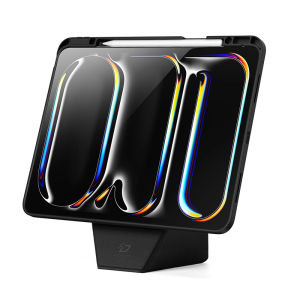
Dux Ducis | Protective Multi-Angle Support Soft Shell 13 Inch

air tag heart shape tracker protection shell airtag case silcon holder protector anti lost Keychain tracker case waterproof
Screen Protector Tempered Glass for iPhone 17 Pro Max/16E/15/14/13 Plus Clear Privacy Matte Blue Light
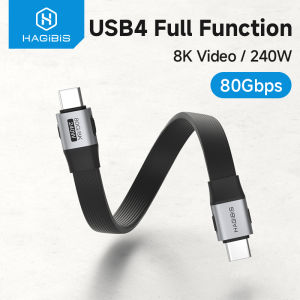
Hagibis Short USB C to USB C Full Function Cable USB4 V2 Data Cable 80Gbps 8K PD 240W For Thunderbolt 3/4 iPhone 16 Pro Max SSD Power Bank