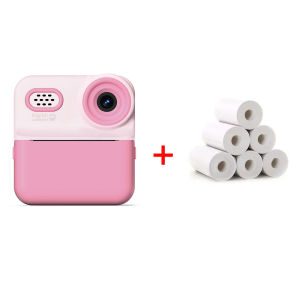
Marklife | 1080P Children Digital Camera Instant Print for Kids Thermal Print Camera Instant Photo Printing Camera Video For Kids Gift
Operating Guide 1.Press and hold the power button for 2 seconds to turn on the printer, then quickly press the power button twice to test if the printer works properly. 2.Search for the App "Marklife" in the App Store , then download and install it. 3.Open the App, register and log in. Select your preferred language. Tap "UNLINK" in the top-left corner of the App, turn on Wireless, and pair it with the printer. 4.Create label: Select the correct label paper size, choose your desired template, enter the content you want to print, and then start printing.
Indicator Light Status Explanation 1.Green light on steady: Battery is fully charged, or the device is in normal working state 2.Red light on steady: Corresponds to the following 4 situations: A:Device is charging B:Incorrect label paper placement C:Printer body temperature is too high D:Cover is not closed properly 3.Red light flashing: Battery power is low, need to charge in time 4.Orange light on steady: Device has entered debug mode, press and hold the power button to exit this mode

Prime Supply_Play Life
Review

You May Also Like

🔥【SG Ready Stock】🔥Campus student entry digital camera / megapixel HD digital camera / CCD campus student portable camera
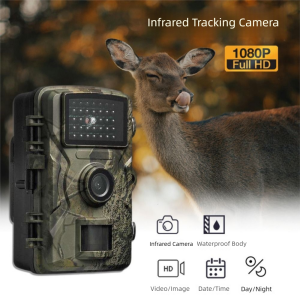
AZDH IP66 Waterproof Outdoor Trail Camera 16MP Image Resolution HD 1080P Video Motion Activated Wildlife Camera Enhanced Sensitivity Motion Detection Infrared Night Vision Camera Wildlife Observation

NIOYE | Wireless Video Doorbell Display Camera Night Recording Intercom
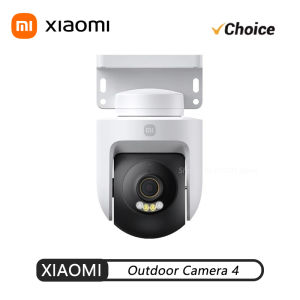
Xiaomi | Xiaomi Outdoor Camera 4 Wi-Fi Security Camera 4K 8MP Full-Color Night Vision Human Vehicle Detection Sound Light Alarm Mi APP CN

HEITAILANG | Battery Powered Wifi Free Remote Surveillance Camera

Fake Wireless Camera With Simulation Antena Dummy CCTV Camera Red Led Flashing AA Battery Home Surveillance Security System
![[Sony E] Tamron 150-500mm F5-6.7 Di III VXD Lens [A057S] | Tamron Singapore Warranty](https://img.lazcdn.com/g/ff/kf/S125a9284a7ae41e18749c0857820b975C.png_300x300q80.png)
[Sony E] Tamron 150-500mm F5-6.7 Di III VXD Lens [A057S] | Tamron Singapore Warranty
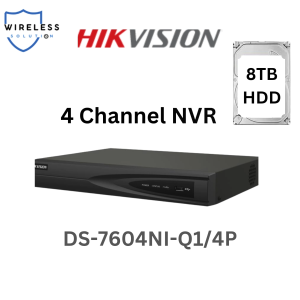
SG LOCAL Hikvision NVR DS-7604NI-Q1/4P Network Video Recorder CCTV recorder

Panpuri | Gift Digital Camera for Girls and Students
![[SG] HPRT Z1 Instant Camera CCD 2.8-inch Screen Fill Light Built-in Filters Wireless Printing Color Photos 拍立得相机](https://img.lazcdn.com/g/ff/kf/S34bec0985cfe4190a1a8d017153864f5N.jpg_300x300q80.jpg)
[SG] HPRT Z1 Instant Camera CCD 2.8-inch Screen Fill Light Built-in Filters Wireless Printing Color Photos 拍立得相机
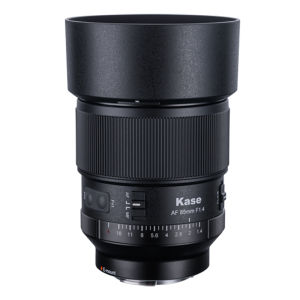
Kase | 85mm F1.4 Prime Lens for Nikon Sony Cameras