


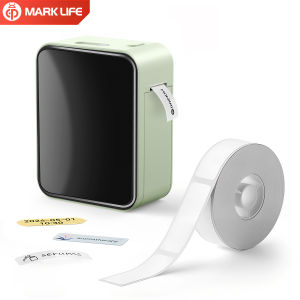
Marklife | Marklife P15 Mini Wireless Thermal Printer Portable 203DPI High-Definition Label Printer for Office And Home Use Small Business
Operating Guide1.Press and hold the power button for 2 seconds to turn on the printer, then quickly press the power button twice to test if the printer works properly.2.Search for the App "Marklife" in the App Store , then download and install it.3.Open the App, register and log in. Select your preferred language. Tap "UNLINK" in the top-left corner of the App, turn on Wireless, and pair it with the printer.4.Create label: Select the correct label paper size, choose your desired template, enter the content you want to print, and then start printing.Indicator Light Status Explanation1.Green light on steady: Battery is fully charged, or the device is in normal working state2.Red light on steady: Corresponds to the following 4 situations:A:Device is chargingB:Incorrect label paper placementC:Printer body temperature is too highD:Cover is not closed properly3.Red light flashing: Battery power is low, need to charge in time4.Orange light on steady: Device has entered debug mode, press and hold the power button to exit this mode

Prime Supply_Play Life
Review

You May Also Like

NIIMBOT D11 Thermal Label Printer 300dpi Mini Bluetooth Inkless Printing Label Maker Beauty Horticulture Journal Sticker Medical Food Label Machine

HP | Original Color Black Ink Cartridge
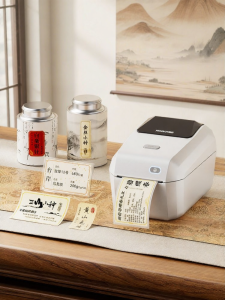
Niimbot | Color Small Adhesive Label Printer
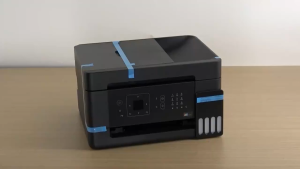
Epson EcoTank L5390 A4 All-in-One Ink Tank Printer Wi-Fi & Wi-Fi Direct Print Scan Copy and Fax 2Y Epson Sg Service Centre

Fujifilm | Portable Home Instant Color Photo Printer

eSun eTPU-95A 1.75mm 1KG 3D Printer Filament TPU 95A Flexible Printing Material FDM Plastic eTPU Flex

SoonMark Bluetooth Thermal Label Printer | Waybill Printer | Airway Bill Printer | Thermal Printer | Sticker Printer

Niimbot B3S Label Printer Inkless Bluetooth Portable Mobile Phone 25-75mm Label Maker for Clothing Barcode & Small Business

Phomemo A6 A7 Wifi Waybill Printer Inkless Thermal Printer 300DPI with 20 Free A6 Shipping Labels for Express Courier Waybill
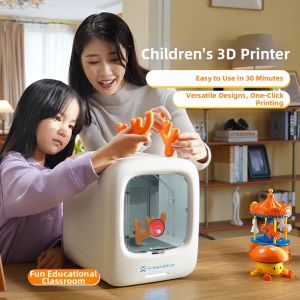
QIAOPIGU | 3D Printer for Kids 8-10 Years Old Educational Toy Fun Learning Gift for Boys and Girls Compact 3D Printing Machine Easy to Use in 30 Minutes One-Click Printing
Myriwell RP300B Upgrade 2.0 Low Temperature 3D Pen with Multi-Color PCL Filament Perfect New Year & Christmas Gift for Kids











