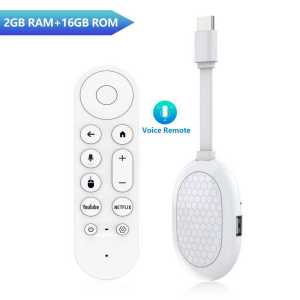
Android14.0 Mini TV Stick 4K HDR10 New Features 2G 16G BT5.0 Voice Assistant Wifi 6 USB3.0 Quad Core Q2S TV Dongle Media Player
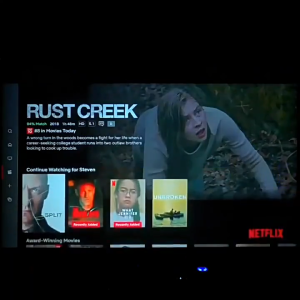
Please turn to the end for answers to common usage questions Paired with Android 14 systemAll of the top apps are in one placeso you can always stream your favorite shows, movies, and more.Paired with the latest WIFI6 technologySeamless streaming for any roomwatch your favorite entertainment on any TV in the house, even in rooms farther from your router thanks to the long-range Wi-Fi receiver 8K ecoding 4K HDR picture quality Stunningly sharp 4K picture brings out rich detail in your entertainment with four times the resolution of HD.Watch as colors pop off your screen Ultra high frequency CPU powered by Rockchip RK3518 Quad-core ARM Cortex A53Support [2GB RAM + 8GB ROM] [2GB RAM + 16GB ROM] ,which makes sure android box running more stable and faster to load movies,pictures and play games without buffer.Voice search & control Quickly search, play entertainment, and control your streaming device with the voice remoteCHROMECAST BUILT-IN Stream your favorite entertainment and apps from your phone,tablet or laptop right to the big screenSuper Heat DissipationMultiple vents help to dissipate the heat of machine, which is safer and more practicalSpecificationsCARD, Network cable, HDMI cable, infrared, Power interface USB and other interfaces Bring you smart and colorful enjoyment.What's in the box1 Q2S TV stick1Voice Remote control 1 HD Cable1* USB power cord1*User ManualHow to use netflix?Step 1, please confirm that the machine network is connected;Step 2, find the black icon Netflix, click enter, click the mouse mode button on the remote control, switch the remote control to mouse mode, click continue to the next step, a pop-up window will appear for entering account password interface; Step 3, click the mouse button again to switch the remote control mode back to remote control mode, enter the account password, log in successfully, Step 4, click the mouse mode button on the remote control again ,switch the remote control mode to mouse mode again, and click on the desired source to watch it normally.If you are experiencing slow WiFi speedplease check whether your router is WiFi 6 and if it is compatible with WiFi 5. Our box supports WiFi 5, and some WiFi 6 routers only operate in the ax mode on the 5GHz frequency, without supporting the compatible WiFi 5 AC mode. This may result in slower speeds.Remote can't navigate on some AppsIt is a common issue for most of android tv box that hard to navigate on some Apps with the remote, as these Apps are mainly provided for tablets and phones that have touch screen settings or mouse. You can connect a mouse or a wireless keyboard to control it.Or click the mouse button on the remote control to switch the remote control mode to the mouse modeIf your TV sticK needs to be restarted after a period of usingit may be that some apps you installed are not compatible or some data is damaged. It is recommended that you “factory data recovery” in the settings.requently Asked Questions:Note: Please use the cables we provide, do not change the cables at will, so as to avoid the machine being unable to bootIf the TV box restarts repeatedly after a few seconds or minutes, or the red light on the front panel is on and the TV screen stops at the boot screen, the problem is that the output voltage and current of your power adapter are not 5V/2A. You can use a 5V/2A adapter to power the TV box, and it can be used normally.Netflix usage tutorial:1. After connecting to WiFi, open the APP, find the black Netflix software, and click to open(2) After clicking to open Netflix, the login interface will appear. Click the mouse switch button on the remote control to switch the remote control to mouse mode, and click the login button of the software(3) Click the mouse button again to switch the remote control to remote control mode, enter the account password to log in(4) Use the mouse mode of the remote control to click the video to be played2. Disney and other software cannot solve the problem. Disney software may not be compatible and cannot be used for a long time. If you need to use Disney software, please choose your purchase carefully to avoid unnecessary disputes. Based on the actual product!3.Machine startup problem(1) Product startup: It is normal for the product to start up slowly for the first time. Each product has different configurations, so the startup time is also different.If the startup is slow, please wait patiently and do not unplug the power supply. For customers who have high requirements for startup time, please choose products with high prices and configurations in our store.(2) If there is no signal when starting up, it is because the user has used an HDMl cable and power cable that don't match the product. Please be sure to use the accessories provided by us and do not replace the cables at will .lf there is no signal when the machine is turned on, it may be that the user's TV has multiple HDMl interfaces. The user can use the TV remote control to switch to the correct signal source, and the TV will display the picture normally.

Prime Supply_Play Life
Review

You May Also Like
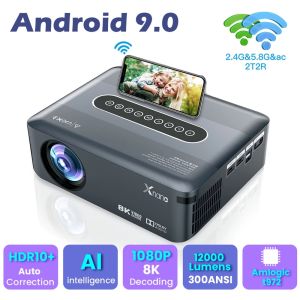
SG【Ready Stock】Portable high-definition projector CineLens Ultra Short Throw 0.3:1 Throw Ratio 100Screen from 30cm Portable Projector
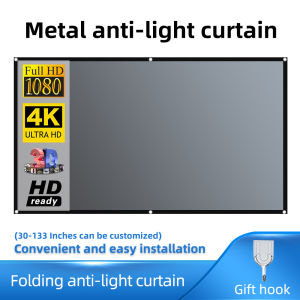
Salange Projector Screen 16:9 Metal Anti Light Curtain Reflective Fabric Cloth For YG300 XGIMI H3 HALO Mogo Xiaomi DLP Projector
AIWA 43″ | 436S | 4K | WebOS Smart TV | Frameless TV
HUAWEI IdeaHub S2 Display | 65" / 75" / 86" | New Style Smart Office | 1 Year Local Warranty
AIWA 55″ | 558S | 4K | WebOS Smart TV | Frameless TV
AURZEN Eazze D1 MAX Smart Projector | Google TV 14 | Full HD 1080p (1920×1080) | 1000 ANSI Lumens | 20W Dolby Audio
![[Top1 Seller for Projectors] Dangbei MP1 Max Ultra-Bright LED & Triple Laser 4K Google TV Projector with Official Netflix c/w Hardcase - New Arrival (1 Year Warranty)](https://img.lazcdn.com/collect/social-img/9d653ae9c33645ab82185f310770b615_5_1745991155.170577.jpg_300x300q80.jpg)
[Top1 Seller for Projectors] Dangbei MP1 Max Ultra-Bright LED & Triple Laser 4K Google TV Projector with Official Netflix c/w Hardcase - New Arrival (1 Year Warranty)
Sony BRAVIA 5 | 75 inch | 75XR50 | 4K Mini LED TV | 3 Years Warranty

WANBO ToGo Pro Portable Projector | Google TV 14 | Full HD 1080p (1920×1080) | 500 ANSI Lumens | 3.5-Hour Battery Life | Free Carry Case
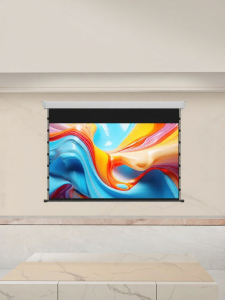
DAYANCHENG | Ultra HD Anti-light Motorized Projection Screen
![[New] [Online Exclusive] LG NANO 4K UHD AI NU80 Smart TV + LG Soundbar [Bundle]](https://img.lazcdn.com/g/ff/kf/Sc78cf33a34ea4d9a93fb39cc62da2c4dw.png_300x300q80.png)
[New] [Online Exclusive] LG NANO 4K UHD AI NU80 Smart TV + LG Soundbar [Bundle]